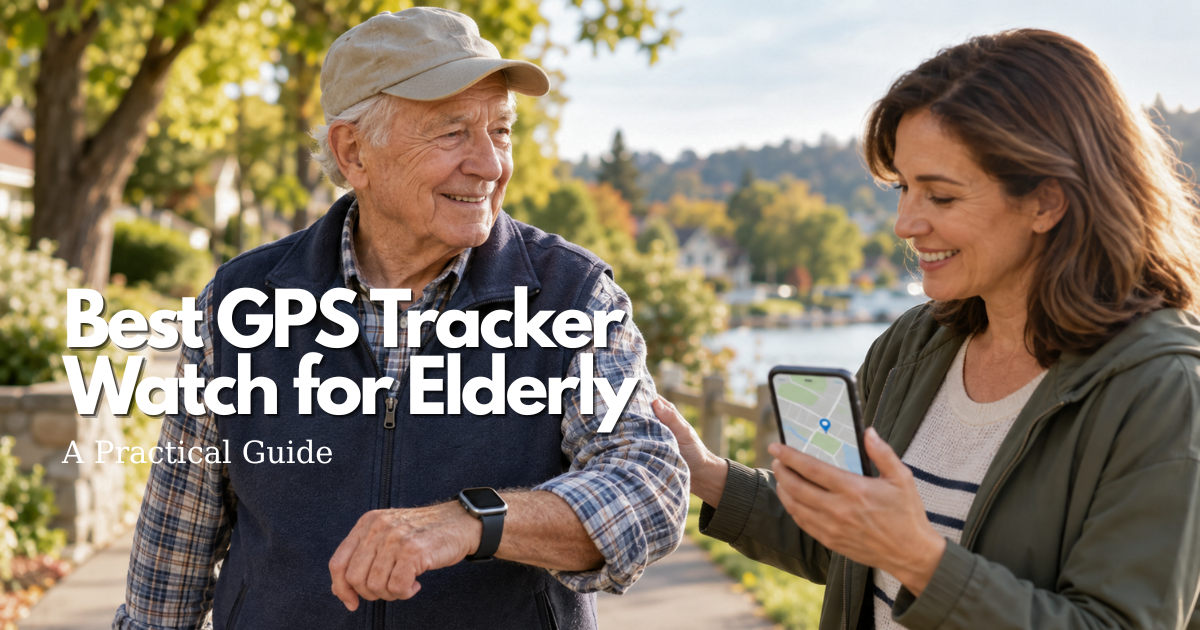
However, choosing the Best GPS Tracker Watch for Elderly care requires more than comparing smartwatch specifications. The right device should match the wearer’s smartphone ecosystem, remain comfortable throughout daily activities, provide reliable connectivity, and be manageable for both the older adult and authorized caregivers.
Popular GPS smartwatch options include the Apple Watch SE 3, Apple Watch Series 11, Samsung Galaxy Watch8 LTE, and Google Pixel Watch 4 LTE. Each offers different combinations of location tracking, emergency features, battery performance, accessibility, and smartphone compatibility.
This practical buying guide explains how to choose the Best GPS Tracker Watch for Elderly adults, compare smartwatch features, understand GPS and cellular requirements, evaluate comfort, review emergency capabilities, protect privacy, and establish a reliable caregiver response plan.
Safety note: A GPS tracker watch for elderly users is not automatically a medical alert system, professional monitoring service, or guaranteed fall detector. Location and emergency features depend on the exact model, network coverage, country, battery, settings, and service plan. If an older adult is missing, injured, or in immediate danger, contact local emergency services promptly rather than waiting for another watch notification.
Quick answer: which is the best GPS tracker watch for elderly users?
The Best GPS Tracker Watch for Elderly users depends on the person’s smartphone, comfort preferences, daily activities, charging abilities, and caregiver support.
There is no single GPS smartwatch that works best for every older adult.
For an iPhone household, the Apple Watch SE 3 GPS + Cellular is a practical option to investigate because it offers GPS tracking, cellular communication, Emergency SOS, Fall Detection, and accessibility features.
The Apple Watch Series 11 GPS + Cellular may suit older adults who prefer a more advanced display and additional health and safety features.
For Android users, the Samsung Galaxy Watch8 LTE and Google Pixel Watch 4 LTE are relevant alternatives.
Samsung Galaxy Watch8 LTE may appeal to families already familiar with Samsung Galaxy smartphones and Galaxy Wearable.
Google Pixel Watch 4 LTE may be suitable for compatible Android households interested in Google’s safety and location-sharing tools.
These are comparison candidates rather than a definitive ranking of every smartwatch currently available.
When evaluating the Best GPS Tracker Watch for Elderly adults, consider:
- Compatibility with the existing smartphone.
- Independent cellular connectivity.
- GPS location accuracy.
- Emergency SOS functionality.
- Fall detection capabilities.
- Screen visibility and text size.
- Speaker volume and vibration alerts.
- Battery life and charging requirements.
- Wrist comfort and strap security.
- Caregiver access and notifications.
- Privacy settings.
- Total purchase and service costs.
The best GPS smartwatch for seniors should be comfortable enough to wear consistently, easy to operate, and supported by a caregiver who understands how to respond to alerts.
Best GPS tracker watch for elderly people with an iPhone
For families using an iPhone, Apple Watch models are natural candidates when searching for the Best GPS Tracker Watch for Elderly care.
Apple Watch SE 3 and Apple Watch Series 11 offer GPS and GPS + Cellular configurations.
Their available safety features include Emergency SOS and Fall Detection, subject to model, region, settings, and connection requirements.
Apple also offers accessibility tools for vision, hearing, mobility, and other needs.
Some supported cellular Apple Watches can be configured for family members without their own iPhone through Apple’s family-oriented watch setup options.
However, not every feature is available under every family setup arrangement.
When independent communication is essential, investigate the GPS + Cellular configuration rather than assuming a GPS-only watch can communicate without its paired iPhone.
Always verify carrier compatibility and coverage.
Best GPS tracker watch for elderly users with Android
Families using Android smartphones may consider Samsung Galaxy Watch8 LTE or Google Pixel Watch 4 LTE.
Both offer location-related functionality, cellular configurations, and safety features.
However, their supported phone ecosystems differ.
Samsung Galaxy Watch8 is designed around Samsung’s Galaxy smartphone environment and associated applications.
Google Pixel Watch 4 works with many compatible Android smartphones and uses Google’s Pixel Watch application and related services.
A caregiver already familiar with Samsung software may prefer a Galaxy Watch.
A family using Google services may find Pixel Watch easier to configure.
The Best GPS Tracker Watch for Elderly Android users should match the household’s actual devices and technical abilities.
When a smartwatch is not the best elderly GPS tracker
A smartwatch may not be suitable for every older adult.
Some people dislike wrist devices, remove them frequently, have difficulty charging them, or struggle with small touchscreen controls.
Others may require professional medical monitoring or a dedicated emergency response service.
Alternatives may include:
- Compact personal GPS trackers.
- Medical alert pendants.
- Smartphone location sharing.
- Home safety alarms.
- Scheduled caregiver check-ins.
- Professional care arrangements.
The Best GPS Tracker Watch for Elderly users is not necessarily the device with the most sensors.
It is the solution that matches the person’s needs and can be maintained safely and consistently.

How to evaluate the best GPS tracker watch for elderly routines
Choosing the Best GPS Tracker Watch for Elderly care begins with evaluating the person’s daily habits.
A watch may offer excellent location tracking but become ineffective if the wearer forgets it, removes it, or cannot manage its charging routine.
Before comparing products, identify the activities where location or emergency communication would be most useful.
Match the GPS tracker watch for elderly care to the safety job
A GPS tracker watch may serve different purposes depending on the person’s needs.
Some older adults want location sharing during independent walks.
Others want a way to contact family when they need assistance.
Some families are interested in safe-area notifications or fall-related alerts.
Common goals include:
- Supporting independent outdoor activities.
- Confirming arrival at familiar destinations.
- Providing an accessible emergency call option.
- Sharing location with authorized caregivers.
- Supporting communication after a missed check-in.
- Receiving certain safety notifications.
- Improving coordination between family members.
The Best GPS Tracker Watch for Elderly users should provide features directly related to the agreed safety goal.
Avoid enabling every available notification when only a few are necessary.
Test whether the wearer will keep the elderly GPS watch on
A watch cannot provide useful tracking information when it is left behind.
Before choosing the Best GPS Tracker Watch for Elderly adults, test the smartwatch during normal activities.
Ask the wearer to:
- Put on the watch independently when possible.
- Fasten and adjust the strap.
- Read important information.
- Respond to a notification.
- Press the emergency control.
- Wear the device under everyday clothing.
- Place it on the charger.
- Reattach it after charging.
Observe comfort during walking, meals, transportation, and rest.
A large watch may provide a clearer display but feel uncomfortable on a smaller wrist.
A compact watch may fit better but make touchscreen controls harder to use.
Include caregiver capacity in the best GPS tracker watch decision
The Best GPS Tracker Watch for Elderly care should be supported by caregivers who understand the system.
Before activating notifications, establish clear responsibilities.
Determine:
- Who receives emergency alerts.
- Who can view location information.
- Who helps maintain the watch.
- Who checks battery warnings.
- Who updates settings.
- Who responds when the primary caregiver is unavailable.
Assign a backup caregiver when possible.
A smartwatch provides information, but a human response plan determines how that information is used.
Best GPS tracker watch for elderly features that matter most
When comparing the Best GPS Tracker Watch for Elderly users, focus on practical features rather than marketing labels.
GPS, cellular communication, Emergency SOS, and Fall Detection perform different functions.
Understanding their limitations helps caregivers choose a watch realistically.
GPS and location sharing in a tracker watch for elderly users
GPS technology allows compatible smartwatches to estimate geographic location under suitable conditions.
Some devices can share this information with authorized caregivers through connected applications.
However, GPS positioning does not automatically guarantee remote communication.
Before choosing a GPS tracker watch for seniors, determine:
- How location information is shared.
- Whether a caregiver can request an update.
- Whether the watch requires a nearby smartphone.
- Whether location timestamps are visible.
- Whether location history is stored.
- How the device performs indoors.
GPS accuracy may decrease inside buildings, underground, near tall structures, or beneath dense tree coverage.
A map marker should be interpreted as an estimated location rather than proof of an exact position.
Cellular independence for a watch GPS tracker for elderly people
Cellular connectivity can be an important feature of the Best GPS Tracker Watch for Elderly users.
A GPS-only smartwatch may record location information but depend on a paired smartphone or Wi-Fi network for communication.
A GPS + Cellular smartwatch may be able to make calls or transmit information independently when supported by an active cellular plan.
However, this depends on the device, carrier, country, settings, and network availability.
Before selecting a cellular GPS tracker watch, verify:
- Carrier compatibility.
- Cellular activation requirements.
- Monthly service fees.
- Coverage in familiar locations.
- Emergency calling support.
- Battery performance with cellular enabled.
Phone-free communication should be tested before the watch becomes part of the safety routine.
Emergency SOS and fall detection in an elderly GPS tracker watch
Emergency SOS and Fall Detection are important features to understand when researching the Best GPS Tracker Watch for Elderly users.
Emergency SOS generally allows the wearer to initiate an emergency communication action.
Fall Detection uses sensors and software to identify certain movement patterns that may indicate a fall.
However, Fall Detection cannot identify every event and may generate false notifications.
Apple, Samsung, and Google all describe limitations involving settings, network availability, device condition, and detection performance.
Caregivers should understand exactly who receives an alert and what happens afterward.
A smartwatch with fall detection is not automatically equivalent to a professionally monitored medical alert system.
Screen, sound, vibration, and accessibility in a GPS tracker watch for elderly users
Accessibility can determine whether a GPS smartwatch is usable during everyday activities.
The Best GPS Tracker Watch for Elderly adults should offer controls that match the wearer’s vision, hearing, and hand coordination.
Important features to evaluate include:
- Adjustable text size.
- High-contrast displays.
- Clear icons.
- Simple menus.
- Accessible physical buttons.
- Audible notifications.
- Vibration alerts.
- Voice communication.
- Emergency controls.
Test the watch in normal lighting and background noise.
If the wearer uses glasses or hearing aids, include them during testing.
Remove unnecessary notifications that might cause confusion.
Apple Watch SE 3 as an elderly GPS tracker watch option
Apple Watch SE 3 is a practical candidate for iPhone households comparing the Best GPS Tracker Watch for Elderly users.
Apple’s published specifications list 40 mm and 44 mm case sizes, GPS and GPS + Cellular configurations, Emergency SOS, Fall Detection, and accessibility features.
The watch also includes an always-on display and a range of everyday communication functions.
The exact configuration should match the wearer’s wrist size, smartphone, and communication needs.
Where Apple Watch SE 3 fits a GPS tracker watch for elderly use
Apple Watch SE 3 may suit an older adult who already enjoys wearing a watch and uses an iPhone-based system.
Potential advantages include:
- Familiar Apple ecosystem.
- GPS positioning.
- Optional cellular connectivity.
- Emergency SOS.
- Fall Detection.
- Adjustable accessibility settings.
- Phone calls and messaging.
- Multiple watch sizes.
An older adult who does not own an iPhone may be able to use certain features through an eligible family-oriented Apple Watch setup.
However, feature availability and setup requirements must be verified.
Apple Watch SE 3 limitations for elderly tracker decisions
Apple Watch SE 3 has several practical limitations.
Cellular communication requires a supported configuration and appropriate service.
The watch must also be charged regularly.
Apple advertises up to 18 hours of normal battery use under specified testing conditions, although actual performance varies.
Caregivers should evaluate:
- Charging frequency.
- Cellular coverage.
- Screen readability.
- Strap comfort.
- Emergency contact configuration.
- Smartphone compatibility.
- Location-sharing permissions.
The watch does not automatically provide professional emergency monitoring.
When Apple Watch SE 3 is not the best wearable GPS tracker
Apple Watch SE 3 may not be the best option when the older adult uses Android, dislikes touchscreen devices, or cannot maintain regular charging.
It may also be unsuitable when the primary need is a dedicated professional emergency response service.
The Best GPS Tracker Watch for Elderly users should match the entire caregiving arrangement rather than rely on brand familiarity alone.
Apple Watch Series 11 for elderly GPS tracking and safety
Apple Watch Series 11 is another Apple smartwatch candidate when evaluating the Best GPS Tracker Watch for Elderly adults.
Apple’s published specifications describe 42 mm and 46 mm configurations, GPS and cellular versions, emergency features, and accessibility options.
The watch offers a broader feature set than the SE line.
However, additional capabilities do not automatically make it a better safety device for every user.
Why Series 11 may suit a best GPS tracker watch shortlist
Apple Watch Series 11 may appeal to an older adult who prefers a larger or brighter display and additional health-related functionality.
Potential considerations include:
- GPS location features.
- Cellular configurations.
- Emergency SOS.
- Fall Detection.
- Crash Detection.
- Adjustable display settings.
- Multiple case sizes.
- Broader health and activity features.
The wearer should test the display and controls before choosing a particular size.
A larger watch can be easier to read but may feel less comfortable.
Series 11 trade-offs for older adult GPS watch buyers
Additional features may introduce more notifications, settings, and operating complexity.
The Best GPS Tracker Watch for Elderly users should remain simple enough to maintain.
Consider whether the older adult will actually use the additional functions.
Battery performance also matters.
Apple’s published Series 11 specifications describe up to 24 hours of normal battery use under stated conditions, with actual results varying according to use.
Cellular communication and frequent activity tracking may affect runtime.
Series 11 versus Apple Watch SE 3 for elderly tracker use
Apple Watch SE 3 may suit families seeking a simpler, less expensive entry into Apple’s smartwatch ecosystem.
Apple Watch Series 11 may be worth considering when its larger or brighter display and additional features provide meaningful benefits.
Both require compatible setup and regular charging.
When independent communication is required, compare eligible GPS + Cellular configurations.
The Best GPS Tracker Watch for Elderly users is the watch the person can comfortably use and the caregiver can reliably maintain.
Samsung Galaxy Watch8 LTE as an Android elderly GPS tracker
Samsung Galaxy Watch8 LTE is a relevant option for families comparing the Best GPS Tracker Watch for Elderly users with compatible Samsung smartphones.
Samsung’s published product information describes GPS functionality, LTE configurations, emergency features, and fall-related detection capabilities.
Some configurations also include dual-frequency GPS technology.
However, compatibility and feature availability should be confirmed for the exact watch and smartphone.
Galaxy Watch8 strengths for GPS tracker watches for elderly users
Samsung Galaxy Watch8 LTE may suit older adults who already use Samsung Galaxy phones.
Potential advantages include:
- Compatibility with Samsung’s wearable ecosystem.
- GPS tracking.
- LTE communication options.
- Emergency SOS functionality.
- Fall-related safety features.
- Voice calling.
- Smartphone notifications.
- Adjustable display settings.
Families familiar with Samsung’s applications may find setup and maintenance easier.
However, the Best GPS Tracker Watch for Elderly Android users should be selected based on actual compatibility and accessibility.
Galaxy Watch8 fall detection and SOS limits for elderly GPS tracking
Samsung’s Hard Fall Detection feature requires appropriate configuration.
Its availability and response behavior depend on supported software, settings, and connectivity.
Fall-related features may not detect every event.
Some movements may also trigger an unintended alert.
Before relying on Galaxy Watch8 safety features, configure emergency contacts and review the manufacturer’s instructions.
Test notifications through an appropriate low-risk method.
Do not create an actual fall to test the system.
When Galaxy Watch8 is not the best GPS tracker watch for elderly people
Galaxy Watch8 may not be suitable for an iPhone household or someone who cannot comfortably use its controls.
It may also be a poor fit when regular charging is difficult or when a professionally monitored emergency service is necessary.
Verify phone compatibility, cellular service, and caregiver notification options before purchasing.
Google Pixel Watch 4 LTE for an Android GPS tracker watch
Google Pixel Watch 4 LTE is another candidate when comparing the Best GPS Tracker Watch for Elderly adults using compatible Android smartphones.
Google’s published specifications describe 41 mm and 45 mm versions, cellular connectivity, dual-frequency GPS, and compatibility with supported Android phones.
The watch also offers safety-related functions through Google’s software ecosystem.
Pixel Watch 4 strengths for a watch GPS tracker for elderly care
Pixel Watch 4 LTE may appeal to families who already use Google applications and safety tools.
Features to evaluate include:
- Dual-frequency GPS.
- LTE connectivity.
- Emergency SOS.
- Fall Detection.
- Emergency Sharing.
- Safety Check.
- Medical information features.
- Smartphone integration.
- Multiple watch sizes.
These capabilities may support everyday communication and safety planning.
However, features depend on the exact model, country, settings, and connection.
Pixel Watch 4 fall detection and network caveats for elderly GPS tracking
Google explains that Fall Detection uses motion sensors and may not recognize every fall.
Emergency calling also depends on connectivity.
A compatible LTE Pixel Watch may communicate without a nearby smartphone when the required cellular connection is available.
A Wi-Fi configuration may require a paired smartphone nearby for certain emergency calling functions.
When selecting Pixel Watch 4 as a GPS tracker watch for elderly care, confirm:
- Supported cellular service.
- Emergency feature availability.
- Country restrictions.
- Battery requirements.
- Smartphone compatibility.
- Caregiver access.
- Fall Detection settings.
A watch labeled LTE should not be assumed to provide uninterrupted emergency communication in every location.
When Pixel Watch 4 is not the best elderly GPS watch
Pixel Watch 4 may not be appropriate for households using incompatible phones or for older adults who dislike its touchscreen interface.
Some families may prefer a simpler tracking device without extensive smartwatch functions.
When the primary concern is professional emergency response, a dedicated medical alert service may be more suitable.
Compare Apple, Samsung, and Google GPS tracker watches for elderly users
The Best GPS Tracker Watch for Elderly users depends on smartphone compatibility, desired safety functions, cellular service, battery performance, and the person’s ability to use the watch.
The following table compares the four models discussed in this guide.
It is a practical shortlist rather than a ranking of every current smartwatch generation.
| Candidate | Best fit to investigate | Important features | Limitation to verify |
|---|---|---|---|
| Apple Watch SE 3 GPS + Cellular | iPhone household seeking core smartwatch safety features | GPS, cellular option, Emergency SOS, Fall Detection, accessibility tools | Carrier support, charging, and family setup compatibility |
| Apple Watch Series 11 GPS + Cellular | iPhone household wanting a brighter display and broader feature set | GPS, cellular option, Emergency SOS, Fall Detection, Crash Detection | Additional cost, complexity, and battery requirements |
| Samsung Galaxy Watch8 LTE | Samsung Galaxy household using Galaxy Wearable | GPS, LTE, SOS, fall detection, supported location features | Smartphone compatibility, feature configuration, and cellular plan |
| Google Pixel Watch 4 LTE | Android household interested in Google safety tools | Dual-frequency GPS, LTE, Emergency SOS, Fall Detection, Emergency Sharing | Supported country, network service, and account requirements |
Use the elderly GPS tracker watch table without overvaluing features
Begin by identifying the smartphone ecosystem already used by the older adult or caregiver.
Next, determine whether independent cellular communication is necessary.
Then compare comfort, display readability, battery requirements, and emergency functionality.
Do not select a smartwatch only because it has more sensors.
A complicated feature that nobody understands may provide less practical value than a simple, well-maintained communication routine.
Why no watch is the universal best GPS tracker for elderly people
No smartwatch can guarantee continuous location tracking, emergency communication, or fall detection.
Devices depend on battery power, network service, account settings, physical attachment, and caregiver availability.
The Best GPS Tracker Watch for Elderly care is therefore a combination of suitable technology, wearer acceptance, and a realistic response plan.
A model that works well in one household may be unsuitable in another.
Choose GPS + Cellular versus GPS-only for an elderly GPS tracker watch
One of the most important purchasing decisions involves GPS-only and GPS + Cellular configurations.
These options have different communication capabilities.
GPS positioning and cellular communication should not be confused.
When GPS-only may fit an elderly GPS watch routine
A GPS-only smartwatch may be appropriate when the older adult consistently carries a compatible smartphone.
Some location functions can work without a cellular-equipped watch, depending on the connected phone and network.
However, remote caregiver communication may be unavailable when the paired phone is left behind.
A GPS-only watch should be tested under the exact conditions in which it will be used.
When GPS + Cellular is worth the extra service in an elderly GPS watch
A GPS + Cellular watch may be more suitable when the wearer frequently travels without a phone.
Cellular connectivity can allow certain calls, notifications, and location-sharing functions to operate independently.
However, a separate wearable service plan may be required.
Before selecting the Best GPS Tracker Watch for Elderly users with cellular connectivity, confirm the carrier, coverage, supported features, and billing conditions.
Coverage and roaming for a watch GPS tracker for elderly users
Cellular coverage can vary by location.
A watch may communicate reliably outdoors but experience limitations inside large buildings or underground spaces.
International travel can introduce additional compatibility restrictions.
Verify local carrier support and roaming conditions.
Do not assume that a watch purchased in one country offers identical emergency and cellular services elsewhere.
Battery, charging, and comfort in the best GPS tracker watch
Battery performance is an important practical consideration.
A GPS tracker watch for elderly users must remain charged to support tracking, notifications, and communication.
Actual battery duration depends on usage patterns and settings.
Make daily charging realistic for elderly tracker watch use
Create a simple charging routine that fits the older adult’s schedule.
Place the charger in an accessible location.
Use a visual reminder or caregiver check when helpful.
If the watch is removed before sleeping, establish a consistent time for putting it back on.
Maintain an alternative communication method while the watch is charging.
Compare case size, band, weight, and skin comfort in an elderly GPS tracker watch
The Best GPS Tracker Watch for Elderly users should fit the wrist comfortably.
Evaluate case size, strap material, pressure, clasp security, and ease of removal.
A larger display may improve readability.
A smaller case may feel more comfortable during everyday activities.
Watch size should be selected according to the individual’s preferences and needs rather than appearance alone.
Water resistance limits for a GPS tracker watch for elderly users
Water-resistant watches are not automatically suitable for every bathing, swimming, or high-temperature environment.
Follow the manufacturer’s current water-use and care instructions.
If the watch is removed for bathing, include reattachment in the daily routine.
Caregivers should know when the device is unavailable.
Emergency features and medical boundaries for elderly GPS watches
A GPS tracker watch may offer multiple safety-related features, but these functions should be understood separately.
Location sharing, Emergency SOS, Fall Detection, and medical information services perform different roles.
None guarantees that an emergency will be detected or resolved.
Set up Emergency SOS on the best GPS tracker watch for elderly outings
Before relying on Emergency SOS, configure emergency contacts and review the manufacturer’s setup instructions.
Check which network connection is required.
Practice the controls without placing an unnecessary emergency call.
If an accidental emergency call occurs, follow local and manufacturer guidance for explaining the error to the responder.
Explain Fall Detection limits on a GPS tracker watch for elderly care
Fall Detection may provide an additional safety layer, but it has limitations.
A watch may fail to recognize certain events or generate unintended notifications.
Battery power, wrist placement, settings, and network connectivity can affect performance.
Caregivers should understand whether the system contacts emergency services, notifies family members, or requires the wearer to respond.
Do not rely on Fall Detection as the only emergency safety measure.
Know when a medical alert system is better than an elderly GPS tracker watch
Some older adults may benefit more from a dedicated medical alert system than a general-purpose smartwatch.
Medical alert services may include professional monitoring, two-way communication, or structured emergency response.
Capabilities vary by provider and plan.
Families should compare the exact service offered rather than assuming any smartwatch with an SOS button provides equivalent protection.
Privacy and consent in the best GPS tracker watch for elderly care
GPS smartwatches may collect information about location, daily routines, contacts, movement, and health-related activity.
This information should be protected.
The Best GPS Tracker Watch for Elderly users should support appropriate account security and meaningful privacy choices.
Give elderly GPS tracker location access to the smallest response team
Limit location-sharing access to authorized caregivers.
Identify a primary responder and suitable backups.
Use unique passwords and multi-factor authentication when available.
Remove former caregivers when access is no longer necessary.
Avoid sharing live location information through broad family messaging groups.
Discuss GPS tracker watch location sharing with the older adult
Explain what the watch collects and how caregivers can view location information.
Discuss whether the person prefers continuous tracking, scheduled check-ins, or emergency-only location access.
Whenever possible, include the wearer in decisions.
A transparent agreement can support trust and encourage consistent use.
Review GPS tracker watch permissions after every software or caregiver change
Software updates can modify menus, settings, and notification behavior.
Review privacy and emergency permissions after major updates.
Also check account access when caregivers change.
Keep important support and recovery information in a secure household record.
Costs, subscriptions, and affiliate checks for an elderly GPS watch
The Best GPS Tracker Watch for Elderly users should be evaluated according to total ownership costs.
Expenses may include:
- Smartwatch hardware.
- Cellular service.
- Activation fees.
- Replacement bands.
- Charging accessories.
- Repairs.
- Insurance or protection plans.
- Replacement devices.
Prices and service terms can change.
Verify current information before purchasing.
Separate watch price from GPS tracker watch service cost
A GPS + Cellular smartwatch may require an additional carrier plan.
A GPS-only model may depend on an existing smartphone and network connection.
Determine which functions remain available if cellular service is canceled.
The lowest purchase price does not necessarily produce the lowest total cost.
Check warranty terms for the best GPS tracker watch for elderly care
Review warranty coverage, return conditions, battery service, screen repairs, water-damage exclusions, and replacement accessories.
A smartwatch used for safety planning should have a suitable backup arrangement during repairs or replacement.
Affiliate disclosure and GPS tracker watch product verification status
The source article identifies affiliate approval and link verification as pending.
Therefore, the watches discussed in this guide should be treated as informational comparison candidates.
Before publication, verify current product availability, models, manufacturer links, affiliate program approval, pricing, image rights, and any required disclosure language.
Do not present unapproved links as affiliate recommendations.
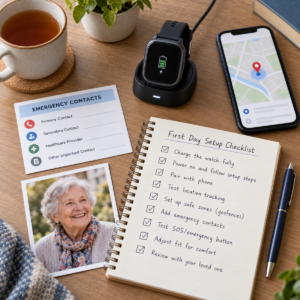
Set up the best GPS tracker watch for elderly users in one afternoon
A GPS tracker watch should be fully configured and tested before being used independently.
The initial setup should confirm comfort, communication, caregiver access, emergency settings, and charging requirements.
Step one: pair and configure the elderly GPS tracker watch
Begin by pairing the watch with the correct smartphone or supported family setup.
Update the software.
Activate cellular service if needed.
Add emergency contacts and configure relevant health or medical information features.
Adjust text size, sound, and notifications for accessibility.
Record device and service information securely.
Step two: test elderly GPS tracker watch location in real places
Test the smartwatch during normal, planned activities.
Evaluate location sharing:
- At home.
- Outside the home.
- On familiar walking routes.
- Near large buildings.
- At regularly visited destinations.
- Without the paired phone when independent cellular operation is required.
Check timestamps, battery status, call quality, and caregiver notifications.
Use safe testing methods.
Step three: practice a response to an elderly GPS watch alert
Caregivers should understand what to do after receiving a smartwatch notification.
A response plan may include:
- Checking the location timestamp.
- Reviewing battery and connectivity.
- Contacting the wearer.
- Confirming the expected destination.
- Contacting a backup caregiver.
- Reviewing the person’s familiar route.
- Seeking emergency assistance when necessary.
A GPS watch can support this process but cannot replace human judgment and preparation.
Test and maintain the best GPS tracker watch for elderly routines
Regular testing helps maintain a GPS smartwatch’s usefulness.
A device may stop functioning properly because of software updates, battery deterioration, account changes, or network interruptions.
The Best GPS Tracker Watch for Elderly users should be reviewed periodically according to the household’s needs.
Weekly elderly GPS watch readiness check
Use this checklist:
- Confirm the watch is worn in the agreed position.
- Check battery status.
- Inspect strap and clasp security.
- Verify smartphone or cellular connectivity.
- Confirm caregiver notifications.
- Test the essential controls safely.
- Review comfort and skin condition.
- Confirm that the wearer remains comfortable with the arrangement.
Keep the review simple enough to repeat consistently.
Monthly caregiver, privacy, and account review for an elderly GPS tracker watch
A monthly review should include:
- Emergency contacts.
- Authorized caregivers.
- Location-sharing permissions.
- Cellular subscription status.
- Application updates.
- Safety settings.
- Recent photographs.
- Backup communication arrangements.
- Caregiver response responsibilities.
Conduct a planned, low-risk alert test.
Update the response plan when daily routines or caregiving arrangements change.
When to replace or pause an elderly GPS tracker watch
A GPS tracker watch should be reconsidered when it becomes uncomfortable, unreliable, unsupported, or unsuitable for the person’s needs.
Possible reasons include:
- Repeated battery failures.
- Poor cellular coverage.
- Damaged straps.
- Screen accessibility problems.
- Unreliable safety features.
- Account access difficulties.
- Privacy concerns.
- Changes in mobility or daily routines.
Use an appropriate backup communication plan while considering another device or service.
Frequently asked questions about the best GPS tracker watch for elderly users
What is the best GPS tracker watch for elderly people?
The Best GPS Tracker Watch for Elderly users depends on smartphone compatibility, desired location features, comfort, accessibility, battery life, and caregiver support.
Apple Watch SE 3 and Series 11 are options to evaluate in compatible iPhone households.
Samsung Galaxy Watch8 LTE and Google Pixel Watch 4 LTE are relevant Android alternatives.
Newer generations and other models should also be considered when making a current purchasing decision.
Can a GPS tracker watch for elderly users work without a smartphone?
Some GPS + Cellular smartwatches can communicate without a nearby smartphone when the device, carrier, account, region, and active service support independent operation.
GPS-only models may require a compatible nearby phone or another network connection for communication.
Verify phone-free capabilities before purchasing.
Does a GPS tracker watch for elderly users need a monthly fee?
Some GPS-only smartwatches can use an existing smartphone connection without a separate watch cellular subscription.
GPS + Cellular configurations may require an additional service plan.
Costs depend on the device, carrier, country, and selected features.
Compare total expenses before choosing a watch.
Can the best GPS tracker watch for elderly users detect falls?
Some smartwatches include Fall Detection, including supported Apple Watch, Samsung Galaxy Watch, and Google Pixel Watch models.
However, fall detection does not identify every fall and may produce false notifications.
Availability depends on the device and its configuration.
Fall Detection should supplement, not replace, appropriate emergency planning.
Is Apple Watch or Samsung Galaxy Watch better for elderly tracking?
Neither is universally better.
Apple Watch is generally more suitable for compatible iPhone households.
Samsung Galaxy Watch may be more convenient for people already using supported Samsung smartphones.
The Best GPS Tracker Watch for Elderly users should match the household’s existing technology, the wearer’s preferences, and the required safety features.
Can a GPS tracker watch help prevent wandering?
A GPS tracker watch cannot physically prevent wandering.
Some devices may help caregivers access location information or receive relevant notifications.
However, these functions depend on connectivity, battery power, device use, and application support.
Combine tracking with identification, appropriate home safeguards, current photographs, and caregiver response planning.
How accurate is an elderly GPS tracker watch indoors?
GPS accuracy can be reduced inside buildings, underground spaces, or areas with obstructed satellite signals.
Some smartwatches use additional positioning technologies, but performance varies.
Caregivers should check the timestamp and treat the displayed location as an estimate.
Test important indoor locations before relying on the system.
What should caregivers do if a GPS tracker watch stops updating?
First, review the last successful location timestamp.
Check battery level, network connection, smartphone pairing, and tracking permissions.
Attempt to contact the wearer.
Follow the agreed caregiver response plan.
If the person may be missing or in immediate danger, contact local emergency services promptly rather than waiting for the watch to reconnect.
Frequently asked questions about the best GPS tracker watch for elderly users
What is the best GPS tracker watch for elderly people with an iPhone?
Apple Watch SE 3 GPS + Cellular and Apple Watch Series 11 GPS + Cellular are the most relevant current Apple candidates in this guide. SE 3 may suit a simpler, lighter setup; Series 11 may suit a wearer who benefits from a brighter display and broader features. Confirm carrier, Family Setup, battery, comfort, and emergency settings before choosing.
What is the best GPS tracker watch for elderly people with Android?
Samsung Galaxy Watch8 LTE and Google Pixel Watch 4 LTE are leading candidates to investigate for Android households. The better fit depends on the caregiver’s phone, app familiarity, LTE coverage, case comfort, and the wearer’s ability to charge and use the watch. Verify exact compatibility before purchase.
Does a GPS tracker watch for elderly users work without a phone?
Only some GPS + Cellular models can communicate independently, and they require a supported active service and coverage. GPS-only models generally need a nearby phone or Wi-Fi for communication. Check the exact model and test it with the phone left at home.
Can an elderly GPS tracker watch replace a medical alert system?
Not automatically. A smartwatch may provide Emergency SOS or Fall Detection, but a medical alert system may offer professional monitoring and a different response workflow. Compare the type of help needed, not just whether the watch has a safety icon.
Does Fall Detection on a GPS tracker watch detect every fall?
No. Apple, Samsung, and Google all describe limitations, including missed events, high-impact false alerts, network dependence, or regional restrictions. Turn it on only after configuring contacts and response steps, and keep other safety measures in place.
How much does the best GPS tracker watch for elderly care cost?
Costs depend on model, size, GPS versus cellular configuration, carrier service, promotions, insurance, and replacement needs. Verify current manufacturer and carrier pricing on the purchase date. The total cost is the watch plus the service and maintenance required for the safety plan.
Are GPS tracker watches for elderly users waterproof?
Water resistance varies by model and does not mean every watch can be used in every water or bathing condition. Read the manufacturer’s current care instructions. If the wearer removes the watch near water, create a reliable return-to-wrist routine.
What should caregivers do when an elderly GPS watch stops updating?
Check the timestamp, battery, phone or LTE connection, account status, and whether the wearer may be indoors. Call the wearer and follow the written response ladder. If there may be immediate danger, contact emergency services and explain that the map is a last-known or uncertain location.
Official sources for GPS tracker watch safety and product claims
The sources below support current product specifications, emergency-feature descriptions, compatibility statements, GPS limitations, and privacy guidance. They are not endorsements, rankings, or affiliate approvals.
Apple specifications for elderly GPS tracker watch candidates
Apple Watch SE 3 technical specifications and Apple Watch Series 11 technical specifications were checked for case sizes, GPS and cellular options, safety features, battery claims, water resistance, and accessibility. Apple’s support guidance for Emergency SOS and Fall Detection supplies the feature limitations.
Samsung specifications and elderly GPS tracker watch fall detection guidance
Samsung Galaxy Watch8 was checked for LTE, GPS, compatibility, battery, durability, and safety feature listings. Samsung’s support page for Hard fall detection was checked for setup requirements and false-alert cautions.
Google Pixel Watch 4 safety and elderly GPS tracker watch specifications
Google Pixel Watch 4 specifications were checked for LTE, dual-frequency GPS, size, weight, and Android compatibility. Google’s Pixel Watch safety features guidance was checked for Emergency SOS, Fall Detection, LTE requirements, regional limits, and emergency sharing.
GPS accuracy and privacy principles for elderly tracker watches
GPS.gov: GPS Accuracy supports the explanation of signal and environment limits. The FTC mobile health app guidance supports the data-minimization, access, security, notice, and consent questions in this guide.
Final best GPS tracker watch for elderly buying checklist
Before buying, confirm the phone ecosystem, exact watch model, GPS versus GPS + Cellular choice, carrier and region, screen and control usability, strap comfort, charging location, emergency contacts, Fall Detection settings, privacy agreement, caregiver response, and backup plan. Verify current product specifications and service terms from the manufacturer.
The best GPS tracker watch for elderly care is the watch that fits the person and the people supporting them. Choose the simplest model that meets the safety job, test it away from home, and do not let a polished product page replace consent, maintenance, human judgment, or timely emergency help.
1 comentario en «⌚ Best GPS Tracker Watch for Elderly: Buying Guide for 2026»