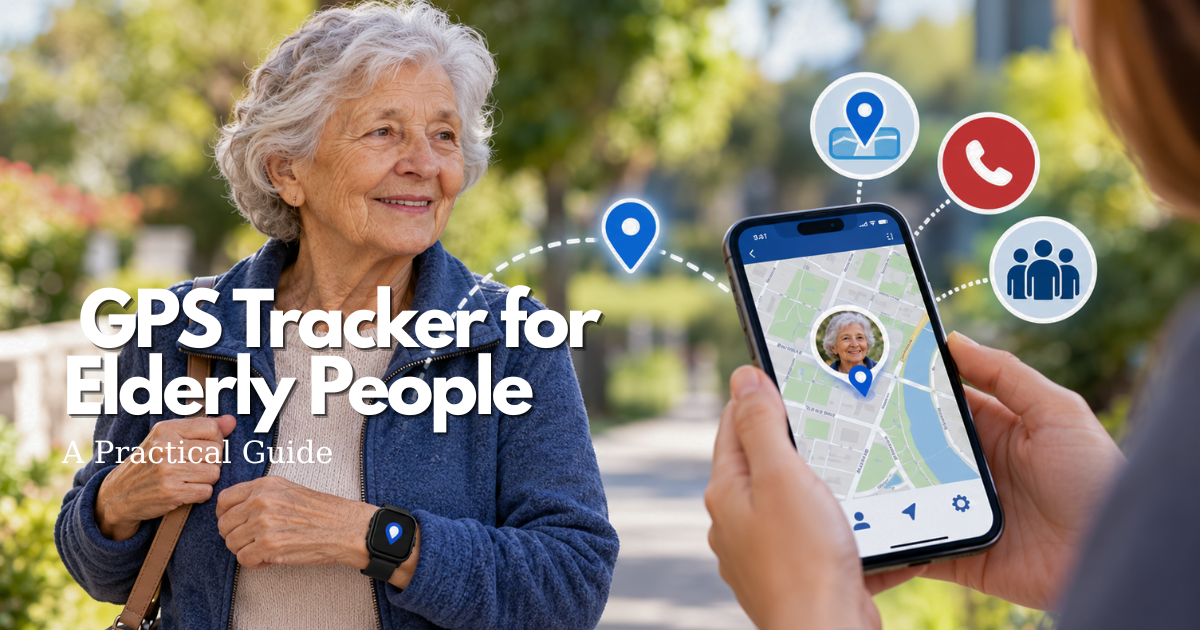
A GPS tracker can give a family a clearer way to respond when an older adult is unexpectedly away from a familiar place. It is not a substitute for consent, human contact, an emergency plan, or professional advice. This guide explains how to choose and use a gps tracker for elderly people by looking at the person’s routine, comfort, communication needs, coverage, privacy, and the caregiver response that will follow an alert.
Quick answer: what a GPS tracker for elderly people can and cannot do
A gps tracker for elderly people can usually share a device’s approximate outdoor location through an app or web account, depending on the product’s connection, battery, settings, and service area. Some products add location history, safe-area notifications, a call button, two-way voice, or a way to ask the wearer to check in. The useful question is not simply whether the map updates. It is whether the entire arrangement helps a real person complete a real routine with less risk and less confusion.
For one household, the right choice may be a small personal GPS tracker for the elderly that is worn on a belt or carried in a bag. For another, a watch GPS tracker for elderly users may be easier to remember because it fits an existing habit. A person who lives independently and travels by bus may need a different setup from someone who walks around a familiar neighborhood. A product that works well in one situation can be unsuitable in another.
The strongest setup has four parts: an accepted device, a charged and connected service, a named caregiver who knows what an alert means, and a backup plan for times when location data is delayed or unavailable. The tracker can support a search or check-in decision; it cannot make the decision for the family, diagnose a problem, guarantee a precise indoor location, or prevent every wandering event.
When a personal GPS tracker for the elderly is a sensible safety layer
Consider this type of device when the person regularly goes out, has become difficult to reach, may lose a phone, has memory changes that affect route decisions, or wants reassurance while preserving more independence. It can also be useful after a move, a change in transportation, or a period of illness when a familiar routine is temporarily less predictable. The device should support an agreed safety goal, such as knowing whether a person arrived at a community center or noticing that a usual route has changed.
Start with observed behavior rather than a label. “Leaves for a walk after lunch and sometimes forgets the return route” is more useful than “needs monitoring.” Write down when the concern occurs, what the person does next, and who can respond. If the concern is a medical emergency, a medical alert solution may be a better or complementary fit. If the concern is a door being opened, a home alarm or check-in routine may address it more directly.
Why a GPS tracker does not replace a complete wandering plan
Location sharing is one layer in a larger plan. The National Institute on Aging recommends combining identification, current photographs, local awareness, environmental safeguards, and other supports when wandering is a concern. A tracker may help a caregiver find a starting point, but it may not connect, may be left behind, may run out of power, or may show a stale location. A person can also be safe while the map appears unusual, or in danger while the map looks normal.
Write a short response card for the household: who checks the app, who calls the person, who contacts neighbors, when emergency services are called, and what information should be shared. Include the wearer’s preferred name, height, clothing, mobility aids, communication style, medical needs, and likely destinations. Practice the plan while everyone is calm.
How to frame consent and dignity with a GPS tracker for elderly people
Tracking should be discussed as a safety tool, not as a secret surveillance arrangement. Explain what the device shares, who can see it, when alerts appear, how long history is retained, and what will happen if the device is lost. Ask the older adult what feels comfortable: a visible watch, a pendant, a pocket device, a call button, or no location history. A person may agree to location sharing for outdoor walks but not want continuous indoor monitoring.
Consent may need to be revisited as health, capacity, relationships, or the service changes. When decision-making is complicated, involve appropriate clinicians, legal representatives, and trusted family members. The goal is a workable agreement that protects safety while preserving ordinary choices, privacy, and respect.
Choose a GPS tracker for elderly people by safety job and daily routine
Choosing a gps tracker for elderly people begins by describing the job in one sentence. Examples include “help the caregiver know when Dad leaves the usual walking area,” “make it easier to locate Mom if she misses the bus,” or “give an independent adult a simple check-in option during weekend errands.” A vague goal produces a long feature list. A specific goal creates a short set of tests.
Separate three decisions that are often mixed together. First, decide what the wearer needs to carry or wear. Second, decide how the device will send information. Third, decide who will act on that information and how quickly. A tracker can be technically impressive and still fail if the person will not wear it, the account has no reliable responder, or alerts are configured so broadly that everyone ignores them.
Start with the route when choosing a GPS tracker for elderly people
Map a typical week. Note the home, apartment building, yard, sidewalks, stores, worship spaces, medical appointments, transportation stops, and places where the person waits indoors. Mark which trips are independent, accompanied, or changing. This exercise exposes coverage questions that a product page may not answer, such as whether the wearer needs dependable service across a rural road, a large building, or a basement transit station.
Also note the time pattern. A caregiver who can respond between 8 a.m. and 6 p.m. should not configure a system as if someone watches it overnight. If the person travels across regions, confirm service terms before relying on the device. Do not assume that a map that works at home will work in every destination, or that a service sold in one country has the same emergency support elsewhere.
Match a GPS tracker for elderly users to comfort and dexterity
Wearability is a safety feature. A watch may suit someone who already wears a watch, while a clip may suit someone who dislikes wrist pressure. A pendant can be easy to reach but may be removed for bathing or sleeping. A small tracker in a pocket can be discreet but is easy to leave on a dresser. A watch GPS tracker for elderly users should be evaluated for readable text, button size, charging routine, weight, clasp security, and whether the wearer can recognize the alert or call function.
Ask the person to try the form for an ordinary afternoon, including putting on a coat, using the bathroom, sitting in a chair, taking medication, and charging at night. Look for skin irritation, accidental button presses, difficulty removing it, or a habit of placing it somewhere safe. The most accurate tracker is not useful if it is uncomfortable enough to be abandoned.
Decide caregiver involvement for a GPS tracker for elderly people
Some families need only occasional location checks. Others need a structured response to an exit alert, a missed check-in, or a low-battery notice. Make the caregiver burden visible before choosing a service. Who owns the account? Who receives notifications? Who can change the safe area? Who will test the device? What happens when that person is working, traveling, ill, or asleep?
Use the smallest alert set that supports the safety goal. Too many notifications create alarm fatigue. Too few may hide a meaningful change. Begin with one or two alerts, review them for a week, and adjust based on actual behavior. A second trained contact is not optional when the primary caregiver is the only person who knows how the system works.
GPS tracker for elderly people technology: connection, location, and limits
A GPS tracking device is part of a chain: satellite signals help estimate location, the device must determine or receive that estimate, a network must send data, an account must display it, and a caregiver must interpret it. A gap anywhere in the chain can produce a delay or an incorrect assumption. The device may also use several location methods, so the on-screen point may not mean the same thing in an open park, an apartment, and a vehicle.
Cellular coverage in a GPS tracker for the elderly
Many personal trackers use a cellular connection to send location to a caregiver account. That usually means the device needs an active service plan, a charged battery, and coverage in the place where it is being used. Ask the provider which network is used, what happens outside the primary service area, whether roaming is included, and how the service behaves during congestion or an outage. Do not confuse a device’s ability to see satellites with its ability to transmit the result.
Wi-Fi can improve location or communication in some products, but home Wi-Fi does not automatically provide outdoor coverage. Bluetooth-based finding may help locate a nearby object but is not the same as a wide-area personal tracker. Read the instructions for the exact model and service; generic claims about “real time” or “worldwide” are not enough for a safety decision.
Outdoor GPS location versus indoor uncertainty for elderly trackers
GPS performance changes with the environment. Buildings, bridges, trees, walls, underground spaces, and reflected signals can weaken or distort the estimate. GPS.gov explains that accuracy can worsen near buildings, bridges, and trees and that indoor or underground use is a recognized limitation. Treat a point on a map as an estimate with a timestamp, not as a room-level guarantee.
When an alert arrives, check the time, recent movement, last known reliable point, and whether the wearer may be inside a large structure. Call or speak through the device if that function exists. Compare the map with known routes rather than sending someone blindly to a pin. If danger is plausible, involve emergency responders and provide the device’s limitations.
Update intervals, battery life, and alerts in an elderly GPS tracker
“Live,” “real time,” and “location history” can describe different behaviors. A product may update on a schedule, when movement occurs, after an alert, or when a caregiver requests a refresh. More frequent updates can use more battery and network data. Ask how often location is sent in normal mode, what happens when the battery is low, and whether the caregiver can see the timestamp of the last successful update.
Battery claims are conditions, not promises. Temperature, signal strength, update frequency, age of the battery, and use of voice calls can change runtime. A tracker that lasts several days in a laboratory-style pattern may need more frequent charging in daily life. Set a charging habit that fits the wearer’s schedule and test it rather than relying on the box’s largest number.
Watch GPS tracker for elderly users versus a small personal tracker
A watch GPS tracker for elderly users may make status visible and can be easier to remember. It can also introduce a screen, buttons, charging dock, and strap that require learning. A small personal tracker may be simpler to operate but easier to misplace or leave at home. Compare the two forms against the person’s hand strength, vision, hearing, routine, clothing, and willingness to wear a visible device.
Do not choose a watch only because it looks familiar, and do not choose a hidden tracker only because it seems discreet. The person should know the device’s purpose and be able to participate in its use. If a caregiver is considering an alternative, record why it fits the agreed safety job and what limitation still needs a backup.
Build a wearer profile before selecting gps tracker watches for elderly
“Elderly” covers a wide range of abilities and preferences. A useful profile describes the actual wearer without reducing them to age. This helps a family test practical fit and avoid paying for features that create confusion. It also provides a baseline for later changes: if a device suddenly stops working, the problem may be a new charging barrier, vision change, hearing loss, memory change, or a different routine.
Walking, transit, driving, and community routines for an elderly GPS tracker
List how the person moves: walking, cycling, driving, rides from family, paratransit, buses, trains, or group transportation. Note where they wait, whether they cross busy roads, and whether a caregiver can safely meet them. A location alert may be helpful at a boundary, but it will not explain why the person changed direction. Pair the device with route cards, a visible emergency contact, and simple instructions for asking for help.
If driving safety is the concern, a tracker does not determine whether a person is fit to drive. Address driving questions with a clinician, occupational therapist, licensing authority, or other qualified professional. The tracker can provide location information only; it cannot evaluate judgment, reaction time, or health.
Memory changes and wandering risk with a GPS tracker for elderly people
Memory loss can make a familiar destination feel new, or cause a person to follow an old routine at an unexpected time. Design alerts around patterns rather than assuming every departure is an emergency. A safe-area alert might prompt a check-in, while a missed return may require a more active response. Ask what the person experiences as helpful and what feels intrusive.
Use supportive language. “The tracker helps us find you if plans change” is clearer and more respectful than “We need to watch you.” Keep other safeguards in place, including identification, current photographs, neighbor awareness where appropriate, and home measures that reduce unsafe exits. NIA specifically presents GPS as an addition to other safety steps, not a replacement for them.
Hearing, vision, touch, and charging barriers in a GPS tracker for elderly users
Test the device in the conditions that matter. Can the wearer feel a button through a coat? Can they read a low-battery warning? Can they hear a call in a noisy store? Can they remember which side of the dock the device uses? Does the strap or clip catch on clothing? A device may need a visual instruction card, a raised tactile mark, a simplified charging station, or help from a caregiver.
Make the caregiver test the same steps without coaching. If the caregiver cannot explain the alert, the wearer will not be supported well during a stressful moment. Keep instructions in large print and record the provider’s support number somewhere other than the app.
Caregiver setup for a personal GPS tracker for the elderly
Setup is where a device becomes a safety process. Do it with the wearer present whenever possible. Read the manufacturer’s instructions for the exact model, create the account with a strong unique password, record the device identifier, and save the support contact. Do not assume that an app’s default settings match the household’s agreement.
Name the response team for a personal GPS tracker for the elderly
Choose one primary responder and at least one backup who understands the system. Decide who can change settings and who can only receive alerts. A large family group chat is not automatically a response team; messages can be missed, duplicated, or misunderstood. Write the order of contact and the maximum time before escalating.
Share only the information each responder needs. A neighbor may need the person’s name, photo, clothing, and phone number but not the full location history. A professional responder may need medication or mobility information. Keep permissions narrow and review them when relationships or care arrangements change.
Create a simple alert response ladder for a GPS tracker for elderly people
A response ladder turns anxiety into action. For example: first, check the timestamp and device battery; second, call or speak through the device; third, contact the person’s destination or a nearby trusted person; fourth, use the photo and description to search the likely route; fifth, call emergency services when the facts suggest immediate danger or the person cannot be located safely. The exact steps must fit local guidance and the person’s risk.
Include exceptions. A low-battery alert may need a same-day reminder. A missed return at night may need faster action. A location near water, traffic, or a known hazard changes the response. Write the exception beside the normal ladder so a stressed caregiver does not have to invent a policy.
Practice the lost-person information pack for an elderly GPS tracker
Prepare a one-page pack with a recent photo, full name and preferred name, height, approximate weight if useful, hair, glasses, hearing aids, mobility aids, clothing, language, communication needs, medical conditions that affect urgency, medications or allergies that responders should know, likely places, and contacts. Add the tracker’s last timestamp, device number, service name, and known limitations.
Update the photo and description after a major change. Keep a digital copy where the backup responder can reach it and a printed copy in a known location. Do not leave sensitive information open to visitors; balance readiness with privacy.
GPS tracker for elderly people setup checklist for the first day
Use a staged setup instead of handing over a charged device and hoping it works. A first-day checklist should prove four things: the wearer accepts the form, the service can send an update, the caregiver can interpret it, and the response plan is written. Avoid testing only from the kitchen table.
Check account permissions and notification paths for a GPS tracker for elderly people
Confirm every authorized viewer by name. Check whether notifications arrive as push alerts, text messages, email, or calls, and whether a phone’s quiet hours can suppress them. Ask whether the account supports two-factor authentication, audit logs, password recovery, and removal of a lost phone. Save a screenshot or written record of the settings, but do not store passwords in a shared note.
Test one alert at a time. If a safe-area boundary is used, set it around a location that is meaningful and not so tight that normal GPS variation causes constant alerts. Give the boundary a clear name. Record the alert’s time, the map point, the last update, and what the caregiver did next.
Program safe places and destinations in a GPS tracker for elderly people
Safe places are prompts for a conversation, not guarantees of safety. A home boundary may need to include the driveway, lobby, courtyard, or shared entrance. A community center boundary may need to allow for a parking lot or transit stop. Walk the edge with the device and note whether the alert behavior matches the product’s description.
Do not add every familiar place simply to make the map look complete. Each place should have an owner and a response: if an alert occurs here, who checks the person and how? Remove outdated places after a move or schedule change. Make sure the wearer knows that a boundary is a convenience, not a fence.
Teach one button, one phrase, and one backup for a GPS tracker for elderly users
Keep the wearer’s action simple. Teach one button to call or ask for help if the device provides it, one phrase such as “I need help finding my way,” and one backup route such as asking a uniformed worker or calling a known number. Practice without making the person feel tested. Demonstrate how to charge the device, how to tell when it is attached, and what to do if it is uncomfortable.
Caregivers should know how to silence a false alarm without disabling the entire service. They should also know how to contact support outside business hours. The FDA’s home-device checklist emphasizes learning how the device works, paying attention to alarms and error messages, maintaining it as instructed, training caregivers, and keeping a backup plan.
Test a GPS tracker for elderly people before relying on it
A successful setup is not a one-time demonstration. Test the device over the first week in the person’s real routine, then repeat at a sensible interval. Keep a short log: date, location type, signal, battery level, alert or call result, and what the caregiver expected. The purpose is not to create a perfect laboratory score. It is to find the conditions under which the family would make a wrong assumption.
Run a first-week route test for a GPS tracker for elderly users
Test an open outdoor location, the home, the building entrance, a vehicle, a typical destination, and a place where the person may wait indoors. Compare the displayed timestamp with the actual time. Test a call or check-in if available. Do not intentionally create a dangerous situation or send the wearer somewhere unfamiliar without support.
Record whether the device was worn correctly, whether the caregiver received the alert, and whether the map made sense. A test that fails indoors may be a location limitation rather than a dead device. A test that works once does not prove reliable performance everywhere.
Verify battery behavior and charging for a GPS tracker for elderly people
Let the device run through the person’s normal day and observe the low-battery warning. Confirm that the warning reaches the right person and that the wearer can place the device on the charger. If the charger is easy to knock behind a table, move it. If the wearer removes the tracker for bathing, create a clear return habit rather than relying on memory.
Ask the manufacturer how battery replacement, water exposure, extreme temperatures, and long-term storage affect service. Do not use a damaged battery or charging accessory. Keep a written backup contact and a second way to call for help when the tracker is being charged or serviced.
Investigate false alerts without dismissing an elderly GPS tracker
False alerts may come from a boundary that is too small, a device placed in a moving vehicle, a weak signal, a button pressed accidentally, or a setting that interprets normal movement differently from the family’s expectations. Look for the pattern. If a boundary generates alerts every time the person enters the driveway, widen or rename it after confirming the safety tradeoff.
Never solve alert fatigue by muting every notification. Reduce unnecessary alerts, keep meaningful ones, and document the new response. If the service sends repeated stale locations, contact the provider and use the backup plan until the cause is understood.
Privacy and consent questions for GPS tracker for elderly people
Location information can reveal a person’s home, routines, appointments, relationships, and absences. Treat it as sensitive even when the device is marketed as a simple family tool. Before activation, explain what data is collected, who sees it, how long it is retained, whether it is shared with service providers, and how an account is closed.
Explain location data in plain language for a GPS tracker for elderly people
“The app can see where the device was recently detected” is more concrete than “the device provides safety.” Explain update timing and uncertainty. Show the wearer the map and the alert screen. Let them ask who can see history and whether a family member can request a location without the wearer pressing a button.
The FTC’s mobile health guidance emphasizes data minimization, limited access, security by design, clear notice, and affirmative consent when sensitive data is collected or shared. This is useful when evaluating a GPS service, even if the product is not a medical device. Read the provider’s privacy policy and terms before accepting them; avoid relying only on a salesperson’s summary.
Reduce access, retention, and account risk for an elderly GPS tracker
Give access to the smallest group that can respond. Use unique passwords and multi-factor authentication when available. Remove a former caregiver promptly. Do not post a public screenshot of a live map, and do not store the device’s account credentials in a family social-media group. Ask whether location history can be limited or deleted and whether the provider sells, shares, or uses data for advertising.
Secure the phone used for monitoring with its own screen lock. Update the app and device firmware when the provider instructs you to do so, but confirm that an update did not change alert settings. Keep a private record of the provider’s support and cancellation process.
Revisit consent when a GPS tracker for elderly people changes
Consent is not a single checkbox. Revisit it when a new caregiver is added, the person moves, the device adds a new data use, the service changes its terms, or the person’s ability to understand the arrangement changes. If the device is used for someone who cannot make the decision independently, follow applicable law and professional guidance rather than treating family preference as unlimited permission.
When a person refuses the device, ask what part is unacceptable. A different form, a limited schedule, a visible identification item, more check-ins, or a home-safety change may address the concern. Safety planning works better when the person can participate in the solution.
GPS tracker for elderly people costs, subscriptions, and no-fee claims
The cost of a tracker is the cost of the whole arrangement, not only the hardware. Write down the device price, activation, cellular or service fee, taxes, replacement terms, charging accessories, optional features, cancellation rules, and support. Prices and availability change, so verify current terms directly with the provider before purchase.
Separate hardware, service, and emergency support for a GPS tracker for elderly people
Some devices require a recurring service to transmit location. Others may use an existing phone plan or a limited connectivity model. A low hardware price can be misleading if the useful alerts, location history, or support require an additional plan. Ask what remains functional after cancellation and whether the account can be transferred to a new caregiver.
Do not assume that a service includes emergency dispatch, two-way voice, professional monitoring, or fall detection. These are separate functions and should be stated clearly in the exact terms. A family may prefer a simple location service and a separate emergency plan, but it should make that choice knowingly.
Evaluate “gps tracker for elderly no monthly fee” promises carefully
A no-monthly-fee claim may mean the device uses a nearby phone, a limited finding network, prepaid connectivity, or a one-time purchase with fewer services. Ask who supplies the connection, whether the caregiver must carry a compatible phone, how often location updates work, what happens outside home Wi-Fi, and whether support or replacement is included.
“No subscription” is not automatically cheaper or safer. Compare the total cost over the period the family expects to use the device and include the cost of a backup method. If a product cannot explain how it sends a location without a recurring service, treat the claim as incomplete.
Check coverage, cancellation, and replacement terms for an elderly GPS tracker
Before buying, ask for the current service area and the process for reporting a lost or stolen device. Find out whether a replacement device keeps the same account, whether location history is deleted on cancellation, and whether a caregiver can export information needed for a response plan. Keep receipts and serial numbers in a private, accessible record.
Coverage may also mean geographic coverage, app support, technical support, and the ability to reach a real person. A device with a wide map claim but no help when an alert fails is not a complete safety solution.
Use a GPS tracker for elderly people during everyday outings
The tracker should disappear into the routine after the wearer understands it. Use a short departure check: device attached, battery adequate, phone or contact method available, destination known, and weather or mobility needs considered. The caregiver does not need to stare at a map all day. Agree on when a check is appropriate and when an alert requires action.
Leaving home for a walk or appointment with a GPS tracker for elderly people
For a familiar walk, confirm the wearer has the device and an identification method. For a new destination, share the address with the response contact and carry a simple route card. If the wearer uses transit, note the stop, transfer, and expected arrival window. Keep the plan proportional; too many instructions can make a routine feel unsafe and reduce cooperation.
Travel, holidays, and unfamiliar destinations with an elderly GPS tracker
Travel can change network coverage, time zones, charging access, and the caregiver’s ability to respond. Check the destination, service terms, power adapter, and local emergency number. Tell the person who is traveling with them what the device does and does not do. Do not treat a successful test at home as proof of travel readiness.
For airports, large venues, and hotels, identify a meeting point and write the hotel or host address on paper. A map point may be difficult to interpret in a multi-level building. A human plan remains essential.
After-hours and missed check-ins for a GPS tracker for elderly people
Define what “late” means before a late return occurs. A missed check-in may be a forgotten phone, a dead battery, a change of plans, or a problem. Start with the least intrusive safe step, then follow the response ladder. If the person is at a known location but cannot respond, do not assume that the location resolves the concern.
Rotate responsibility when a caregiver is exhausted. A tracker can reduce uncertainty, but it cannot make one person available every hour. If the household cannot respond consistently, discuss a different care arrangement or professional support.
GPS tracker for elderly people limitations and backup plans
A responsible guide names failure modes before the family depends on the device. The main limitations are signal blockage, network failure, low battery, device removal, inaccurate indoor location, delayed updates, account problems, and human misunderstanding. A tracker should make a backup plan easier to follow, not make the backup plan seem unnecessary.
Indoor, underground, and dense-building limits for an elderly GPS tracker
Indoors, the location may be approximate or may rely on another method. In a mall, hospital, apartment, or transit station, a map pin may identify the building but not the floor or room. Use the timestamp and known schedule, ask the person to call or speak, and contact staff when appropriate. If the device routinely fails in the locations that matter most, it does not meet the safety job without another layer.
No signal, no battery, or no wearer for a GPS tracker for elderly people
If the device has no connection, the caregiver may see the last successful update. If it is not being worn, the map may show a device left at home. If the battery is empty, the account may show a low-battery warning or simply stop updating. These are not edge cases; they should be part of the training.
Use identification, a phone or call button when appropriate, neighbor awareness, check-ins, door alerts, and professional support based on the person’s situation. NIA’s wandering guidance places GPS alongside other safeguards, including identification and a recent photo.
Why a GPS tracker for elderly people is not a medical alert assessment
A location tracker may have an emergency button, but that does not automatically make it a monitored medical alert system. It may not detect a fall, interpret symptoms, connect to trained responders, or work when the wearer cannot reach the button. If falls, acute illness, or urgent medical assistance are the primary concern, evaluate a solution designed and described for that need.
Ask a clinician or qualified professional about health and cognitive concerns. Use the tracker as one practical support within the care plan, not as evidence that a person can safely be left alone in every situation.
GPS tracker for elderly people decision table for real households
The table below is a neutral starting point. It does not rank brands or declare a universally best tracker. Use the “test before relying” column to turn a feature into a real-world question.
| Safety job | Potentially useful setup | Important limitation | Test before relying |
|---|---|---|---|
| Independent outdoor walks | Wearable tracker with location updates and a named responder | Coverage and battery can change along the route | Walk the usual route and check timestamps |
| Missed return or changed plans | Safe-area or schedule alert plus call/check-in plan | An alert does not explain why the route changed | Trigger a harmless test and follow the response ladder |
| Memory-related wandering concern | Tracker combined with ID, photo, local awareness, and home safeguards | Device may be removed, left behind, or inaccurate indoors | Practice the lost-person information pack |
| Simple caregiver reassurance | Small personal GPS tracker for the elderly or familiar watch form | Privacy expectations and caregiver availability still matter | Ask the wearer to explain who can see location and why |
| Urgent medical assistance | Medical alert service or emergency plan, possibly alongside tracking | A GPS tracker alone may not provide medical response | Read exact emergency-service terms and test the call path |
| Frequent travel | Service with verified destination coverage and a travel checklist | Roaming, charging, time zones, and indoor venues add uncertainty | Confirm coverage and support before the trip |
Use the GPS tracker for elderly people decision table with the wearer
Read one row at a time with the older adult and caregiver. Ask which problem is actually present, whether the person agrees with the proposed support, and who will take the next action. If no one can answer the test question, the setup is not ready. A short conversation can prevent a family from buying a feature that no one will maintain.
Questions that reveal a poor GPS tracker fit before purchase
Ask: Will the person wear or carry it every day? Who charges it? What happens when it is forgotten? Who receives a low-battery alert? Is the primary responder available during the risk window? Can the wearer understand the call button? Does the service explain location accuracy and data retention? What backup works when the device is lost?
These questions matter more than a long specification list because they connect the product to a lived routine. A “yes” to every feature is not useful if the answer to wearability or response ownership is “probably.”
Maintain a GPS tracker for elderly people after the first month
Maintenance should be brief and repeatable. Choose a weekly check that fits the household and a monthly review that looks at the whole safety arrangement. Keep a record of changes to the person’s route, health, phone, caregiver list, and home environment. A tracker that was appropriate last year may need a different form or support today.
Weekly GPS tracker readiness check for elderly users
- Confirm the device is being worn or carried in the agreed way.
- Check battery status and whether the charger is working.
- Look for damage, loose clips, skin irritation, or a blocked speaker or button.
- Confirm the monitoring phone receives notifications and has its own charge.
- Ask the wearer whether the device is comfortable and understandable.
Do not turn a weekly check into constant surveillance. The purpose is readiness, not criticism. If the wearer regularly removes the device, investigate the reason and adapt the plan.
Monthly account, privacy, and response review for an elderly GPS tracker
Review authorized viewers, passwords, service notices, billing, support contacts, alert boundaries, and the response ladder. Remove old safe places and inactive caregivers. Test one low-risk alert and confirm that the backup contact knows what to do. Check that the photo and information pack are current.
Read provider notices about firmware, app changes, network compatibility, and privacy practices. A new feature may change what data is collected or who can access it. If the service has changed materially, revisit consent with the wearer.
When to replace or pause a GPS tracker for elderly people
Pause reliance on the device if it has a damaged battery, repeated unexplained gaps, a broken clasp, account access problems, or a service change that the household has not evaluated. Use the backup plan while contacting the provider. Replace the device when the person’s abilities or routine make the current form unsafe, not simply because a newer model has more features.
Dispose of or return the device according to the provider’s instructions. Close unused accounts and remove saved location access. Do not give an old connected tracker to another person without resetting it and reviewing data retention.
Frequently asked questions about GPS tracker for elderly people
Is a GPS tracker for elderly people accurate indoors?
Not necessarily. Walls, roofs, buildings, trees, underground spaces, and reflected signals can reduce or distort accuracy. Treat an indoor map point as an estimate and check the timestamp. Test the exact places that matter to the person, and keep a response plan for an approximate or stale location.
Does a personal GPS tracker for the elderly work without Wi-Fi?
Some cellular trackers can send data without the wearer’s home Wi-Fi, but they still need an active service and coverage. Other products depend on a phone, nearby network, or different connection method. Read the exact model’s instructions and test it away from home before relying on it.
Can a watch GPS tracker for elderly users replace a phone?
Usually, no. A watch may provide location, a call function, or a limited message feature, but it may not support every contact, app, emergency number, or accessibility need. Ask what happens if the watch is off the wrist, out of battery, or outside service coverage. Keep a backup communication method when the routine requires one.
What is the best GPS tracker for elderly people?
There is no universally best choice without knowing the wearer’s routine, comfort, coverage, caregiver response, privacy expectations, and budget. Use the safety job and decision table in this guide, then test likely options in the real environment. A familiar, consistently worn device can be more useful than a feature-rich device that stays at home.
Is there a GPS tracker for elderly people with no monthly fee?
Some products advertise no recurring fee, but the claim may involve a phone, Wi-Fi, limited connectivity, or fewer features. Ask how location is transmitted, what works outside the home, who provides support, and what happens after the purchase. Compare total cost and reliability rather than the subscription label alone.
Can a GPS tracker for elderly people prevent wandering?
No. It may help a caregiver respond after a person leaves a familiar area, but it cannot prevent every departure and may be removed or left behind. Combine it with identification, a recent photo, supportive routines, local awareness where appropriate, home safeguards, and a clear response plan.
How often should a GPS tracker for elderly people be tested?
Test it during setup, during the first week in real locations, after a service or phone change, and at a recurring interval that the household can maintain. Check battery, notifications, location timestamps, the wearer’s comfort, and the backup contact. Follow the manufacturer’s testing and maintenance instructions as well.
What should a caregiver do when an elderly GPS tracker shows a stale location?
Check the timestamp, battery, connection status, and whether the device may be indoors or left behind. Try the agreed call or check-in method, then follow the response ladder. If the person may be in immediate danger or cannot be located safely, call emergency services and explain that the map is a last known or uncertain location.
Official sources for GPS tracker for elderly people safety guidance
These sources support the safety, privacy, device-use, and GPS-limit statements in this guide. They do not endorse a particular tracker, seller, or subscription.
National Institute on Aging guidance for GPS tracker safety
NIA: Coping With Alzheimer’s Behaviors: Wandering and Getting Lost describes identification, recent photos, local awareness, home safeguards, and GPS as complementary supports. The page was reviewed July 9, 2024; readers should confirm current local services and emergency procedures.
GPS.gov explanation of elderly GPS tracker location limits
GPS.gov: GPS Accuracy explains that buildings, bridges, trees, indoor spaces, underground areas, and signal conditions can affect accuracy. This guide applies that limitation to personal tracking and does not promise a fixed accuracy for any product.
FDA home-device checklist for GPS tracker setup and backups
FDA: Home Healthcare Medical Devices: A Checklist emphasizes understanding the device, alarms and error messages, care instructions, caregiver training, travel checks, and a backup plan. FDA does not recommend a specific consumer GPS tracker through this checklist.
FTC privacy guidance for GPS tracker location-related apps
FTC: Mobile Health App Developers Best Practices discusses data minimization, limited permissions, authentication, security by design, clear notices, and consent. The guidance is for developers, so this article translates its privacy principles into consumer questions rather than treating it as a product certification.
Final GPS tracker for elderly people readiness check
Before relying on a gps tracker for elderly people, confirm the complete chain: the older adult accepts and can wear the device; the service works in the important locations; the caregiver can read timestamps and limitations; alerts lead to a written response; the account protects sensitive location data; the battery and charger fit the routine; and a backup exists for no signal, no battery, device removal, or urgent medical needs.
The best outcome is not the most complicated map. It is a clear, respectful arrangement that helps an older adult keep meaningful independence while giving caregivers a practical way to respond when plans change. Test it in real life, review it when circumstances change, and keep human judgment at the center.