Best emergency call button for elderly is the one the person will wear, reach, understand, and test, with a response path that matches where help may be needed.
Quick answer: what is the best emergency call button for elderly people?
There is no single best emergency call button for elderly people because “best” depends on the emergency path. A person who spends nearly every day at home may need a simple wearable button connected to a loud base unit. Someone who walks, gardens, drives, or visits family may need a mobile button with its own cellular connection and location features. A person who cannot reliably press a button may need a broader plan that includes caregiver check-ins, accessible placement, and clinician-informed fall-risk support.
For most households, start with the response route rather than the device shape. Write down who receives the alert, whether a trained response center answers, how the person’s location is established, what happens if the person cannot speak, what the service does during a power or cellular outage, and who can enter the home. Then choose the least complicated emergency call button that covers the person’s actual routine. The device should reduce steps at the moment of need, not add a new technology task.
| If the main need is… | Start by comparing… | Verify before enrolling |
|---|---|---|
| Protection mostly inside one home | Home base unit, wearable range, sound level, and backup battery | Cellular or landline connection, bathroom coverage, and address record |
| Help at home and away | Mobile emergency button, two-way voice, GPS, and charging routine | Local coverage, location limits, battery life, and what works indoors |
| A fall may prevent a manual press | Optional fall detection plus a wearable manual button | Missed-fall limits, false-alert handling, and whether it works in the chosen wearing position |
| The person has hearing, vision, speech, or memory needs | Physical controls, voice path, visual or vibration alerts, and caregiver training | Real-life demonstration, consent, and a backup when the person cannot use the primary device |
Emergency call button for elderly people who live mostly at home
A home system can be a strong fit when the person follows a predictable routine and the button stays within reach. The home base unit supplies the speaker and microphone, while a pendant or wrist button lets the person activate help from another room. Range is not the same as whole-property coverage: walls, garages, yards, outbuildings, and a second floor can change the result. Test the exact locations where the person spends time.
Emergency call button for seniors who leave the house
A mobile system reduces dependence on a home base, but it introduces charging, cellular coverage, location, and travel questions. The device must be carried consistently, turned on, and charged before it can help. Ask whether the response center can see a current address, a GPS estimate, or only the location the customer supplied. A mobile emergency call button is not a substitute for explaining location to 911 when the person can do so.
Emergency call button for elderly people who need a simple action
Look for a large, tactile, clearly marked control that can be pressed without navigating a screen. The wearer should be able to practice the action while calm, wearing ordinary clothing, using the bathroom, and lying on the floor. A button that is technically powerful but often left on a charger or placed in a drawer is a poor safety tool. Adherence is a functional specification.
Best emergency call button for elderly candidates by use case
The products below are current, real-world candidates reviewed from their official product pages on August 17, 2026. They are not a universal ranking and they are not hands-on test results. The “fit” language means the published feature set appears aligned with a particular use case; it does not promise response speed, coverage at a specific address, or a clinical outcome. Confirm the exact plan, model, price, equipment, and service terms before purchase.
Medical Guardian MGHome Cellular: in-home emergency call button with cellular connection
Published fit: a home-centered system for a person who wants a wearable button paired with a base unit and does not want to manage a traditional landline. Medical Guardian lists 4G connectivity, a 32-hour backup battery, Voice Assist, a 1,400-foot stated protection range, and a water-resistant wristband or necklace that can be worn in the shower. The manufacturer’s page displayed a starting price of $34.95 per month when checked.
Why it may suit this use case: the base unit can be the communication point when the wearer is not close to the button, and the backup battery addresses a specific power-outage concern. The product page also says that fall detection is an optional add-on and notes that fall detection does not identify every fall. That limitation matters: the wearer should still press the manual button whenever possible.
What to verify: test cellular reception at the address, confirm the actual range through walls and outdoors, document the new address if the unit moves, and ask whether the wearable will remain protected while the base is being relocated or serviced. Confirm equipment, return, replacement, monitoring, and fall-detection charges in the enrollment terms.
Bay Alarm Medical SOS Home: home emergency call button with base-unit voice
Published fit: a home-focused system for a person who needs a wearable pendant or wrist button and two-way communication through an in-home base. Bay Alarm Medical lists landline and cellular options, a 32-hour base-unit backup battery, up to 1,000 feet of stated help-button range, and a starting monitoring price of $27.95 per month on its official page when checked.
Why it may suit this use case: the official product page describes a direct sequence: press the button, speak with a trained 24/7 agent, and have the response center contact family, neighbors, or local 911 services when needed. It also lists an optional lockbox, optional fall detection, wall buttons, and a water-resistant or waterproof claim for the help button. These are separate planning tools, not proof that every part of the system works in every exposure or room.
What to verify: choose the correct connection type, ask how cellular coverage is evaluated at the home, measure the rooms and outdoor areas that matter, and decide where a wall button would help if the wearer cannot reach a pendant. Read the current cancellation, trial, replacement, false-alarm, and optional-feature terms rather than relying only on the starting price.
Bay Alarm Medical SOS All-In-One 2: emergency call button for seniors at home and away
Published fit: a single portable device for a person who wants protection in the home and while out. Bay Alarm Medical lists two-way talk, GPS and WiPS location features, an optional fall-detection add-on, caregiver tracking, a charging cradle, a belt clip or lanyard, up to 72 hours of battery life, and a starting price of $34.95 per month on its official product page when checked.
Why it may suit this use case: the all-in-one format can reduce the need to switch between a home base and a mobile button. The same product page says that the device can act as a home console, but it also notes a tradeoff: a traditional in-home system may offer a louder speaker and a longer wearable-to-console range. The official specification says IP67 and the page calls it water resistant; the user guide says it should not be submerged. Treat “shower or rain” and “submersion” as different decisions.
What to verify: confirm that the wearer will return the device to the charging cradle every day, check location accuracy in the home and usual destinations, ask what the caregiver app shows and who can access it, and keep a secondary way to call for help while the device charges. If the person has trouble hearing, test the speaker in the rooms where a response conversation might occur.
LifeFone At-Home & On-the-Go: flexible emergency call button wearing options
Published fit: a mobile emergency response option for a person who wants a two-way voice pendant with GPS service and flexible wearing positions. LifeFone states that its mobile medical alert can be used at home and away in the United States when the relevant cellular service is available, and lists wristband, belt-clip, and necklace options for its VIP flex product. Optional fall detection is listed separately.
Why it may suit this use case: a choice of wearing positions can matter when a person dislikes a necklace, cannot manage a small clasp, or needs a device to work with a belt or mobility aid. LifeFone also describes a text-to-locate feature for approved caregivers on one of its mobile options. That is a location-sharing feature, not a guarantee that a responder can find the wearer in every building or emergency.
What to verify: the official overview did not display one universal price for every mobile configuration when checked, so request a current written quote. Confirm which product uses which network, whether location is available during a voice call, battery and charging expectations, fall-detection limits, caregiver permissions, and the process for changing contacts.
Emergency call button for elderly comparison: what the official specifications show
A neutral comparison should make differences visible without pretending that one number decides a safety purchase. “Range,” “battery life,” “GPS,” “water resistance,” and “price” all depend on the exact model and plan. The table records the official information that was visible during this draft’s research, then adds the question a household still needs to answer.
| Candidate | Use orientation | Published details checked | Current displayed starting price | Household verification |
|---|---|---|---|---|
| Medical Guardian MGHome Cellular | Home | 4G, 32-hour backup battery, 1,400-foot stated protection range, wearable button | $34.95/mo | Address coverage, range through walls, add-ons, terms |
| Bay Alarm Medical SOS Home | Home | Landline or cellular, 32-hour base backup, up to 1,000-foot stated range, optional fall detection | $27.95/mo | Connection type, rooms and yard, button placement, contract terms |
| Bay Alarm Medical SOS All-In-One 2 | Home and away | Two-way talk, GPS/WiPS, caregiver tracking, up to 72-hour battery, IP67 on specification | $34.95/mo | Daily charging, indoor location, water limits, app permissions |
| LifeFone At-Home & On-the-Go | Home and away | Two-way voice, GPS service, optional fall detection, wrist, belt, or necklace options | Request current quote | Network at the address, exact model, battery, caregiver access |
The figures above are not a promise of performance. A stated range is measured under conditions that may not match a concrete home. A battery estimate changes with use, signal, temperature, age, and configuration. A starting price may exclude an optional feature, a device purchase, tax, or a different billing interval. Keep a screenshot or written quote with the enrollment record, and check it again before placing an order.
How a best emergency call button for elderly system gets help
It helps to separate the physical button from the emergency response service. Pressing a button is only the first event. The alert must reach a receiver, the receiver must identify the account or device, a person must assess the situation, and the chosen response must be available. If the service calls a family member first, that person must answer or have a backup. If the service contacts 911, the local emergency communications center still needs a usable location and information about the emergency.
Emergency call button activation and emergency call center response
Ask the provider to describe the exact sequence in plain language. Does the wearer press once or hold the button? Does the base unit speak immediately? Can the person cancel a false alarm? Does an operator call the device, a listed phone, or both? What happens if the wearer cannot hear the operator? Write the answers in the care plan and practice them with the person who will use the button.
Some systems use a home base with a wearable trigger; others put the microphone, speaker, cellular radio, and button in one mobile unit. A home button may activate a response conversation through the base rather than through the pendant. A mobile button may require the wearer to keep the device near the face for a clear conversation. These differences change where the product should be placed and how the person should be trained.
Emergency call button two-way voice, contacts, and 911 decisions
A response agent may ask what happened, where the person is, whether they are hurt, and whether a family member can help. If the person can answer, clear two-way voice can reduce confusion. If the person cannot answer, the service’s no-response procedure matters. Ask whether the agent uses the address on file, a GPS estimate, a caregiver-confirmed location, or a combination. Do not assume that “GPS” means an exact room or floor.
For a life-threatening event, call 911 or the local emergency number directly when possible. The National 911 Program’s FAQ explains that call centers may ask for the emergency location and that wireless calls without active service may not provide location or a callback path. A private emergency call button can supplement 911 access; it does not change local 911 capabilities.
What an emergency call button service cannot guarantee
No button guarantees that a person will be found, that every fall will be detected, that a network will be available, or that a family contact will answer. The wearer may remove the device, leave it charging, press it out of range, speak too softly, or be in an area where the signal is weak. The account may also contain an outdated address or a contact who no longer has a key.
These are planning issues rather than reasons to reject every device. The practical response is to build independent checks: wear the button, keep the account current, test the route, provide access information, charge the device, and maintain a backup means of contacting help.
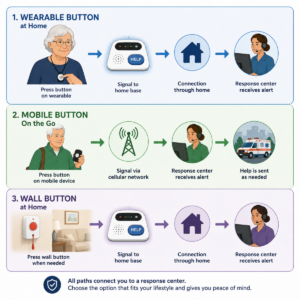
Elderly emergency call button types: home, mobile, and wall buttons
Device categories overlap, so classify them by the response path rather than the marketing name. A wearable trigger, a base unit, a wall button, a mobile communicator, and a caregiver app may all be parts of one system. The important question is what each component can do when the older adult is in the bathroom, outside, in a garage, on the floor, or away from home.
Home emergency call button and base unit
A home emergency call button typically communicates with a base unit within a stated range. The base may connect to a monitoring center through a cellular radio or a landline. This configuration can be easier to hear than a small mobile unit and can have a longer battery backup at the base. It can also fail if the person travels beyond range, the base is unplugged, or the button is left in a room where the signal is blocked.
Place the base where the person can hear it from the bedroom, bathroom path, and common living area. Do not hide it behind a television or inside a cabinet. Record the location, keep the power cord secure, and use a wall outlet that is not controlled by a light switch. Ask whether the base can be moved and how the account address should be updated.
Mobile emergency call button with GPS
A mobile emergency call button can be useful for people who leave home, but it is not a miniature phone in every respect. It may have one emergency control, a limited display, a charging cradle, two-way voice, and a cellular plan bundled with monitoring. GPS and Wi-Fi location methods can support a response, but buildings, signal conditions, battery level, and privacy settings affect what is available.
List the person’s normal destinations before choosing a mobile design. Include the backyard, a basement, a community room, a grocery store, a walking route, and a relative’s home if those places matter. Test the device in those places when the provider allows testing. If the person travels across state lines, ask how coverage, address records, and response contacts are handled.
Wall button versus wearable emergency call button
A wall button can add coverage at a known high-risk location such as beside a toilet, near a bed, or low along a hallway. It should not replace a wearable emergency call button because the person may fall away from the wall or be unable to crawl to it. A wearable is usually more flexible but depends on consistent use and a secure fit.
Use wall buttons as a supplement when the person has predictable trouble spots or often removes a wearable. Place them low enough to reach after a fall, but not where water, cleaning products, or furniture can damage them. Label the test procedure and check with the provider before repeatedly activating them.
Choose an emergency call button for elderly people around the person, not the brochure
The older adult should be part of the decision whenever possible. A caregiver may pay for the service or manage the account, but the person wearing the button knows what feels uncomfortable, embarrassing, confusing, or difficult to operate. A system that respects preference is more likely to stay in place. Explain the response path, the data collected, the people who can be contacted, and the conditions that require a direct 911 call.
Emergency call button for elderly people with limited dexterity
Test the actual press with the wearer’s weaker hand, while seated, standing, lying down, wearing a coat, and after a short period of fatigue. A tiny recessed control may be difficult for someone with arthritis or tremor. A pendant may be easier to reach than a wrist button for one person and harder for another. Choose a control that gives tactile feedback without requiring a swipe, password, or sequence of screen taps.
Check how the device is fastened. If the clasp is difficult, the person may leave the button on a nightstand. If the button catches on clothing, it may be removed. Ask about a lanyard breakaway feature, skin comfort, wrist swelling, and whether the button can be worn while bathing under the exact manufacturer instructions.
Emergency call button for seniors with hearing, vision, or speech needs
Do not evaluate a call button only by whether it can connect. Evaluate whether the wearer can understand the agent and whether the agent can understand the wearer. Test speaker volume in the bedroom, bathroom, outdoors, and near a television. Ask about text, relay, language, visual, vibration, or caregiver options if speech or hearing makes a voice-only exchange unreliable.
For vision needs, look for a distinct shape, raised control, high-contrast indicator, and an easy charging routine. For speech needs, record a short response card with the address, emergency contacts, communication preference, and helpful phrases if the provider permits it. Avoid storing more health information than necessary in a visible or widely shared location.
Emergency call button for elderly people with cognitive changes
A person with memory changes may forget to wear, charge, or press a device. A caregiver can create cues, but the device should not be presented as a guarantee of supervision. Use a repeated location, a simple explanation, and a daily check that does not become an argument. If the person no longer understands consent or the response process, involve the appropriate family decision-maker and clinician while preserving dignity.
The National Institute on Aging guidance on living alone with early-stage dementia includes safety devices such as emergency call buttons, fall monitors, and GPS systems, while also emphasizing broader safety planning. Use that layered approach: an alert button, identification, trusted contacts, home safety measures, and a plan for what happens when the person cannot use the alert.
Emergency call button on a wearable: routine, comfort, and dignity
Wearability is not a cosmetic afterthought. Ask the person to wear the candidate for a normal day and notice heat, pressure, snagging, skin irritation, sleep discomfort, and interference with a walker or wheelchair. A pendant that is always under a sweater may be harder to reach. A wrist button that is removed for dishes may create a predictable gap. Adjust the routine or select a different form factor.
Use neutral language when explaining the product. “This gives you a fast way to ask for help” is often more respectful than “This is because you cannot be alone.” Invite the wearer to decide who may receive updates, what location data is shared, and when the device may be tested. Autonomy and safety are not competing features.
Emergency call button costs, contracts, and service terms
The purchase is usually a service decision as much as a hardware decision. Compare the recurring monitoring price, equipment cost or lease, activation or shipping, optional fall detection, extra buttons, lockbox, caregiver app, replacement protection, taxes, and the billing interval. A low starting price can become a different total after add-ons. A higher price may include a feature the person genuinely needs, but it may also include features that create confusion.
Recurring monitoring cost and emergency call button equipment
Ask for the total first-month amount and the ongoing amount in writing. Clarify whether the displayed price applies only to a particular plan, billing frequency, network option, or promotion. Ask whether the device is leased, purchased, or returned when service ends. Confirm who pays for lost, damaged, or water-damaged equipment and whether a replacement interrupts protection.
Consider the cost of a reliable backup. A second wearable button, wall button, lockbox, charger, or alternate contact may be more useful than a feature the wearer will never use. If the household has a tight budget, ask a health plan, Medicaid program, local aging agency, or long-term-care insurer whether assistance exists. The NIA notes that Medicare generally does not pay for emergency medical alert systems, while Medicaid and some private or long-term-care plans may help depending on eligibility and policy.
Emergency call button trial, cancellation, replacement, and add-on terms
Read the cancellation procedure before activating. A trial period may require equipment to be returned by a deadline, in original packaging, with shipping paid by someone. Ask when monitoring stops, whether partial months are refunded, and how the family can confirm cancellation. Keep the confirmation number and the date.
Optional fall detection, a second button, a wall button, a lockbox, and caregiver tracking may each have separate charges or terms. Confirm whether an add-on is attached to the same account, whether it can be removed without canceling service, and what happens if the primary device is replaced. Put all recurring items on one private household list.
Emergency call button service versus a personal phone
A dedicated emergency call button may be easier to operate than a phone, can connect to a specialized response center, and may provide a wearable form that stays available during a fall. A phone may provide broader communication, photos, texting, and an existing contact list. A phone may also be locked, uncharged, misplaced, or difficult to use after an injury. Compare the response path and the person’s real ability, not the feature count.
Do not assume that a device with cellular connectivity is part of the wearer’s existing phone plan. Some alert systems include a separate service connection; others rely on a home line or a particular network. Confirm what is bundled, who supplies the signal, and what happens when the service changes technology.
Test an emergency call button before relying on it
Testing is part of setup, not a one-time ceremony. Ask the provider for its approved test procedure and use that procedure to avoid creating an unintended emergency dispatch. Test the button from the places that matter, during the time of day when the person may be alone, and after a move, network change, repair, or account update.
Emergency call button provider-approved test and false-alarm handling
Find the test number, test mode, or account instruction before the first press. Teach the wearer what to say when an operator answers: “This is a scheduled test for account name and address.” Ask how to cancel an accidental activation and whether a false alarm creates a charge. Keep the provider’s instructions next to the base unit or in a clearly labeled private folder.
Do not ask the wearer to perform a live 911 test. The National 911 Program advises using the local non-emergency process for test calls. A response-center test can verify the button-to-center path; it cannot prove that local emergency services will find the person in every circumstance.
Coverage, range, power, and charging check for an emergency call button
For a home unit, test the bedroom, bathroom, basement, garage, porch, yard, and any path used at night. For a mobile unit, test the normal destinations and the places where signal or GPS may be weak. Walk away from the base until the stated range is exceeded, but follow the provider’s test procedure rather than creating a live emergency.
Unplug the base only if the provider says the test is safe and appropriate. Confirm how the backup battery announces low power, how long it is expected to last, and how the household will know that the service has returned after an outage. For a mobile unit, set a daily charging cue that fits the person’s routine and keep an alternate contact method available during charging.
Emergency call button failure matrix
| Potential weak point | What the person may experience | Practical check or backup |
|---|---|---|
| Button is not worn | Help cannot be requested from the floor or bathroom | Choose a consistent wearing cue and add a reachable wall button where appropriate |
| Home range is exceeded | Button press does not reach the base | Test the farthest room and yard; keep a mobile or phone backup if the routine extends beyond range |
| Cellular signal is weak | Alert or voice path is delayed or unavailable | Test at the address and usual destinations; ask the provider about another network or configuration |
| Battery is low or charging | Mobile device is unavailable when needed | Use a daily charging cue and a second communication route during charging |
| Address or contact is stale | Responder reaches the wrong person or place | Review address, access information, keys, and contacts after every change |
| Wearer cannot speak or hear | Two-way conversation does not establish the need | Ask the provider for a no-response protocol and maintain a visible, consented communication plan |
Fall detection and emergency response device limits
Fall detection can add another route to help when a hard fall prevents a manual press, but it is not a complete fall-safety plan. Sensors may miss a fall, activate after a non-emergency movement, or require the device to be worn in a particular position. Medical Guardian and Bay Alarm Medical both describe fall detection as an optional feature and publish limits or wearing instructions on their official product pages.
Automatic fall detection is an add-on, not a guarantee
Ask what the sensor is designed to detect, which body position is required, how an alert is confirmed, and how false alarms are canceled. Confirm whether fall detection works in the shower, while the person is seated, or when the device is in a pocket or on a belt. A product claim that says “fall detection” does not answer every use condition.
The National Institute on Aging and NIA research materials describe emergency response technology as one part of aging-in-place support and note that fall-sensing technology has challenges such as false alarms and undetected falls. Use those limits to set expectations, not to frighten the wearer. The person should press the button after a fall whenever physically able.
When a manual emergency call button press remains essential
A manual press communicates intent. It can be useful when the person feels chest pain, weakness, dizziness, a medication problem, a threatening situation, or another emergency that may not create a sensor pattern. Practice pressing the button before the person tries to stand after a fall. The response plan should not tell someone to wait and see whether automatic detection activates.
Fall detection also does not replace home modifications, medication review, vision care, strength and balance support, safe footwear, or a clinician’s evaluation after a fall. A device can support a response but cannot identify why a fall occurred or prevent the next one.
Emergency call button privacy, location, and caregiver access
A connected emergency call button may involve account data, health details, address information, voice conversations, device status, and location history. These details can help a response, but they also deserve a clear consent conversation. Decide what is necessary, who can see it, how long it is retained, and what happens when a caregiver relationship changes.
Health and location data before emergency call button enrollment
Ask the provider to list the information required for activation and the information that is optional. A response center may need the home address, apartment or floor, entry instructions, emergency contacts, language, communication needs, allergies, medications, or diagnoses. Share only what is relevant and accurate. Do not use a lockbox, caregiver app, or location history without explaining its purpose to the wearer.
Location may be useful when the person is away from home, but it can also reveal routines. Ask whether caregivers see real-time location, past location, battery status, or only an alert. Confirm who can invite another user, who can export information, and how access is removed. A caregiver’s convenience should not quietly become permanent surveillance.
HIPAA boundary and the emergency call button provider privacy policy
Do not assume that every consumer alert service is covered by HIPAA. The Federal Trade Commission’s mobile health app guidance explains that HIPAA generally protects information held by covered health plans, health care providers, and clearinghouses, while other federal laws may apply to consumer health apps and services. Whether a particular provider is covered depends on its relationships and activities.
Read the provider’s privacy policy, terms, security information, breach-notification language, and caregiver-access controls. Look for the data collected, purpose, sharing, retention, deletion, account recovery, and marketing choices. Ask customer service for a plain-language answer when the policy is hard to interpret. Do not put a password, full medical history, or unnecessary Social Security information on a visible device or wall note.
Consent, caregiver access, and emergency call button account security
Use the least access that supports the plan. One caregiver may need an alert notification while another may need the address and key instructions. Make roles explicit, use separate accounts when available, and remove former caregivers promptly. If the wearer has decision-making capacity, include them in the choice about what is shared and with whom.
Security also includes the physical account. Use a unique password, protect the email or phone used for recovery, review login notices, and do not give a salesperson remote access to the account without a reason. Treat unsolicited calls that demand immediate payment or ask for sensitive health details as a reason to pause and verify through the provider’s official contact page.
Set up an emergency call button for elderly people at home
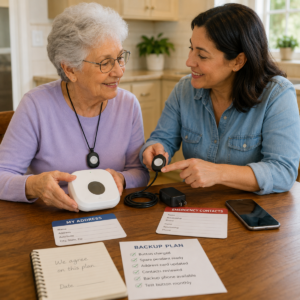
Setup should end with a person who can use the system, a service that can identify the person, and a backup that someone else can reach. Schedule enough time for the wearer to practice. Avoid installing the base, handing over a pendant, and calling the job complete before the response path has been tested and documented.
Emergency call button address, access, and emergency contact record
Write the complete address, apartment or unit number, floor, gate code, building entrance, and instructions for responders. If the home has a lockbox, document the location and keep the code current in the response account. If the person moves between homes, tell the provider how temporary addresses are updated and test after the change.
List a primary contact, a backup contact, a neighbor or building contact when appropriate, and the person’s preferred emergency decision path. A contact who lives several states away may be useful for updates but cannot unlock the door. Assign someone local to check access and someone else to keep the health and contact record current.
Emergency call button charging, wearing, and bathing routine
Choose a charging location the person will use every day. It should be visible, near the evening routine, and not blocked by a cabinet or clutter. A mobile unit may need to stay on the body until it is placed in the cradle; a home wearable may need to be worn in the shower if the manufacturer allows that exact use. Record what replaces the device if it is removed.
Check the device after bathing, cleaning, rain, or a spill according to the manual. Water resistance is model-specific and can apply differently to the pendant, base, charger, or button. The Bay Alarm SOS All-In-One 2 guide, for example, distinguishes water resistance from submersion. Never turn a broad category label into permission for a different model.
Emergency call button practice script and caregiver handoff
Practice a short script: “I pressed my emergency call button. My name is ____. I am at ____. I need help because ____.” The wearer may not be able to finish the script; the purpose is to make the first words familiar. Practice canceling a false alarm, explaining a communication need, and saying that the person cannot speak or hear clearly.
Give the caregiver a one-page handoff that says where the device is worn, how it charges, how to request a test, how to update contacts, where the key is, and when to call 911 directly. Keep health details in a controlled record rather than on a sheet that every visitor can read.
Maintain an emergency call button for elderly people throughout the year
Maintenance is a small recurring task that protects the response path. Set a calendar reminder for a provider-approved test, a visual inspection, contact review, and charging review. Recheck after a hospital stay, medication change, fall, move, new caregiver, new phone number, network outage, device repair, or change in the person’s ability to use the button.
Emergency call button battery, water exposure, and device condition
Inspect the button, band, lanyard, clasp, charger, base, and speaker. Look for cracks, loose parts, fading labels, corrosion, a damaged seal, a charger that does not seat, or a device that is uncomfortable enough to be removed. Do not keep relying on a product while waiting for a return call about damage; use the backup plan.
Follow the exact manual for charging, cleaning, showering, and storage. A battery estimate is not a permission to skip daily charging. A water-resistant wearable may still have a base or charging cradle that must remain dry. Keep the product manual, customer service number, account identifier, and test instructions together.
Emergency call button changes in address, health information, and contacts
Update the response account after a move, a temporary stay, a new entry code, a change in mobility, a new communication need, or a change in who has a key. Review the emergency contact list after every relationship or phone-number change. Ask a clinician or pharmacist to help prioritize health information; a device profile is not a complete medical record.
Compare the response account with the household’s private emergency sheet, medical ID, phone profile, and caregiver instructions. Conflicting information can create delay. Keep a review date and note who approved the change. If the wearer’s preferences change, update consent and access at the same time.
Emergency call button replacement, service changes, and outage plan
Service providers may change equipment, networks, plans, app permissions, or response procedures. Ask how customers are notified, whether an old device must be returned, and how to test the replacement. If a provider says a model is being retired, do not wait until the last day to migrate. Test the new device at the address and with the actual wearer.
Keep an outage plan that does not depend on the same failure. If the home base needs power, store a charged phone or another agreed method nearby. If the mobile button needs cellular service, know the home address and emergency contacts well enough to call directly when possible. If the household loses power or evacuates, carry the charger, address card, medications, and alternate communication device.
Emergency call button backup plan when the device fails
A backup should answer three questions: how does the person request help, who notices the failure, and how does a responder reach the person? A backup can include a phone, a second button, a wall button, a trusted neighbor, scheduled check-ins, a lockbox, a written address card, or another method that fits the person’s ability. Avoid a backup that fails for the same reason as the primary.
Emergency response device backup communication and direct emergency services
If the person can use a phone, keep it charged and place it where it can be reached from the floor. Put emergency contacts in a simple form and teach the person how to call 911. If the person cannot use a phone reliably, use caregiver check-ins and accessible devices as layers. A medical ID can supply information, but it cannot summon help by itself.
Tell the response center and caregivers what the backup is and when to use it. A backup that exists only in a caregiver’s head is fragile. Write the steps, rehearse them, and review them when the primary device changes.
Outage, travel, and disaster planning for an emergency call button
Power failures, storms, floods, heat, wildfires, and evacuations can disrupt electricity, cellular service, internet access, transportation, and building access at the same time. The National Institute on Aging disaster guidance recommends considering backup power, communication, medications, medical equipment, and essential documents. Apply the same principle to the alert system.
Keep the device charger, backup battery, address, medication list, and emergency contacts in the same go-bag or departure location. Confirm how the monitoring provider handles an evacuation address. If the person travels, update the plan before leaving rather than assuming the home address is enough.
Emergency call button caregiver testing and decision boundaries
Caregivers should test the service, check the charger, review contacts, confirm access, and ask whether the wearer wants help with the routine. They should not silently change passwords, add location viewers, or remove a device because it is inconvenient. Explain every change and record consent or the appropriate decision-making basis.
After an incident, ask what worked without blaming the older adult. Was the device present? Was the button reachable? Did the response agent have the right address? Did the caregiver answer? Did the person understand the conversation? A calm review improves the system more than a promise to “be more careful.”
Emergency call button buying checklist for older adults
Use this checklist while speaking with a provider or comparing official product pages. Save the answers with the quote and the account. If a salesperson cannot answer a safety or contract question clearly, pause before enrolling.
Questions about emergency call button connection and location
- Is the system home-only, mobile, or both?
- Which cellular or landline connection does the exact model use?
- What coverage test is available for this address and the person’s usual destinations?
- What does the responder see if the wearer is outside, inside a large building, or unable to speak?
- How are temporary addresses, apartments, floor numbers, and entry instructions updated?
Questions about emergency call button response and escalation
- Who answers the alert, and what happens if the wearer does not respond?
- Can the response center contact family, a neighbor, or 911, and in what order?
- How does the wearer cancel an accidental press?
- What is the provider-approved test process?
- What parts of the plan continue during a power, signal, app, or device failure?
Questions about emergency call button privacy and contract terms
- What health, voice, device, and location data are collected?
- Who can see caregiver alerts, location history, battery status, or account details?
- How are former caregivers removed?
- What is the first-month total, ongoing total, equipment arrangement, and optional-feature price?
- How do trial, cancellation, replacement, lost-device, and service-change rules work?
Frequently asked questions about the best emergency call button for elderly
How do I identify the best emergency call button for elderly people?
Identify the person’s response need first: home, away, or both; manual press ability; hearing and speech needs; fall risk; charging routine; location; and caregiver availability. Then compare the simplest device and service that covers those needs. Verify the exact connection, range, battery, response sequence, cost, privacy, and backup. “Best” should mean dependable fit for this person, not the most features or the loudest marketing claim.
Is a home emergency call button better than a mobile one?
Neither is universally better. A home system may provide a louder base unit, a long wearable-to-base range, and a stable address. A mobile system may travel with the person and provide location features, but it requires charging and cellular service. Choose based on where the person spends time and which routine they can maintain.
Does fall detection replace pressing an emergency call button?
No. Fall detection may miss a fall or create a false alert, and it may require a specific wearing position. A person who can press the button should do so after a fall or during any emergency that a sensor cannot recognize. Ask the provider for model-specific limits and keep a manual button within reach.
How much does an emergency call button for seniors cost?
Current official starting prices in this draft ranged from $27.95 to $34.95 per month for the displayed plans, while the LifeFone overview required a current quote for the specific configuration. The total can change with equipment, billing interval, optional fall detection, extra buttons, lockboxes, taxes, shipping, and promotions. Request a written first-month and ongoing total.
Can an emergency call button contact a family member before emergency services?
Some monitored services let the account specify family, neighbors, or caregivers as contacts and describe an escalation process. The order and conditions vary. Ask whether the agent contacts a person first, what happens when that person does not answer, and when local emergency services are contacted. Keep the local address and access information current.
How often should an emergency call button be tested?
Use the provider’s approved schedule and test method, then repeat after a move, network change, repair, new contact, outage, or account update. A household should also perform simple readiness checks: is it worn, charged, reachable, intact, and understood? Do not make an unplanned live call to 911 as a product test.
Is a water-resistant emergency call button safe to submerge?
Not automatically. Water-resistant, shower-safe, IP67, and waterproof language must be read with the exact manual and component. The Bay Alarm SOS All-In-One 2 product materials distinguish ordinary wet conditions from submersion. Check whether the claim applies to the wearable, base, charger, and fall-detection feature, and use a backup if the device is removed.
Official sources for emergency call button safety and buying decisions
These sources were checked on August 17, 2026. Product pages support the product details identified in this guide; federal sources support the safety, emergency-service, privacy, and planning boundaries. Official pages should be rechecked before publication because product terms and URLs can change.
- National Institute on Aging — Services for Older Adults Living at Home: emergency medical alert systems, setup, wearing, batteries, check-ins, and cost context.
- National Institute on Aging — Tips for Living Alone With Early-Stage Dementia: emergency call buttons, fall monitors, GPS, identification, and layered safety planning.
- National 911 Program — FAQ About Calling 911: location, callback, testing, and local 911 capability boundaries.
- Federal Trade Commission — Mobile Health App Interactive Tool: health-data privacy, security, HIPAA boundary, and consumer-app considerations.
- Medical Guardian — MGHome Cellular: current product specifications, starting price, battery, range, water, and fall-detection limits.
- Bay Alarm Medical — SOS Home: current home-system features, price, base backup, range, wearable, and optional features.
- Bay Alarm Medical — SOS All-In-One 2: current mobile specifications, battery, GPS/WiPS, caregiver tracking, water limits, and price.
- LifeFone — Medical Alert Systems: current mobile, home, GPS, network, optional fall-detection, and wearing information.