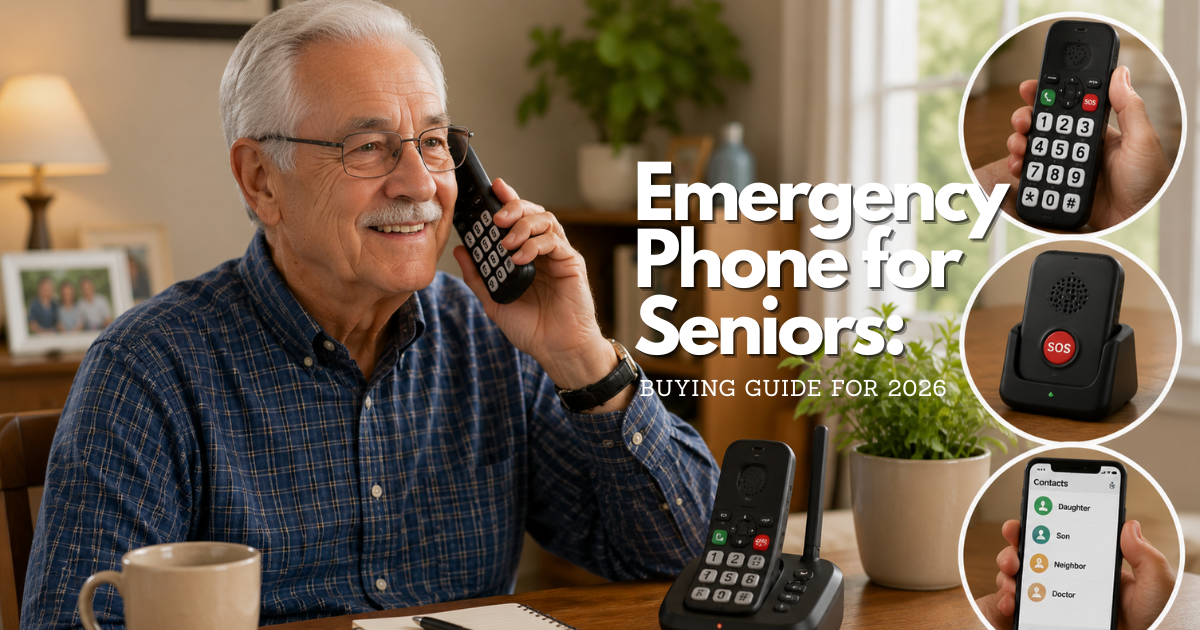
Quick answer: what makes an emergency phone for seniors dependable?
The most dependable choice is the phone the older adult can recognize, reach, unlock or activate, hear, and use under stress. That may be a basic mobile phone, a landline, a smartphone configured for fewer steps, or a phone used beside a separate emergency response device. The label “senior phone” does not prove that a device will work in a real emergency.
Start with the response path rather than with a feature list. Decide whether the person needs to call 911 directly, reach a caregiver first, use a monitored emergency response service, or have more than one path available. Then verify signal or line availability, location information, charging, volume, accessibility, and the person’s ability to use the controls without coaching.
Emergency phone for seniors should reduce the number of steps to call
In an urgent moment, extra steps become failure points. A useful emergency phone has a visible call control, readable labels, clear audio, a ring volume the user can hear, and a home location where it is normally reachable. If the phone uses a lock screen, test the emergency calling path without assuming that every model or service behaves the same way. If it uses a caregiver shortcut, the older adult should still know what the shortcut does and what to say when someone answers.
Keep the setup familiar. Changing the layout, ringtone, language, contact order, or charging location without explaining the change can make a previously usable phone confusing. A large display can help, but a large display with poor contrast, complicated menus, or a hard-to-press button may not improve safety. Observe the person using the phone from a standing position, a chair, the bed, and any usual location where a fall or illness could occur.
Emergency phone for seniors is part of a response plan
A phone can place a call; it cannot guarantee that a person can reach it, speak, describe a location, remain on the line, or receive help after the call. Write a short response plan beside the phone. Include the home address, apartment or unit information, entry instructions, a primary contact, a backup contact, medication or medical information the person wants responders to know, and instructions for what to do if the phone cannot connect.
For an immediate threat to life or safety in the United States, call 911. The 911.gov emergency-call FAQ explains that a call taker may need the location, phone number, and nature of the emergency, and that the caller should stay on the line until instructed to disconnect. A caregiver should not treat a saved contact, a monitoring service, or a device advertisement as a substitute for knowing the local emergency process.
What an emergency phone for seniors includes
An emergency phone is not defined by one color, shape, or age label. It is a communication tool configured around the person’s actual abilities and environment. The useful question is whether the whole chain works: the person can activate it, the network or line can carry the call, the recipient can identify the location, and the recipient can take the next action.
Large controls, clear sound, and readable emergency phone displays
Large buttons can help someone with reduced dexterity or vision, but size is only one part of usability. Look for controls that are separated enough to avoid accidental presses, labels that remain legible in the room’s lighting, and a tactile difference between the call, end, and emergency controls. A raised edge or distinct texture can be more helpful than a larger printed symbol when a user is not looking directly at the phone.
Audio deserves the same attention. Check the ring volume, call volume, speakerphone behavior, and any alert tones. The loudest setting is not automatically the safest if it distorts speech or causes the user to turn the volume down. If the person uses hearing aids, test the phone with those aids in the normal listening mode. If speech is difficult, write a short card with the address and a sentence the person can read or show to a trusted helper when a call connects.
Emergency call button on a phone versus a saved contact
An emergency call button on a phone can mean several different things: a physical key, a shortcut to a designated contact, an emergency-calling control available from a lock screen, or a button in an app. Those paths do not necessarily reach the same destination. Confirm whether the control calls 911, a caregiver, a response center, or a list of contacts. Confirm what happens if the first person does not answer.
A saved contact is useful for non-911 support, but a name in the address book is not a response plan by itself. Use a plain-language label such as “Daughter—emergency contact” only if that person has agreed to answer and knows what to do. Keep the local emergency number and the home address visible even if the phone has a shortcut. A caregiver should practice the exact button sequence and let the older adult perform it independently.
Emergency response device for seniors versus a phone
An emergency response device for seniors is designed around activating help, often through a button, a response center, or a caregiver network. A phone is a general communication device. A response device may be easier to wear or use after a fall, while a phone may be more familiar and useful for everyday calls. Some people need both because the phone may be out of reach when they need help.
Do not infer that a response device can identify every fall, that a phone can locate a caller precisely, or that either option works in every room. Ask who receives the activation, what information is available to that person, whether the user must speak, what happens when the connection fails, and how batteries and service are maintained. The right arrangement depends on the person’s routine, home layout, health needs, and ability to carry or wear the device.
Choose an emergency phone for seniors by communication need
Choose around the moments when communication is hardest, not around the moment when a caregiver is standing beside the person. A phone that works during a calm demonstration may be unusable after a fall, during dizziness, in low light, or when the user is frightened. Have the older adult demonstrate the call path in realistic locations and at a realistic pace.
Emergency phone for seniors with limited dexterity
For hand weakness, tremor, arthritis, or reduced grip, prioritize a stable phone location, separated controls, and a call method that does not require several precise taps. A cradle or wall-adjacent surface can prevent the phone from sliding. If a physical button is easier than a touch screen, verify that the button can be pressed without excessive force and that the user can tell whether the call started.
Keep the charging cable secured so it does not become a trip hazard or pull the phone out of reach. If the phone is usually carried, test it in the pocket, bag, or lanyard used every day. A device that is safe only when placed on a table is not a mobile safety plan.
Senior emergency call button access for hearing, vision, and speech needs
Visual, audio, and tactile signals should reinforce one another. A bright screen may not help a person with low vision if the text is small, while a loud ring may not help someone who relies on visual alerts. Use high contrast, a readable text size, a distinctive vibration or tone when appropriate, and a clear way to answer on speakerphone. Test the complete sequence with the person’s glasses, hearing aids, and normal lighting.
Text-to-911 availability varies by location. The official 911.gov FAQ says that voice calls are preferred when possible and that text-to-911 capabilities vary; if a text cannot be received, the sender should receive a bounce-back message. Do not promise text access without checking the local public safety answering point and the phone’s service. A person who cannot speak should have an accessibility plan that reflects the local options, not a generic assumption.
Emergency phone for seniors and cognitive or memory changes
Memory changes can make a multi-step phone difficult even when the person knew the steps last week. Use a short, consistent routine. Put the phone in one predictable place, keep a printed address card nearby, reduce unnecessary notifications, and use a small number of clearly labeled contacts. The National Institute on Aging suggests considering safety devices such as fall monitors, emergency call buttons, GPS, and identification, and recommends making important phone numbers easy to find.
Review the plan with the person rather than silently taking over. A caregiver can help choose a simple layout, make practice calls, and write instructions in the person’s own words. If the person becomes distressed by a test, stop and adapt the method. The goal is a usable response path, not a perfect-looking settings screen.
When a caregiver should set up the phone without taking control
Caregiver help is appropriate when it removes barriers while preserving the older adult’s understanding and consent. Ask before changing contacts, enabling location sharing, adding a monitoring service, or giving another person an account password. Explain what information will be shared, who can see it, and how it can be turned off. If decision-making ability is changing, follow the relevant legal and family process instead of treating technical access as permission.
Have the older adult complete the final practice call. If the caregiver is the only person who can use the phone, the setup has not yet met the user’s need. Document a backup method for times when the caregiver is unavailable.

Emergency phone for seniors phone types and connection paths
Every connection path has a different failure pattern. A mobile phone can move with the user but depends on battery, signal, and service. A landline can be simple and stationary but may not help outside the home. A VoIP line can be convenient but requires a registered service address and may depend on power and internet equipment. Compare the path that fits the person’s ordinary routine with the path that still works during the likely emergency.
Wireless emergency phone for seniors
A wireless phone is useful when the person moves between rooms, travels, or needs to call away from home. Verify coverage inside the home, especially in the bedroom, bathroom, basement, and yard. Signal bars shown in one location do not guarantee a completed call in another. Test at different times if the home has a known weak-signal area.
Battery management is part of the safety function. Choose a charging location that the person can reach and use, keep the phone charged according to the service instructions, and maintain a backup way to call if the battery is empty. A wireless phone that is left in a purse, on a charger in another room, or in a car is not available when needed.
Landline emergency phone for seniors
A landline may be familiar and can reduce the number of menus or settings. Place the handset where it can be reached from the usual chair, bed, and floor-level recovery position if safe to do so. Test the cord or base placement for trip hazards. If the phone has a power-dependent feature, ask the provider what remains available during an outage.
Do not assume that every wall jack, cordless handset, or phone service has the same emergency behavior. Ask the provider how 911 location information is handled, whether the address is registered correctly, and what happens if service is moved. Keep a backup plan for a person who cannot reach the base or who may leave the home during an emergency.
VoIP emergency phone for seniors
Voice over Internet Protocol service can work well when the user already has dependable internet and power, but its emergency setup requires attention. The registered service address must match the place where the person uses the phone. If the phone is moved, the address may need to be updated. The 911.gov FAQ explains that VoIP users should register a physical address and update it when they move.
Ask the provider what equipment needs power, how a service interruption is communicated, and whether the user must confirm a location to a call taker. Keep the provider’s support number separate from 911 and do not use 911 to test service. A battery backup may extend availability for some equipment, but it does not solve every internet or network failure.
Emergency phone for seniors with an emergency call button on phone
A shortcut can be helpful when it is visible, consistent, and understood. Before relying on it, write down the activation steps and destination. Does one press start a call, send a message, contact a response center, or activate a list? Does it work when the phone is locked? Can the user cancel an accidental activation? Can the person tell whether the request was received?
Use a second path for a person who may be unable to reach the phone. A button on the phone cannot help when the phone is across the room, under furniture, out of battery, or left behind. This is where a separate wearable or a home access and check-in plan may be more appropriate, depending on the person’s needs.
| Connection path | What it may help with | What to verify before relying on it |
|---|---|---|
| Wireless phone | Calls from multiple rooms or away from home | Indoor coverage, battery routine, service status, and backup when the signal or battery fails |
| Landline | Familiar calling with a stationary home setup | Reach from likely locations, provider address records, cord or base safety, and outage behavior |
| VoIP phone | Home calling through an internet connection | Registered physical address, power dependency, internet reliability, and provider instructions |
| Phone shortcut or button | Fewer steps to a contact, center, or emergency service | Destination, lock-screen behavior, activation feedback, cancellation, and first-contact failure plan |
Emergency phone plans for seniors: what to compare
A phone plan affects whether the phone can place calls, receive calls, send texts, use data, and remain active when the older adult uses it away from home. Compare the service that is actually needed, not the largest bundle. Ask for the complete recurring cost, one-time equipment or activation charges, taxes or fees, renewal terms, cancellation steps, number transfer rules, and support hours.
Emergency phone plans: monthly service, prepaid service, and equipment costs
Some services charge for access each month; others use a prepaid balance or a pay-as-needed arrangement. A lower recurring price may require more caregiver management, while a higher price may include support or equipment that the person does not need. Ask what happens when a payment fails, a balance expires, or the phone is not used for a period of time.
Separate the cost of the phone from the cost of keeping it connected. Read the service agreement in the older adult’s presence and record the account number, support number, and cancellation instructions in a secure place. Avoid a setup that depends on a caregiver remembering an automatic renewal date without a shared reminder and an agreed payment plan.
Lifeline support and how to verify eligibility
Some households may qualify for help with communications service through the federal Lifeline program. Eligibility, participating providers, and application requirements can change, so use the official Lifeline application guidance and the program’s help resources rather than relying on a third-party summary. The program site explains that an applicant can apply through its available methods and then choose a participating phone or internet company.
Do not promise that a particular emergency phone, service, or plan will qualify. Ask the provider whether it participates in the person’s area and confirm any documentation, recertification, or household rules through official Lifeline support. Keep the emergency plan usable even if an application is delayed, denied, or later changes.
Emergency phone for seniors plan changes and cancellation
Service changes can break an emergency plan without changing the phone’s appearance. Before switching providers, confirm that the number will remain active until the new service works, that the address or 911 record is transferred correctly, and that any emergency shortcut still reaches the intended destination. Save a paper copy of the plan because the old phone may stop working during the transition.
When canceling a service, ask when the line ends, whether the number can be transferred, what happens to stored voicemail or contacts, and how personal data is removed from rented equipment. A caregiver should schedule the change when another working communication path is available.
How 911 works through an emergency phone for seniors
Calling 911 is a local public-safety process delivered through local and regional answering centers. The national 911 system is not one uniform call center, and capabilities can differ by location. The official 911.gov overview describes 911 as the number used to request police, fire, or medical help, while the FAQ explains what callers should expect and why location details matter.
Calling 911 from a wireless phone
A wireless phone may be able to call 911 even when it does not have an active service plan, but that does not make it a complete emergency phone. According to the 911.gov FAQ, a phone without active service may not deliver location information and the call center may not be able to call the phone back. If the call drops, the older adult may need another way to reconnect.
Keep the phone number and exact address visible. Tell the call taker the location first when possible, including the city, street, apartment, floor, room, or other access detail requested. Do not hang up because the caller hears silence or because the call taker asks questions that seem repetitive. The call taker is collecting information needed to route or support the response.
Emergency phone location and callback limits
Location is a safety feature that needs verification, not an assumption. A wireless network may provide information, but the result may not describe the room where the person is or may not be available in every circumstance. A landline or VoIP provider may use a registered service address, which becomes unsafe if the person moved and the record was not updated.
Put the home address in more than one place: beside the phone, in a wallet or medical information card, and in the phone’s emergency information area if the person can access it. Include an apartment or unit number and any access instruction that responders may need. Review the card after a move, a change in building access, or a change in the person’s usual location.
Text-to-911 and accessibility needs
Voice calling is preferred when the caller can safely speak, but text-to-911 may be available in some communities. The service is not universal, and the local process may have limits on language, attachments, group messages, or location information. The user should know that a bounce-back message means the text did not reach the emergency center and a voice call or another method is needed if it is safe to do so.
Make the accessibility plan specific. If the person cannot hear a ring, enable a visual or vibration alert where appropriate. If the person cannot speak, write a short text template with the address and type of emergency, but do not present it as a guarantee that text is supported. Ask the local 911 authority or non-emergency public-safety line about available options.
VoIP emergency phone address registration
VoIP users should confirm that the service has the correct physical address and understand what happens if the equipment is moved. A phone that works in one apartment may still send outdated location information after a move. Ask the provider how updates are submitted, when they take effect, and whether the user must hear a warning or confirm the address during a 911 call.
For a planned service test, contact the local 911 non-emergency number in advance and follow its instructions. Never place a test call to 911 simply to see whether the line works. A test can create a real dispatch or delay someone else’s emergency call.
Set up an emergency phone for seniors at home
Set up the phone where the older adult actually lives, not only where a caregiver prefers to store it. Walk through the home and identify the places where the person spends time, the places where a fall could make standing difficult, and the places where a call may need to begin. Then create a setup that reduces travel, reaching, searching, and memory demands.
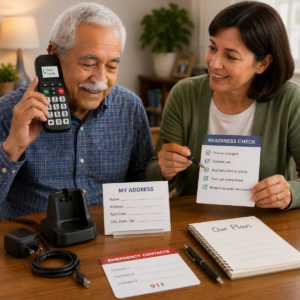
Emergency contacts and a visible address card
Use a short emergency contact list. A practical card can include the home address, unit number, the user’s name, a primary caregiver, a backup caregiver, a healthcare contact, and any entry instruction that is safe to share. Mark whether each person is a 911 contact, a caregiver contact, or a non-urgent support contact. Do not put unnecessary account passwords, full financial information, or a complete medical history on a card kept in public view.
Ask every listed contact whether they agree to be included and what hours they can respond. If someone is unlikely to answer at night, do not label that person as the only emergency contact. Keep the list current when a caregiver changes numbers, moves, becomes unavailable, or asks to be removed.
Emergency call button on phone setup and lock-screen access
Write the phone’s emergency call instructions in large, plain language and keep them next to the device. If the phone has a shortcut, describe the destination in the instruction: “Press this to call 911” or “Press this to call Sam,” only after verifying that the wording is accurate. Do not use a generic “emergency button” label when the control may reach a different person or service.
Practice the path with the screen locked and unlocked if both paths are possible. Check whether the device asks for a passcode, whether an accidental press can be canceled, and whether the person can recognize when the call is active. If a caregiver has configured an emergency information screen, verify that it shows only information the user has agreed to share.
Charging, volume, and placement routine
Make charging a visible daily routine rather than an invisible caregiver task. Use a consistent charging surface with enough room for the phone, a lamp, and the address card. Secure the cable along the wall or furniture where possible, and do not route it across a walking path. If the person removes the phone from the charger at night, provide a safe, reachable location that still keeps it available.
Check the ring and call volume from the rooms where the person spends time. Confirm that “do not disturb,” quiet hours, a muted ringer, or a low-battery alert cannot silently defeat the purpose of the setup. A setting that is useful for ordinary sleep or privacy may need an exception for an agreed caregiver contact.
Test an emergency phone for seniors without causing a false dispatch
Testing should confirm the full path without placing an unnecessary emergency call. Separate routine checks from a genuine emergency. A caregiver can test the phone’s power, sound, contact list, charging, and caregiver call path. For a 911 capability question, contact the local emergency communications authority through its non-emergency number and follow its instructions.
Emergency phone contact test
Ask the older adult to call the primary contact while you observe silently. Note whether the phone is reachable, whether the correct control is easy to press, whether the call connects, and whether the person can state the address. Ask the contact to confirm what appeared on the receiving end, including the number or name, and whether they know the response plan.
Repeat the check from the chair, bed, kitchen, bathroom doorway, and any other relevant location. If the phone is carried, repeat it from the places where the person actually carries it. A test that only starts from a fully charged phone on a table can miss the more likely failure.
Emergency phone for seniors 911 test boundary
Do not dial 911 for a practice call. The 911.gov FAQ recommends contacting the local non-emergency number to arrange a test when a test is necessary. Write down the local instruction and the date of the last planned check. If a real emergency occurs during a test, stop the test and call 911.
What to check after an emergency phone update or network change
Recheck the emergency path after a phone software update, service change, number transfer, new router, move, change in home address, replacement phone, or change in hearing or vision. Confirm contacts, permissions, location records, charging, volume, and the emergency shortcut. Do not assume that an imported backup restored the same settings or that a new phone will use the same button sequence.
| Check | Practical question | Record the result |
|---|---|---|
| Reachability | Can the person reach and pick up the phone from likely locations? | Location changes or a needed second phone |
| Activation | Can the person start the intended call without coaching? | Steps that were easy, hard, or forgotten |
| Connection | Did the intended contact answer and understand the response plan? | Date, destination, and any failed attempt |
| Information | Are the address, unit, and caregiver numbers still correct? | Updates needed and who will make them |
| Power and sound | Is the phone charged and audible in the rooms that matter? | Charging or volume changes |
| Backup | What is the next step if the phone, line, or contact fails? | Backup path and person responsible |
Emergency phone for seniors privacy, scams, and account safety
Emergency access and privacy can support each other. A phone should reveal enough information for an agreed responder to help, but not expose account credentials, financial data, or a person’s location to anyone who finds it. Explain each setting before enabling it and revisit the decision when the person’s circumstances change.
Protecting personal information on an emergency phone
Use a screen lock the older adult can manage, and keep the recovery method available to the authorized person. Avoid writing a full password beside the phone. Use the phone’s emergency information area only for information the user chooses to share. Review location sharing, account access, medical notes, and contact permissions one by one.
The Federal Trade Commission’s phone-security guidance recommends locking a phone, installing software updates, backing up information, and enabling a way to find a lost phone. These steps protect ordinary personal data as well as emergency contacts. A caregiver should also know how to suspend a lost line or remove access without deleting information that may be needed for the emergency plan.
Emergency phone scams and urgent support calls
People who maintain an emergency phone may receive calls claiming that a service must be renewed immediately, that a caregiver owes money, or that a device has detected a crisis. The FTC warns that caller ID can be spoofed and recommends taking time, getting written information, protecting sensitive data, and reporting scams through its consumer resources. An urgent tone is not proof that a caller is legitimate.
Agree on a verification phrase or callback method with trusted caregivers and service providers. Do not give a caller a one-time code, payment card number, account password, or remote-control access merely because the caller says the phone is at risk. End the call and contact the provider through a number from a statement, official website, or saved record.
Caregiver access, consent, and lost-phone response
Decide in advance who can locate the phone, change contacts, contact the provider, or see the emergency information. Write the permission in plain language and discuss it with the older adult. If the phone is lost, use the agreed lost-phone feature, contact the service provider, change relevant account credentials, and notify caregivers that the old number or device may not be reliable.
If the phone contains sensitive health, location, or contact information, consider what should be erased remotely and what should be preserved through a backup. A lost phone is also a lost emergency path, so arrange a temporary working phone or alternate contact method while the device is replaced.
Emergency phone for seniors limits, failures, and backup
A safety plan is stronger when it names how the phone can fail. The most common failures are not exotic: the phone is out of reach, the battery is empty, the service is inactive, the caller cannot provide the address, the contact does not answer, or the home’s power or network is down. Write the next action for each failure and assign responsibility for checking it.
When a phone cannot replace an emergency response device
A phone may be a poor primary path for someone who cannot reliably reach it after a fall, cannot remember the activation sequence, cannot speak during an emergency, or spends time in areas where the phone is not carried. A separate wearable or home-based emergency response device may reduce those gaps, although it also has its own limits, service requirements, battery needs, and false-activation considerations.
The National Institute on Aging notes that emergency medical alert systems may help older adults who live alone, but they must be set up correctly, worn or used as intended, and maintained with charged or replaced batteries. NIA also cautions that an alert system does not replace family or friend check-ins. Treat the phone and any separate device as parts of one plan.
Emergency phone for seniors without power, signal, or battery
Power loss can affect a cordless base, internet equipment, wireless charging, and the phone itself. Signal loss can affect a mobile call even when the battery is full. A low battery can make a phone appear available while leaving too little capacity for a call. Keep a charged backup where it can be reached and write down the next step if the primary device fails.
Do not rely on an inactive phone as the only answer. Although an unserviced wireless phone may be able to place a 911 call, 911.gov warns that location and callback capabilities can be limited. A working service plan, a reachable device, and a visible address remain important.
A backup phone, check-in, and home access plan
A backup plan can include a second phone, a separate line, a charged device kept in a known place, a wearable call path, and scheduled check-ins. Choose the smallest set that the older adult can use and the caregiver can maintain. If check-ins are part of the plan, define when a missed check-in becomes a call to the person, then a call to a backup contact, and then a welfare-check decision according to the family’s agreed process.
Home access matters when the person cannot reach the door. Tell trusted responders or caregivers how entry will work, while protecting the address and access code from unnecessary sharing. Do not leave a key or code in a publicly obvious location. Update the plan after a lock change, building policy change, or caregiver change.
| Failure mode | What the user may experience | Backup action |
|---|---|---|
| Phone is out of reach | The person cannot start the call after a fall or sudden illness | Move the phone, add a second reachable path, or consider a wearable response device |
| Battery is empty | The screen is dark or the call stops before connection | Use a visible charging routine and maintain a charged backup |
| Signal or internet fails | The call cannot connect or drops | Use the verified alternate connection and follow the local emergency plan |
| Contact does not answer | The first call rings without a response | Use a second contact or the appropriate emergency service path |
| Location is unclear | The caller cannot state the address or service data is outdated | Keep a current address card beside the phone and update provider records |
| User cannot speak | The caller cannot describe the emergency by voice | Use a locally verified accessibility method and a prepared, privacy-aware information card |
Emergency phone for seniors maintenance and routine review
Maintenance is what keeps a simple phone usable months after setup. Put the review on a calendar and include the older adult in the process. The review should be short enough to repeat and specific enough to catch a real change. A caregiver can record the date, the call path tested, any change made, and the person responsible for the next check.
Phone battery, charging, and software updates
Inspect the charging cable, power adapter, port, and battery behavior. A phone that charges only when the cable is held at an angle is not ready for an emergency. Replace damaged parts with compatible equipment and keep the charging area dry and uncluttered. If the phone becomes unusually hot, swells, smells unusual, or loses charge quickly, stop using it and follow the manufacturer or service provider’s safety guidance.
Software updates can improve security and change menus, permissions, sounds, or emergency shortcuts. Install updates at a planned time, then have the older adult repeat the complete call sequence. Check the contact list, lock-screen access, volume, accessibility settings, location permission, and backup after the update. Do not update right before travel or a period when no one can test the phone.
Contacts, address, and emergency information updates
Review the address card and digital contacts whenever someone moves, changes a number, becomes unavailable, or changes the role they agreed to play. Confirm that the home address includes an apartment or unit number and that the phone service record matches it where applicable. Remove outdated contacts so the older adult does not call someone who no longer knows the plan.
Keep the user’s preferred name, language needs, communication needs, and essential information in the form that the person wants responders or caregivers to receive. Avoid collecting more information than the response requires. A short and current record is safer than a long document no one can maintain.
Replacement, number transfer, and discarded-phone privacy
When replacing a phone, transfer the number only after the new device can make and receive the intended calls. Keep the old device available until contacts, emergency information, charging, and accessibility settings are checked. If a service provider changes the phone number, update printed cards, caregiver records, account recovery details, and any response device that depends on the old number.
Before recycling, returning, donating, or discarding the old phone, back up the information the user wants to keep, sign out of accounts, remove the SIM or other service component as appropriate, and use the device’s supported reset process. A caregiver should verify that the emergency contacts and health information are not still accessible on the old device.
Emergency phone for seniors caregiver checklist
Use this checklist when setting up a phone for an older adult or reviewing an existing arrangement. It is designed to expose gaps before an emergency, not to create a one-time certificate that the setup will always work.
Before giving an older adult an emergency phone
- Confirm the intended destination for the emergency control: 911, a caregiver, a response center, or another agreed path.
- Confirm the address, unit number, entry instructions, and callback number.
- Place the phone where the older adult can reach it from the main chair, bed, and another likely location.
- Test the screen, buttons, ring, call volume, speakerphone, charging, and accessibility settings with the user’s normal glasses or hearing aids.
- Have the older adult perform the call sequence without the caregiver taking the phone.
- Explain what information is shared with caregivers, service providers, and responders.
- Write down the backup plan for a dead battery, poor signal, missed contact, power outage, or lost phone.
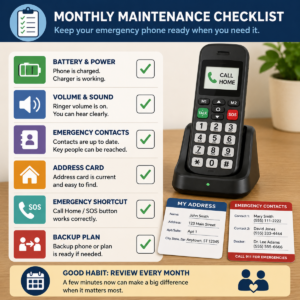
Monthly emergency phone for seniors readiness check
- Ask the user to locate and activate the intended call path from a normal position.
- Check the phone’s charge, cable, ringer, call volume, and visible alerts.
- Check that the primary and backup contacts still answer and understand their roles.
- Review the printed address card and any registered service address.
- Confirm that the phone has not been moved to a room where the user cannot reach it.
- Review recent service changes, software updates, lost-phone protections, and account notices.
- Record any failed step and assign a date and person for correction.
What to document after a failed call
Write down the date, location, battery level, signal or connection state, exact button or menu used, destination, what the user heard or saw, and whether the call connected. Note whether the contact answered, whether the address was available, and whether a caregiver had to intervene. Do not describe a phone as “working” after a test that the user could not complete independently.
Use the record to make one change at a time when possible. If the failure involved a service provider, ask for a written explanation and confirm the emergency path again after the change. If the failure involved a fall, health event, or repeated inability to use the phone, discuss whether a different response arrangement is needed with the appropriate healthcare or caregiving professionals.
Frequently asked questions about emergency phone for seniors
What is an emergency phone for seniors?
An emergency phone for seniors is a phone configured to make an urgent call easier for an older adult. It may be a mobile phone, landline, VoIP phone, or simplified device with an emergency shortcut. The important qualities are reachability, understandable controls, a working connection, accurate location information, and a response plan that the user and caregivers can follow.
Can a phone’s emergency call button reach 911?
It may, but the destination depends on the phone and its configuration. Confirm whether the button calls 911, a saved contact, or a response service, and test the user’s ability to activate it without placing an unnecessary 911 call. For planned testing, follow the local public-safety authority’s non-emergency instructions. In a real emergency in the United States, call 911 and provide the location and nature of the emergency.
Does an emergency phone for seniors need a monthly service plan?
Not every phone uses the same payment model. Service may be recurring, prepaid, bundled with another connection, or dependent on an existing home line. The relevant question is whether the service will remain active, reachable, and understandable for the older adult. Compare total terms, support, address handling, cancellation, and the backup plan rather than choosing by a label or introductory offer.
Is a senior emergency call button the same as a personal emergency response device?
No. A phone button is part of a phone’s calling interface, while a personal emergency response device is designed specifically to activate help through a device, service, response center, or caregiver path. Some people use both. A separate device may be more reachable after a fall, while a phone may be better for ordinary communication. Verify the response path, coverage, battery, and maintenance for each.
Can an emergency phone for seniors work without Wi-Fi?
It depends on the connection. A mobile phone may use a cellular network, while a landline may use a provider’s line, and a VoIP phone generally depends on internet and power equipment. Ask the service provider what is required and what remains available during an outage. Test the connection in the rooms where the older adult is likely to need it, and keep a verified backup.
What should a caregiver do if the phone is lost?
Use the agreed lost-phone feature, contact the provider if the line or device needs to be suspended, and change account credentials that may be exposed. Tell the older adult and backup contacts that the lost device is not a reliable emergency path. Provide a temporary working phone or alternate response method, then recheck the address, contacts, privacy settings, and emergency shortcut on the replacement.
How often should an emergency phone be tested?
Perform a short readiness check regularly and repeat the full user demonstration after a move, service change, software update, replacement phone, health change, or caregiver change. The exact interval should match the person’s needs and the setup’s complexity. Never use 911 as a routine test; contact the local non-emergency authority for instructions if an emergency-service test is necessary.
Official sources for emergency phone for seniors safety and setup
This guide uses current official sources for emergency calling, aging-at-home safety, communication assistance, privacy, and scam prevention. Read the source that matches the question, because local 911 capabilities, service eligibility, and provider terms can change.
- 911.gov: About 911 — national emergency-calling context and the role of 911.
- 911.gov: Frequently Asked Questions — caller information, wireless phones, VoIP, text-to-911, and safe testing boundaries.
- National Institute on Aging: Services for Older Adults Living at Home — emergency alert setup, maintenance, costs, and the limits of replacing human check-ins.
- National Institute on Aging: Tips for Living Alone with Early-Stage Dementia — simple phones, visible contacts, and safety devices.
- Lifeline Support: How to Apply and Get Help — current program and participating-provider guidance.
- Federal Trade Commission: Phone Scams — caller-ID spoofing, pressure tactics, and protecting sensitive information.
- Federal Trade Commission: How to Protect Your Phone From Hackers — locks, updates, backups, and lost-phone protection.
Safety and privacy note: This guide is general educational information, not medical, legal, telecommunications, or emergency-dispatch advice. In an immediate emergency in the United States, call 911 when safe to do so and follow the call taker’s instructions. Verify local 911 capabilities, provider terms, service address records, accessibility options, and emergency-response arrangements before relying on them. Share only the personal, health, location, and account information necessary for the agreed response plan, with the older adult’s knowledge and consent whenever possible.
1 comentario en «Emergency Phone for Seniors: A Practical Guide»