Safety note: A GPS Tracker for Elderly Person is a location and communication layer, not a barrier or restraint. Never use tracking to secretly control someone, lock them inside, block an emergency exit, or delay urgent help. GPS information can be delayed, approximate, unavailable indoors, affected by buildings or network gaps, or lost when a device is removed or uncharged. If an older adult is missing, injured, or in immediate danger, follow the established response plan and contact local emergency services rather than waiting for another location update.
Quick Answer: When Does a GPS Tracker for Elderly Person Make Sense?
A GPS Tracker for Elderly Person may make sense when an older adult has a defined location concern, accepts the arrangement, can wear or carry the device during the activity that matters, and has a named caregiver who can respond.
It may support a daily walk, familiar errand, visit, drive, appointment, or independent time in the community. The technology becomes more useful when the family knows exactly what information it should provide and what action should follow that information.
Begin with the problem rather than the product label. Is the concern that the person may leave home unexpectedly, forget a route, miss an appointment, become disoriented outdoors, or have difficulty calling for help?
A door alert may provide earlier notice of departure. A phone may make communication easier. A medical alert service may be more appropriate for a health emergency. A location device can complement these layers, but it should not be expected to solve every safety concern.
The National Institute on Aging describes GPS as one possible aid alongside identification, recent photographs, local awareness, and other safeguards. The Alzheimer’s Association also treats location-sharing technology as part of a broader safety plan. The device is only one link in a chain that includes the person, the connection, the caregiver, and the response.
When Location Sharing May Support Independence
A GPS Tracker for Elderly Person may support independence when it allows an older adult to continue a meaningful activity with a transparent and agreed plan.
The person may want to walk to a store, visit a friend, attend a service, go to an appointment, or spend time alone in a familiar place. Location sharing should reduce uncertainty without turning ordinary movement into constant surveillance or conflict.
Ask what the person wants to continue doing. Then test the device in that specific environment rather than assuming that a successful test at home proves it will work elsewhere.
When a Tracker Is Not the Right First Answer
A GPS Tracker for Elderly Person may not be the best first solution when the person will not wear or charge it, the concern is entirely indoors, nobody is available to respond, network coverage is unreliable, or the person needs hands-on supervision or professional medical support.
Depending on the situation, a care assessment, scheduled check-in, door sensor, neighbor plan, environmental modification, medical alert service, or facility procedure may provide a more relevant layer of support.
The important question is not whether the technology has many features. It is whether the complete arrangement addresses the actual safety concern.
What to Define Before Choosing a Location Device
Before buying a GPS Tracker for Elderly Person, write down four things:
- What event should trigger attention?
- Who receives the information?
- What does that person do next?
- Who is the backup if the primary caregiver cannot respond?
For example:
“If Mom misses her expected arrival time, her daughter calls, checks the last known route, contacts the destination, and asks the neighbor to check if needed.”
That sentence can be more useful than a long feature list because it identifies the human response that makes the technology meaningful.
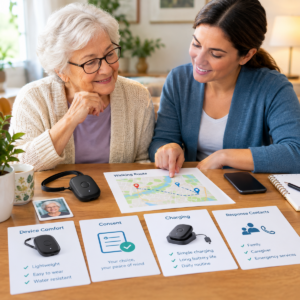
Understand What a Personal GPS Tracker Can Actually Report
A GPS Tracker for Elderly Person may calculate location through GPS, assisted GPS, cellular information, Wi-Fi, Bluetooth, or a paired phone, depending on the device.
A caregiver may see a current estimate, last known position, safe-area notification, battery state, connection status, or help request. Before relying on any of these features, determine how the specific device creates the information and how the app labels it.
Current Location Versus Last Known Position
A GPS Tracker for Elderly Person should always be interpreted together with its timestamp.
If the device has not communicated recently, the map may show where it was earlier rather than where the person is now. Buildings, bridges, trees, reflected signals, indoor use, satellite geometry, atmospheric conditions, and receiver design can affect real-world GPS performance.
A map point is therefore a clue for a response, not proof of the person’s exact room or physical condition.
Safe-Area and Route-Change Notifications
A GPS Tracker for Elderly Person may support a geofence that notifies a caregiver when the device crosses a virtual boundary around a home, neighborhood, facility, or destination.
The notification may arrive after the actual crossing because the device communicates at intervals and depends on network and service processing.
A safe area is not a physical fence. It should never become a reason to block movement. Design boundaries around meaningful changes in the person’s normal route.
Battery and Connection Status
A GPS Tracker for Elderly Person can become unreliable when its battery is low or its connection is unavailable.
An offline message may mean that the device is charging, indoors, outside coverage, unpaired, damaged, or affected by an account problem. Learn exactly what the app means by each status and whether it displays the last successful communication.
A technical status usually identifies a device condition. It does not automatically explain why the person is in that condition.
Help Calls and Two-Way Communication
A GPS Tracker for Elderly Person may include a call function or help button, depending on the service.
Test whether the older adult can hear, answer, speak, and remember the required action during an ordinary outing. Confirm who receives the request, what happens if nobody answers, and whether the service includes professional response.
Do not describe a family calling feature as professional emergency monitoring unless the service terms actually provide that function.
What a Location Device Cannot Confirm
A GPS Tracker for Elderly Person cannot automatically confirm that someone has not fallen, is medically stable, is still wearing the device, can find the way home, or understands where they are.
It may not work indoors or may identify only a general area. Caregivers should combine location information with timestamps, routine knowledge, direct communication, and other safety information.
Match a GPS Tracker for an Older Adult to the Daily Routine
A GPS Tracker for Elderly Person is more useful when its design matches the person’s actual routine.
Describe where the older adult goes, how they travel, what they normally carry, who they meet, when help may be needed, and which parts of the day have no caregiver coverage.
Avoid choosing a device based on age alone.
Independent Walks and Familiar Errands
An active older adult may prefer a small device that supports a familiar walk without looking overly medical or intrusive.
Discuss whether location is shared continuously, during an outing, on request, or only after a boundary crossing. Test the route using the person’s normal clothing, shoes, phone, and pace.
Also decide how the caregiver will respond if the person takes a normal detour.
GPS Tracking for Appointments, Rides, and Expected Arrivals
A tracker may help investigate a missed arrival, but a vehicle’s location is not automatically the person’s location.
Write down the departure point, destination, expected arrival, destination contact, and reasonable grace period. Test the device at the parking area, building entrance, elevator, waiting room, and return route.
A last outdoor point may remain on the screen while the person is already inside a building.
Older Adults With Memory Changes
Memory changes can affect whether a person carries, charges, answers, or understands a device.
Combine location tracking with a current photograph, identification, likely destinations, familiar routines, safe paths, and a prompt response plan.
A tracker can show an event after movement begins. It cannot explain why the person left or guarantee that they will not become lost.
GPS Tracking for People Who Live Alone
Living alone makes response ownership especially important.
A remote family member may receive an alert but be unable to reach the home. A neighbor may be nearby but unavailable. A service may have specific operating hours or response terms.
Define who calls, who visits, who can access the home by agreement, and when emergency services should be contacted.
Location information without a reachable responder is an incomplete safety arrangement.
People Who Have Fallen or Changed Mobility
A location device is not automatically a fall detector.
After a fall, surgery, new weakness, or significant balance change, ask an appropriate healthcare professional whether the person needs a medical alert service, mobility assessment, home modification, or closer support.
A tracker may still be useful for outings, but it should not be assigned a clinical function it does not provide.
People Who Do Not Want a Visible Safety Device
Some older adults dislike devices that look medical or make them feel watched.
Discuss alternatives such as a phone, pendant, clip, or another form only when it can stay with the person and meet the defined need. Privacy and dignity are part of practical reliability.
A device that causes repeated rejection or conflict is unlikely to provide dependable protection.
Assisted Living and Supervised Care
Ask the facility before introducing a personal tracker.
The setting may have approved devices, privacy rules, resident identifiers, charging procedures, door alerts, or staff workflows.
Confirm who receives an alert, who owns the account, and what staff will and will not do. A family application should not be presented as staff monitoring without permission.
Compare the Tracker Role With the Companion Safety Layer
| Situation | Possible tracker role | Limitation to test | Companion layer |
|---|---|---|---|
| Neighborhood walk | Provide a zone alert or last known outdoor location. | Boundary size, update delay, coverage, battery, and wearability. | Route plan, recent photo, identification, reachable caregiver. |
| Missed appointment | Support a call and provide a location clue. | Device may be in a car, bag, or building with weak signal. | Destination contact and expected-arrival plan. |
| Memory-related wandering | Add location information to a wider safety plan. | Cannot prevent leaving or explain the person’s goal. | Routines, door alert, likely destinations, prompt response. |
| Living alone | Notify a remote care partner of a defined change. | Remote notification does not create hands-on help. | Neighbor, check-in, professional support, emergency plan. |
| Supervised setting | Complement an approved resident-safety process. | Family access is not the same as staff responsibility. | Facility policy, handoff, resident ID, documentation. |
Use the table to identify the device’s role and limitation before comparing products. If the companion layer is missing, the family has a care-planning gap rather than simply a shopping problem.
Choose a Personal GPS Tracker Form the Person Can Use
A GPS Tracker for Elderly Person depends on the device staying with the person and remaining powered.
Fit, visibility, dexterity, hearing, vision, sleep, bathing, clothing, and social comfort can all affect reliability. Choose the least complicated form that can perform the defined job.
Wristbands and Watches
A wristband may be easy to notice and check, but it can irritate the skin, be removed for bathing, or become difficult to fasten.
A watch may offer calling or a help button but can become confusing for someone with reduced vision or memory.
Test the action the person actually needs instead of testing every feature in a product description.
Pendants and Necklace-Style Devices
A pendant may be familiar and easy to identify, but check its attachment, clothing interaction, sleep routine, and compatibility with mobility aids.
A device that catches on clothing or feels uncomfortable may be rejected. The person’s normal routine should determine whether this form is appropriate.
GPS Tracker Clips, Pockets, and Bags
A clip may be less visible, but a device left in a coat, purse, walker basket, or vehicle is no longer providing personal location information.
Test the exact clothing and route the person normally uses. If jackets or bags frequently change, include a routine check or consider a form that stays with the person more consistently.
Phone-Based Location Sharing
A smartphone may provide familiar contacts, conversation, and a large screen.
However, it may also be left on a charger, muted, forgotten, or separated from the person. Confirm whether the phone is reliably carried, charged, unlocked, and connected.
Repeat the test after a phone replacement or major settings change.
Indoor or Facility Alternatives
GPS may be a poor fit inside a large building, facility, garage, or dense urban environment.
An approved facility system, door alert, scheduled check-in, or other location method may be more appropriate for that setting.
Do not promise indoor precision simply because a product uses GPS technology.

Understand GPS, Cellular, Phone, and App Requirements
A GPS Tracker for Elderly Person is actually a system involving location, power, connection, account access, notifications, and human response.
A device may calculate a location accurately but fail to transmit it. An app may receive the information while the caregiver misses the notification.
Review every link in the chain.
Outdoor GPS and Indoor Limitations
A GPS Tracker for Elderly Person can behave differently in open sky, near tall buildings, under trees, inside vehicles, or inside buildings.
Test the places where the person actually travels. Ask whether the service uses assisted GPS, cellular positioning, Wi-Fi, or another method indoors.
Caregivers should know how to distinguish an estimate, last known point, and unavailable status.
Cellular Service on the Real Route
A GPS Tracker for Elderly Person may require a compatible cellular network and an ongoing service plan.
Coverage can change between homes, rural roads, clinics, parking garages, facilities, and travel destinations.
Ask what happens during a network gap. The device may store a position, retry transmission, display an offline status, or provide no new information.
Test the actual route instead of relying only on a general coverage map.
Phone-Paired Tracker Requirements
A GPS Tracker for Elderly Person that depends on a phone may require Bluetooth, location permissions, background access, a nearby phone, and two charged batteries.
Test the person’s normal routine with the phone carried in its usual location.
If the phone stays at home, the tracker may not provide the independent location information the family expects.
Alert Timing and Update Intervals
A GPS Tracker for Elderly Person should be evaluated according to how often it communicates and how quickly notifications reach the caregiver.
More frequent updates may affect battery life or service use. Less frequent updates may be acceptable for general reassurance but unsuitable for time-sensitive situations.
Do not describe a system as real-time unless its actual service behavior has been verified.
Caregiver Account Access
Decide who can view location, receive alerts, reset the account, and remove access.
Use unique passwords, device security, and appropriate account-recovery methods. Remove former caregivers when their role ends.
Also determine whether the app stores location history and whether another viewer can invite additional people without approval.
Make Consent, Dignity, and Privacy Part of GPS Tracking
A GPS Tracker for Elderly Person can reveal daily routines, appointments, relationships, and time spent at home.
A responsible arrangement explains what is shared and uses no more access than the safety purpose requires.
The FTC recommends considering data minimization, clear permission explanations, limited access, authentication, and security by design for sensitive location-related applications.
Explain the Tracker in Plain Language
A GPS Tracker for Elderly Person should be explained in simple, respectful language.
For example:
“This helps us know where to start if you do not arrive home, and it lets us call you if we are worried.”
Explain who sees the location, when alerts are sent, whether history is stored, and what happens when the device is offline.
When possible, let the older adult participate in choosing the device form and sharing level.
Use the Least Intrusive Location-Sharing Setting
A GPS Tracker for Elderly Person does not necessarily need continuous location access to be useful.
Possible arrangements include location on request, scheduled check-ins, sharing during an outing, boundary alerts, or continuous access for a clearly defined care reason.
More data is not automatically more safety. If nobody reviews continuous location history, collecting it may create additional privacy exposure without improving the response.
Review Consent When Circumstances Change
A GPS Tracker for Elderly Person should be reviewed when the person’s circumstances or preferences change.
Include the older adult when they can participate in the decision. If decision-making ability becomes uncertain, involve appropriate healthcare, legal, or care professionals.
Document the purpose, authorized viewers, preferences, and conditions for review.
Do not treat silence, confusion, or resistance as automatic permission.
Protect Location History and Shared Devices
Review app permissions, connected services, viewer invitations, lock-screen notifications, and stored location history.
Avoid posting live locations in broad family chats. Keep emergency information available to responders without unnecessarily exposing a detailed record of ordinary movements.
Restrict or remove access when a caregiver’s role ends.
Handle Tracker Removal Respectfully
Removal may indicate heat, itching, bathing, sleep, confusion, fear, discomfort, or a desire for privacy.
Check the fit and skin. Ask what happened. Consider another device form or another safety layer.
Never hide the tracker, force it onto the person, tighten it beyond a safe fit, or shame the person for removing it.
Test a GPS Tracker for an Older Adult Before Relying on It
A GPS Tracker for Elderly Person should be tested as a complete system: device, route, application, caregiver, notification, and backup plan.
Tell the person that a test is taking place. Do not stage a disappearance, create a fall risk, or send someone into an unsafe location.
Test Wearability, Charging, and Handling
A GPS Tracker for Elderly Person should be observed during an ordinary morning, outing, meal, rest period, and charging routine.
Check comfort, clasp operation, skin condition, battery level, charging contacts, and whether the person remembers the required action.
Identify predictable times when the device is removed and create a backup for those gaps.
Test a Familiar Outdoor Route
A GPS Tracker for Elderly Person should be tested along the route where it will actually be used.
Check the location at the start, during movement, near buildings or trees, and at the destination. Record device time, app time, delay, and whether the map is understandable.
Use the clothing, phone, and device position the person normally uses.
A stationary home test is not route validation.
Test Indoor Transitions
A GPS Tracker for Elderly Person should also be tested at building entrances, elevators, clinics, stores, garages, and facilities.
Learn whether the app shows an estimate, a last outdoor point, or no location.
Teach the caregiver to read the timestamp and status instead of interpreting a static map pin as the person’s current location.
Test a Safe-Area Notification
A GPS Tracker for Elderly Person with geofencing should be tested under supervision and with the person’s knowledge.
Record the boundary-crossing time, device update, notification arrival, acknowledgment, and response.
Repeat after changing the boundary or phone settings.
If the alert is late or absent, use a backup safety layer while the problem is investigated.
Test Help Communication and Missed Check-Ins
A GPS Tracker for Elderly Person with calling or a help button should be tested in quiet and noisy conditions.
Have the older adult answer a call or press the help button if the device supports it.
Practice a missed check-in without causing distress: call, wait according to the plan, contact the backup, and document the outcome.
Confirm who acts when nobody answers.
Test Low Battery, Offline Status, and Recovery
Follow the manufacturer’s instructions for controlled testing.
Learn how the application reports low power, lost connection, and restored service.
Do not intentionally run the device completely empty when the person depends on it.
Keep a paper response card and a second method of contacting or locating the person.
Build a Caregiver Response Plan Around Location Information
A GPS Tracker for Elderly Person is useful only when an alert creates a clear next step.
The response plan should reflect the older adult’s communication, mobility, routine, likely destinations, time of day, and local emergency guidance.
First Response to a Zone Change
Read the alert time, last location time, battery level, and connection status.
Call the person if appropriate. Compare the point with the expected route and contact the destination.
If the primary caregiver cannot act, contact the backup.
Do not wait for a more precise map when the person may be in danger.
First Response to an Offline Device
Check whether the device is charging, indoors, out of coverage, unpaired, or damaged.
Contact the person or a nearby caregiver.
Use the door alert, check-in plan, neighbor, facility procedure, or emergency plan if the device is unavailable during a meaningful risk period.
Offline status does not prove that the person has wandered, but it removes the tracker as a reliable information source.
Keep a Current Photo and Identification
Keep a close-up photograph, preferred name, clothing description, glasses, mobility aids, communication needs, likely destinations, and caregiver contacts.
NIA and the Alzheimer’s Association support current photographs and identification as part of preparation for wandering-related situations.
Update the information after a move, change in appearance, new route, or mobility change.
Know When to Call Emergency Services
Use local guidance and the actual circumstances.
Contact emergency services when the person may be missing, injured, exposed to danger, unable to protect themselves, or in immediate need.
Tell responders relevant cognitive or mobility information when appropriate.
A location device should guide the response, not delay it.
Review a Missed or False Event
Record what the device showed, how old the location was, whether it was worn, which alerts arrived, who responded, and what the person may have been trying to do.
A near miss may reveal a wrong boundary, low battery, network gap, unavailable caregiver, or changed routine.
Use the review to improve both the care plan and the technology.
Combine a Personal Tracker With Other Elderly Safety Layers
A GPS Tracker for Elderly Person is generally one layer in a broader safety arrangement.
Different tools notice different events, and each one requires a defined response.
Tracker and Door or Pressure Alerts
A door alert may notice departure before an outdoor location update.
A pressure mat may signal movement from bed or across a monitored path. A tracker may provide useful outdoor location information later.
Test each tool and assign a response.
Do not use local alerts to block movement or treat them as a substitute for supervision.
Tracker and Routines
A predictable schedule, meaningful activity, safe paths, lighting, reassurance, and attention to basic needs can all be part of a broader safety plan.
A tracker provides information after an event. It does not explain why the person moved.
Review high-risk times and plan supportive activity or companionship where appropriate.
Tracker and Identification
Identification cards, labeled clothing where appropriate, current photographs, neighbors, and likely destinations remain useful if the device is removed or fails.
A responder should not need access to a private application simply to recognize and assist the person.
Tracker and Professional Support
Healthcare professionals, social workers, care teams, and emergency-planning services can help when risk changes or the family cannot provide a reliable response.
A device is not a complete care plan, especially after repeated incidents, falls, distress, or a major change in living arrangements.
Troubleshoot False or Delayed GPS Results
When location information or alerts appear incorrect, investigate the device, map, battery, connection, phone, boundary, caregiver, and routine one at a time.
Do not silence every notification simply because one was inconvenient.
When a Boundary Triggers During Normal Movement
Check whether the boundary crosses a sidewalk, driveway, yard, shared entrance, or usual detour.
Compare the event with the person’s route and the update time.
Adjust the boundary only after considering the response implications. Repeated false alerts can create notification fatigue and make meaningful events easier to overlook.
When a GPS Map Shows an Unexpected Place
Read the timestamp and status before assuming the person is actually there.
The point may be old, approximate, affected by buildings, or associated with a paired phone.
Call calmly and compare the point with the expected route. Do not accuse the person or conclude that they are unsafe based on one unexplained map point.
When a Caregiver Misses the Notification
Check phone permissions, focus modes, volume, application status, account access, network connection, and viewer invitations.
Send a test alert to the primary and backup caregivers.
If the notification appears only after opening the application, it may not be adequate as the sole urgent communication channel.
When the Device Is Repeatedly Removed
Ask whether the device is uncomfortable, confusing, wet, hot, or socially unacceptable.
Inspect the skin and attachment.
Try another form or another safety layer. Removal is useful feedback about fit and care, not misbehavior.
When the Phone or Service Changes
Repeat the setup after a phone replacement, application update, password change, service renewal, or caregiver handoff.
Check permissions, zones, notification channels, viewer access, support contacts, and the response card.
Plan Caregiver Handoffs and Changing Routes
A tracker remains dependable only when the people around it know who is responsible.
Work schedules, holidays, travel, respite care, illness, and changes in living arrangements can leave an alert without an effective recipient.
Treat every handoff as part of the technology setup rather than as a separate family conversation.
Write a Simple Tracker Response Card
List:
- Device name
- Wearer
- Last known route
- Primary responder
- Backup responder
- Support contact
- Charging location
- Current photo location
- Likely destinations
- Emergency instructions
Also explain what each notification means and whether it represents a current update or a last known point.
Keep account passwords private. The response card should contain information needed to act, not unrestricted credentials.
Prepare Alerts for Work Hours, Sleep, and Holidays
Identify when the primary caregiver cannot answer.
Assign a backup who can actually call, visit, or coordinate assistance.
Test the backup notification instead of assuming that a family group will notice it.
For overnight alerts, define whether the caregiver calls, waits for a scheduled check-in, contacts a neighbor, or escalates immediately based on the circumstances.
Recheck the Route After a Move or New Destination
A new apartment, clinic, senior center, store, or transit route changes the map and the places where location updates may be delayed.
Walk the route with the person when safe.
Recheck boundaries, indoor transitions, parking areas, and destination contacts.
Do not carry a home geofence into a new neighborhood without testing whether it still represents meaningful movement.
Use the Tracker During Travel
Travel adds unfamiliar buildings, network changes, charging problems, and people who may not know the response plan.
Carry identification, a recent photo, device instructions, a charger, and a backup contact.
Test the device at the hotel, vehicle, destination, and outdoor route.
Confirm regional service before relying on it. GPS capability alone does not guarantee that every service feature works everywhere.
Review the Tracker After a Missed-Person Event
When the person is safe, reconstruct the timeline without blame.
Note:
- When the person was last seen
- When the device last communicated
- When the alert arrived
- Who acknowledged it
- Which response steps worked
- Which information was missing
Ask whether the person was trying to complete a familiar task or reach a meaningful destination.
The review should improve the care plan and device settings together.
Set a Tracker Replacement Threshold
Agree on conditions that require a change, such as:
- Repeated missed alerts
- Unacceptable delays
- Persistent false alarms
- Skin irritation
- Repeated removal
- Unsupported service
- Unavailable caregivers
- A new risk the device cannot address
A replacement could be another device, a door alert, a check-in plan, professional support, or increased supervision.
The fact that a device has already been purchased is not itself a safety criterion.
Keep the Older Adult Involved in Reviews
Ask whether the device is comfortable, whether calls are understandable, and whether the person feels supported or watched.
Explain changes before making them whenever possible.
The person’s experience can reveal a problem that a dashboard cannot show.
Respectful participation can also make it more likely that the device will remain with the person and function as intended.
Decide Whether GPS Tracking Still Fits After a Care Change
A tracker should not continue simply because it was previously selected.
A new fall, diagnosis, caregiver, route, phone, home, or privacy concern may change the balance between usefulness and burden.
Review what the technology is actually accomplishing and whether the person still understands and accepts the arrangement.
After a Fall or Hospital Stay
Check whether the person now needs hands-on assistance, a medical alert arrangement, safer transfers, improved lighting, or a professional mobility assessment.
A location device may remain useful outside the home, but it does not replace those supports.
After a Change in Communication
Test whether the person can hear a call, answer a question, press for help, or explain a location.
If communication has changed, adjust the response plan and consider a safety layer that does not depend entirely on spoken conversation.
After a Change in Consent or Privacy
Revisit who can see location, what history is stored, and whether the current sharing level remains acceptable.
If decision-making ability is uncertain, involve appropriate professional or legal guidance.
Do not expand access simply because family members are anxious.
After Repeated False GPS Information
If the device frequently shows an old point, misses alerts, or creates false boundaries, stop treating the map as dependable until the cause is understood.
Use a backup and contact the service provider.
A simpler system that responders understand may be more practical than a complex service that nobody trusts.
After a Move to Supervised Care
Ask the new setting whether personal trackers are permitted, who receives their alerts, and how privacy and charging are handled.
The facility’s approved system may be more appropriate indoors.
Family access should complement rather than silently replace the staff workflow.
After a Change in Daily Routine
Update expected arrival times, destinations, safe areas, responder availability, and the current photograph.
Test the route again.
A tracker cannot determine whether a late arrival is a harmless schedule change or a safety event unless the underlying routine is current.
Review Cost, Coverage, and Service
This guide does not publish current prices or rank products.
Before choosing a service, list:
- Hardware cost
- Activation
- Cellular service
- Application access
- Alerts
- Location history
- Technical support
- Replacement parts
- Additional viewers
- Cancellation terms
- Repair options
- Travel coverage
A one-time hardware price does not reveal the full cost of dependable use.
Separate Equipment From Recurring Location Service
Some devices require an ongoing plan for cellular communication, zone alerts, cloud history, or customer support.
Ask what stops when the plan ends and whether the account can be transferred to a new caregiver.
Do not assume that a product has no recurring cost simply because the hardware is sold separately.
Check Coverage on the Actual Route
Test the home, neighborhood, destinations, vehicles, clinics, facilities, garages, and common indoor areas.
Ask how delayed information appears and whether the system stores a last known position.
General coverage claims do not show every indoor or rural gap.
Check Support and Account Recovery
Confirm who can reset the account, remove a former caregiver, replace a charger, contact support, and manage service changes.
Keep a backup method available during repairs.
A system accessible to only one family member can become difficult to manage during illness, travel, or an unexpected handoff.
Maintain a Personal GPS Tracker as Needs Change
Maintenance includes the device, person, route, account, responder, privacy agreement, and wider care plan.
Review the setup after an illness, fall, move, caregiver change, new phone, repeated false alert, service change, or significant change in routine.
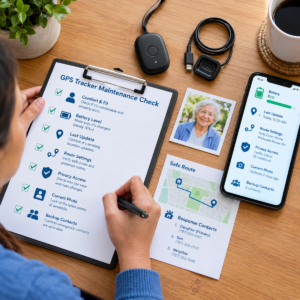
Daily Tracker Readiness Check
- Confirm the device is worn or carried comfortably.
- Check battery, connection, last-update time, and charging status.
- Confirm the primary responder can receive notifications.
- Ask whether the person has a changed route or appointment.
- Keep the charger and response card accessible without creating a trip hazard.
Weekly Route and Alert Review
Review alerts, missed check-ins, false boundaries, battery gaps, and the person’s experience.
Check the current photo, identification, likely destinations, and backup contacts.
Test the response after a phone or account change.
Monthly Privacy and Service Review
Review viewers, stored history, permissions, passwords, renewal terms, support details, and the person’s preferences.
Remove access that is no longer needed.
Ask whether a less intrusive tool now meets the same purpose.
When to Replace or Retire the Tracker
Change the setup when the person cannot tolerate it, the device is unreliable, coverage does not fit the route, the service is unsupported, the responder changes, or the original concern is no longer the main issue.
Retirement should always include a replacement safety plan.
Frequently Asked Questions About a GPS Tracker for an Elderly Person
A GPS Tracker for Elderly Person should be evaluated according to the person, route, device form, consent, response owner, and known limitations.
These answers focus on practical use rather than brand rankings.
Can a GPS Tracker Prevent an Older Adult From Leaving?
No. A location device may provide a location clue or notification after a defined event, but it cannot physically stop someone from leaving or guarantee prevention.
Never lock someone inside, block an exit, or use tracking as a restraint.
Combine location awareness with safe movement, identification, human response, and an emergency plan.
Is a GPS Tracker Accurate Inside a Home or Facility?
A GPS Tracker for Elderly Person may be delayed, approximate, or unavailable indoors.
Buildings and other obstructions can affect satellite signals, and a service may display a last outdoor position.
Test the actual setting and read the timestamp and status before interpreting the map.
Does an Older Adult Need to Carry a Smartphone?
Some devices use their own cellular service, while others require a nearby paired phone.
Check the exact setup, battery requirements, permissions, and network connection.
If independent operation is important, test the device while the person follows the ordinary routine without relying on a phone.
Is a Personal Tracker the Same as a Medical Alert System?
Not automatically.
A tracker may report location, while a medical alert service may provide a help button, two-way voice communication, fall-related functions, or professional response.
Compare the actual features and response chain rather than relying on similar product labels.
What Should a Caregiver Do When the Device Goes Offline?
Check the last-update time, battery, charger, connection, paired phone, account, and expected routine.
Call the person or a nearby caregiver.
Use the backup plan if the device is unavailable during a meaningful risk period.
Offline status does not prove that the person has wandered, but it means the tracker cannot currently be treated as a reliable source.
How Should Families Handle Location Privacy?
Explain what information is collected, who can see it, when alerts are sent, and whether history is stored.
Use the least intrusive effective setting, limit access, review permissions, and revisit consent when circumstances change.
Do not share live location more broadly than necessary.
How Quickly Can a Safe-Area Notification Arrive?
Timing depends on update interval, location method, network, service plan, application processing, and notification channels.
A notification may arrive after a boundary crossing.
Ask about expected behavior and test the actual route.
Do not promise real-time monitoring without verifying the service.
What Information Should Be Ready if the Person Is Missing?
Keep a current close-up photograph, clothing description, preferred name, mobility aids, communication needs, likely destinations, recent route, caregiver contacts, and relevant emergency information.
Begin the response promptly and tell responders about cognitive or mobility needs when appropriate.
How Often Should an Older Adult’s Tracker Be Tested?
A GPS Tracker for Elderly Person should be tested during initial setup and on the real route, then retested after a move, phone change, caregiver change, software update, illness, fall, service change, or repeated false alert.
A short weekly check and a more complete monthly review can identify problems before an emergency.
Final Checklist Before Relying on a Location Device
Before depending on the setup, confirm that:
- The older adult understands and participates in the arrangement when possible.
- The device fits comfortably and is likely to remain with the person.
- Battery and charging routines are established.
- Cellular or paired-phone requirements are understood.
- The actual route has been tested.
- Indoor limitations are known.
- Location timestamps are understood.
- Geofence alerts have been tested.
- Primary and backup caregivers are identified.
- Emergency contacts are current.
- A recent photograph is available.
- Likely destinations are documented.
- Privacy settings have been reviewed.
- Former caregivers no longer have unnecessary access.
- A backup safety layer exists if the device fails.
- Everyone knows when to contact emergency services.
- The arrangement will be reviewed when the person’s needs or preferences change.
A location device works best when it is treated as one practical component of a larger safety plan. The technology can provide useful information, but the quality of the response still depends on the person, the device, the connection, the caregiver, and the plan surrounding it.
Official sources for GPS tracker safety and older-adult care
These sources support general statements about GPS limits, wandering preparation, privacy, and caregiver response. They do not endorse a device, seller, price, or monitoring plan.
National Institute on Aging GPS and identification guidance
National Institute on Aging: Wandering and Getting Lost supports identification, recent photos or video, local awareness, home safeguards, and GPS as one possible tracking aid. It does not endorse a particular product.
Alzheimer’s Association technology guidance
Alzheimer’s Association: Technology Safety for Older Adults explains that GPS and location sharing can support safety while no system is completely accurate, some devices work poorly indoors, and tracking is not a 24-hour companion.
Alzheimer’s Association wandering preparation
Alzheimer’s Association: Wandering and Dementia supports planning ahead, current photos, likely destinations, meaningful routines, prompt action, and the limits of safeguards.
GPS.gov real-world accuracy guidance
GPS.gov: GPS Accuracy explains that signal blockage, indoor or underground use, reflected signals, satellite geometry, atmospheric conditions, and receiver design can affect positioning. This supports testing actual routes and reading timestamps carefully.
FTC location-privacy guidance
Federal Trade Commission: Mobile Health App Developers Best Practices supports data minimization, clear permission explanations, limited access, authentication, and security by design. The article applies those principles as practical questions and does not make a device-specific legal determination.
Final GPS tracker readiness check for an elderly person
Before relying on a GPS tracker, define the safety concern, involve the older adult, choose a comfortable form, confirm the connection path, test the real route and indoor setting, set realistic zones, assign a primary and backup responder, prepare a current photo and identification, protect location history, test low battery and offline behavior, and document what happens after an alert or missed check-in.
The strongest setup is not the one with the longest feature list. It is the arrangement the person can tolerate, the caregiver can maintain, the responder can interpret, and the family can combine with respectful human support. Location awareness can help, but its limits must remain visible.
Review the arrangement after a move, fall, illness, phone change, service change, caregiver handoff, repeated false alert, or change in the person’s wishes. A current plan is safer than a technically impressive device attached to an outdated routine. Keep the response card beside the charger and update it whenever responsibility changes. This keeps a capable device connected to a capable plan.