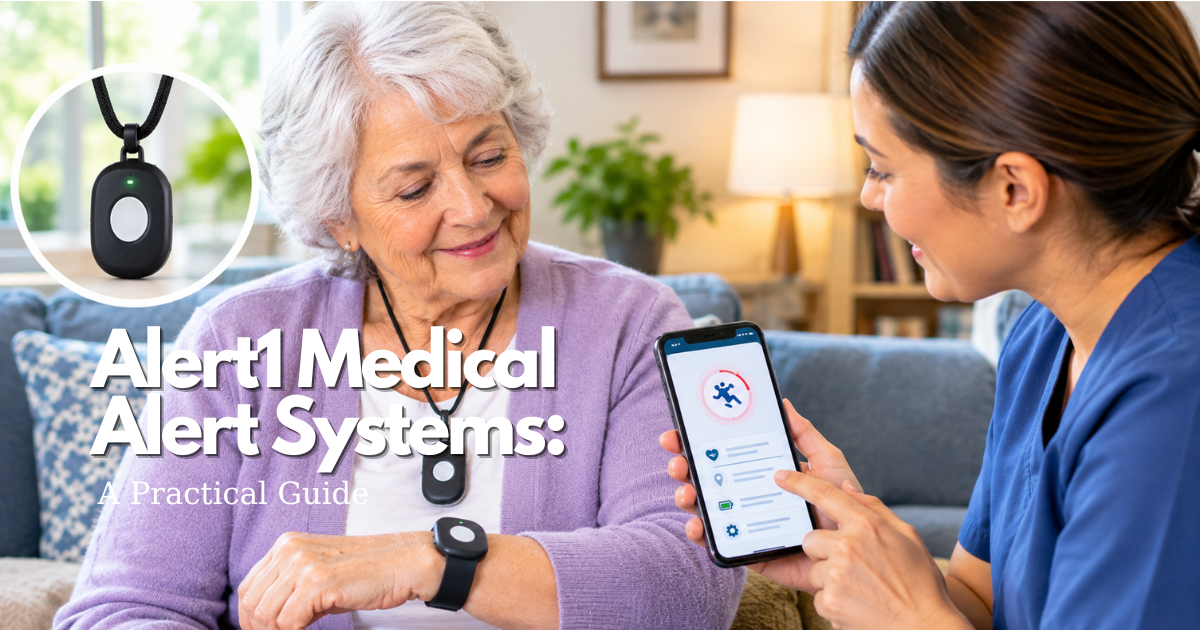
A medical alert device with fall detection is most useful when it is worn, tested, and backed by a plan for events the device may not detect.
Safety note: This guide is educational. In an immediate emergency, call 911 or the local emergency number. Verify product, plan, and clinical details before relying on them.
Quick answer: can a medical alert device with fall detection call for help after every fall?
What a medical alert device with fall detection adds
A supported device may send an alert after detecting some fall-like events, giving an added route to help when the wearer cannot press a button. It should be treated as a backup layer, not a guarantee.
Why the help button still matters: medical alert device
Fall-detection providers state that automatic features do not detect every fall. When the wearer can press the button, they should do so rather than wait for automation.
Choose a medical alert device with fall detection for real daily risks
Medical alert device with fall detection at home
Check the exact base-station range, bathroom coverage, power backup, voice path, and whether the wearable will be worn during sleep and bathing if permitted.
Mobile medical alert device with fall detection
A mobile device can add away-from-home use but depends on charge, service coverage, location data, and the wearer carrying it. Verify those limits for the exact model.
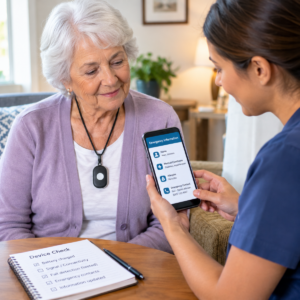
Medical alert device with fall detection setup and testing
How to test a medical alert device with fall detection
Use the provider-approved test procedure, tell the operator it is a test, and record whether the wearable, speaker, address, and contacts performed correctly.
Medical alert device with fall detection false alarms
Ask how cancellation works and explain it to the wearer and contacts. A false alarm is a reason to understand the device better, not a reason to stop using the help button in a true emergency.
Fall detection limits and medical alert device backup planning
Medical alert device with fall detection after a fall
Get emergency help first. Afterwards, review whether the device was worn, reachable, charged, and correctly configured; share relevant changes with the care team.
Medical alert device with fall detection during charging
Choose a dry charging location and a time that leaves a separate emergency route available. A device cannot protect a person while it is left on a charger in another room.
Caregiver checklist for a medical alert device with fall detection
Before buying a medical alert device with fall detection
Verify current monthly charges, equipment fee, cancellation, return process, water limits, response center, connection type, and fall-detection terms for the exact model.
Monthly medical alert device with fall detection review
Test the system as directed, inspect fit and charging, update contacts and address, and ask whether the wearer still accepts the routine.
Decision questions before relying on this safety tool
| Decision area | What to verify | Independent backup |
|---|---|---|
| Daily use | Exact model, routine, comfort, account or plan, and current instructions. | A route that does not depend on the same device or connection. |
| Failure or change | Test process, support contact, emergency contacts, and review triggers. | Clear 911 and caregiver plan when appropriate. |
Frequently asked questions about medical alert devices with fall detection
Does a medical alert device with fall detection detect every fall?
No. The wearer should press the help button when able and maintain an independent emergency plan.
Can a medical alert device with fall detection work during a power outage?
It depends on the exact device, backup power, cellular or landline connection, and service instructions. Verify the model-specific guidance.
Can a phone replace a medical alert device with fall detection?
A phone may be a useful backup but has different charging, access, and operating requirements. Choose based on the person’s actual ability to use it under stress.
What a medical alert device with fall detection actually includes
Wearable sensor, help button, and communication path: medical alert device
A consumer medical alert device is usually a wearable button or pendant, a speaker and microphone, and a connection to either a base station or a cellular network. Fall detection adds motion sensing and software that may initiate an alert after a fall-like event. These are separate functions: the button lets the wearer intentionally request help, while automatic detection tries to infer that help may be needed.
Read the service description for the exact model. Some products send the signal to a professional monitoring center; others notify selected contacts through an app or phone call. Some provide two-way voice through the wearable, while others require a nearby base station. The response route determines whether a person lying on the floor can communicate, whether an operator knows the address, and whether a caregiver must make the final call.
Home, mobile, and watch-style devices: Medical Alert Device with Fall Detection
Home devices are designed around a fixed address and a base station. Mobile devices add cellular communication and may include GPS, but they require charging and service coverage away from the home. A watch-style device can be discreet and familiar, yet its menus, charging dock, and small screen may be harder for someone with vision or dexterity limitations. Choose the interaction that is easiest under stress, not the one with the longest feature list.
Fall detection is not a substitute for choosing the right setting. Someone who spends most of the day in a garden, garage, or community center needs a system that works beyond the base station’s practical range. Someone who rarely leaves home may value a louder base speaker and a bathroom button more than GPS. Map the routine before comparing brands.
How to compare fall-detection performance without overpromising: Medical Alert Device with Fall Detection
Detection limits and the manual-button rule: medical alert device
Medical Alert Device with Fall Detection cannot be treated as a complete sensor for every possible fall. A device may miss a slow slide, a fall cushioned by furniture, a collapse outside its sensing position, or an event while the device is not worn. The wearer should press the help button whenever able. This simple instruction should appear on the setup card and be practiced until it feels automatic.
Ask the provider how alerts are generated, whether the wearer can cancel, how long the cancellation window lasts, and what happens when there is no response. Ask how the company describes its own accuracy and whether the claims refer to a laboratory, a specific model, or a service plan. Avoid turning a marketing label into a medical conclusion.
False alarms and the human response: Medical Alert Device with Fall Detection
False alarms are not merely an annoyance. They can make an older adult stop wearing the device or make a caregiver ignore a notification. Learn the cancellation process and tell the operator it is a test when testing. If a device repeatedly produces false alerts during ordinary movement, contact support and document the situations. A different fit, form factor, or setting may help, but the wearer should never be discouraged from pressing the button in a real emergency.
Ask whether the monitoring center can distinguish an automatic alert from a manual call and whether both follow the same escalation process. Confirm the address, language, hearing accommodations, and emergency contacts. The quality of the response plan can matter more than a small difference in a feature comparison.
Connection, power, and water checks for a medical alert device
Landline, cellular, Wi-Fi, and GPS questions: medical alert device
Identify what carries the alert. A landline unit has different failure modes from a cellular pendant; a Wi-Fi-dependent product has different requirements from a device with its own cellular service. Ask whether the provider supplies the cellular service, which areas are covered, what happens in a power outage, and whether the device can connect from the person’s usual destinations. Do not rely on a carrier name alone; the exact location and device can affect performance.
GPS can help a response center locate a mobile device, but location may be delayed, approximate, or unavailable indoors. The wearer still needs a way to state a room, building, or landmark. For a person with memory impairment, update the profile with likely locations and recent photo information where the service supports it, and do so with appropriate consent and privacy safeguards.
Battery, charging, and water resistance: medical alert device
Battery habits are part of the safety design. Ask for typical battery life under the exact use pattern, low-battery alerts, charging time, and what happens while the device is on the charger. Place the dock where the person sits naturally and maintain a backup communication method during charging. Check the battery monthly and after travel.
Water resistance is not the same as waterproofing for every activity. Read the model’s instructions for showering, bathing, swimming, cleaning, and immersion. A base station, charger, and wall button may have different ratings from the wearable. The bathroom is a high-priority location, but water damage should not be treated as a warranty assumption.
Choosing a medical alert device for the person’s actual risk
Match the device to mobility, cognition, and routine: medical alert device
Write down where the person walks, when they are alone, which hand they can use, and what happens after a stumble. Consider stairs, transfers, nighttime bathroom trips, outdoor surfaces, and driving. A person who is alert but has weak balance may need easy manual access; a person who may lose consciousness may benefit from automatic detection as an added layer; a person with dementia may need a wearable that is difficult to remove plus a separate wandering plan.
Ask a clinician about falls, fainting, medication side effects, vision, hearing, and balance. A device is not a diagnosis and cannot decide whether an injury is serious. After an event, seek medical advice as appropriate. Use the device to improve the route to help, not to postpone care.
Accessibility and acceptance: medical alert device
Let the older adult handle the device before buying. Check button contrast, strap closure, speaker volume, language, vibration, and the amount of force required to press. If the person dislikes a medical-looking pendant, consider a wrist-worn or watch-style option. If they remove devices at night, a wall button near the bed may add a useful second layer, but it does not replace a wearable when the person is walking.
Explain what information the service collects and who can access it. GPS, caregiver apps, and monitoring records can be helpful, but privacy expectations should be explicit. Revisit consent if cognition changes. The goal is shared safety and independence, not hidden surveillance.
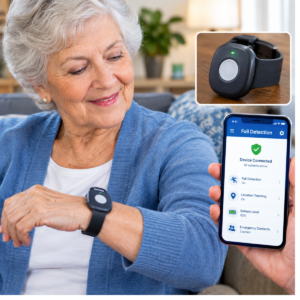
Setup and test plan for a medical alert device with fall detection
Seven checks before the first day: medical alert device
- Record the model, service plan, support number, and account name.
- Enter the precise home address, apartment or unit number, gate details, and contact order.
- Charge the wearable and confirm low-battery warnings.
- Test the manual button from the bathroom, bedroom, kitchen, yard, and driveway.
- Confirm the operator can hear the wearer and repeat the address correctly.
- Use only the provider-approved automatic-alert test; do not stage a fall without permission.
- Write a one-page response plan and place a copy with the device instructions.
Repeat the test after a move, service-plan change, replacement device, major power outage, or any failed call. Note the date and result. A test is useful only if the family acts on what it reveals.
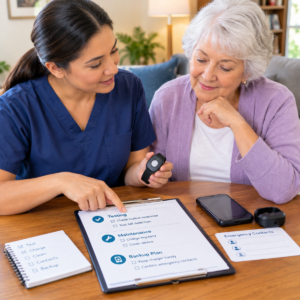
After a fall or near miss: Medical Alert Device with Fall Detectionmedical alert device
Address the immediate medical situation first. Later, ask whether the device was worn, charged, reachable, and connected; whether the wearer could hear the operator; and whether the address or location was accurate. Report a missed or delayed alert to the provider and request written troubleshooting steps. A near miss is also a prompt to review lighting, clutter, footwear, medications, balance, and transfer technique.
Do not blame the wearer for a device failure. Blame reduces adherence and hides useful information. Treat the event as a system review: technology, environment, routine, and human response all matter.
Decision table for medical alert devices with fall detection
Questions that separate a suitable device from a feature-heavy mismatch
| Need | Verify | Common gap to prevent |
|---|---|---|
| Manual help | Button reach, press force, voice path, and home coverage. | Assuming the wearer can call from the floor without testing. |
| Automatic detection | Exact model, alert workflow, cancellation, and known limits. | Believing “automatic” means every fall is detected. |
| Away-from-home safety | Cellular service, GPS behavior, battery, and destinations. | Using a home-only system outside its range. |
| Daily adherence | Comfort, water instructions, charging, accessibility, and consent. | Buying a device that stays in a drawer. |
| Cost | Monitoring, add-ons, equipment, return, and cancellation terms. | Comparing only the introductory monthly price. |
What is the best medical alert device with fall detection?
There is no universal best device. The best fit is the one the wearer accepts, can charge, can reach, and can use where the risk occurs, with a response plan that works in the person’s home and routine.
Can a medical alert device detect every fall?
No. Automatic detection is an added layer with model-specific limits. Press the button when able and keep an independent route to help.
Does a medical alert device need Wi-Fi?
Some systems use a base station, cellular service, Wi-Fi, or a combination. Confirm the exact connection and outage behavior before purchase.
Can a phone replace a medical alert device?
A phone can be a useful backup, but it may be out of reach, locked, uncharged, or harder to use under stress. Compare the real routine rather than assuming equivalence.
- Record the model, service plan, support number, and account name.
- Enter the precise home address, apartment or unit number, gate details, and contact order.
- Charge the wearable and confirm low-battery warnings.
- Test the manual button from the bathroom, bedroom, kitchen, yard, and driveway.
- Confirm the operator can hear the wearer and repeat the address correctly.
- Use only the provider-approved automatic-alert test; do not stage a fall without permission.
- Write a one-page response plan and place a copy with the device instructions.
| Need | Verify | Common gap to prevent |
|---|---|---|
| Manual help | Button reach, press force, voice path, and home coverage. | Assuming the wearer can call from the floor without testing. |
| Automatic detection | Exact model, alert workflow, cancellation, and known limits. | Believing “automatic” means every fall is detected. |
| Away-from-home safety | Cellular service, GPS behavior, battery, and destinations. | Using a home-only system outside its range. |
| Daily adherence | Comfort, water instructions, charging, accessibility, and consent. | Buying a device that stays in a drawer. |
| Cost | Monitoring, add-ons, equipment, return, and cancellation terms. | Comparing only the introductory monthly price. |
Clinical and household context for a medical alert device
Separate fall response from fall prevention: medical alert device
A medical alert device can shorten the path to assistance after an event, but it cannot remove the causes of falling. Ask a clinician or pharmacist to review medicines that may cause dizziness or low blood pressure, and mention any recent fall, unsteadiness, fainting, vision change, or fear of falling. The CDC STEADI approach emphasizes asking about falls, reviewing medications, improving strength and balance, and making the home safer. Use those actions alongside the device.
Make the home plan specific. Mark the route from bed to bathroom, check lighting, remove loose rugs, keep frequently used items within reach, and decide where a walker or wheelchair will be parked. If transfers are difficult, ask whether a physical or occupational therapy assessment is appropriate. The alert device is one part of the response; the environment determines how often the response is needed.
Plan for communication after the alert: medical alert device
Emergency communication can fail even when the button works. A person may be unable to speak, may be confused about the address, or may not hear the operator. Put the address and access instructions near the main entrance, update them after a move, and ask the monitoring company how they handle a no-response call. A lockbox may help responders, but it requires a current code and a safe place to keep the key.
Caregivers should agree on who checks the person after a notification, who calls the monitoring center back, and what to do if the person does not answer. Do not create a chain with six people who each assume someone else is responding. Use a short, dated plan and rehearse it without creating panic.
Accessibility and privacy for a fall-detection device: medical alert device
Hearing, vision, speech, and dexterity: medical alert device
Ask the provider about visual indicators, vibration, volume, language, hearing accommodations, and the force needed to press the button. Test the speaker from the floor, not only while standing beside the base station. If the wearer has aphasia or hearing loss, agree on a simple response phrase and make sure the monitoring center knows the communication need. Accessibility is a safety specification, not an optional comfort feature.
For tremor or arthritis, a large button and an easy band may be more important than a small discreet design. For low vision, tactile orientation and high contrast can make the difference between a real call and an accidental cancellation. Have the wearer demonstrate the action without coaching; that reveals the actual level of independence.
Location and health-data choices: medical alert device
Mobile devices and caregiver apps can process location, contacts, and health-related information. Before activation, ask what is collected, where it is stored, who can view it, and how access is removed. Choose the minimum sharing needed for the response plan. If a caregiver changes, remove the old account rather than leaving access open.
Privacy should not make the family avoid useful safety tools, but it should be discussed openly. Document the wearer’s preferences, review them after a change in cognition, and use strong passwords. A device that supports independence should not create an invisible conflict about surveillance.
Annual review worksheet for a medical alert device with fall detection
Review the device and the person together: medical alert device
Once or twice a year, ask whether the person’s daily route, mobility, hearing, vision, cognition, and emergency contacts have changed. Check the exact model against the account, because a replacement device may have different charging and water instructions. Confirm the service area if the person travels or moves between homes.
Then review actual behavior: How often is it worn? Where is it removed? Does the wearer know what the button does? Has the device produced false alerts? Has the person experienced a fall or near miss? The answers are more valuable than a generic “system working” checkbox.
Decide whether to keep, change, or add a layer: medical alert device
Keep the system when it is worn, tested, affordable, and connected to a clear response plan. Change the form factor when the person cannot close the band, hear the operator, or remember to charge it. Add a layer when the risk occurs outside the current coverage area or when the person is frequently without the wearable. Remove a service only after another route is active and tested.
Save the current agreement, support number, test log, and emergency contacts in one place. A future caregiver should be able to understand the plan without reconstructing it from old emails. This documentation is especially important after hospitalization or a change in family responsibility.
Travel, moves, and changing care settings with a medical alert device
Before leaving the usual home: medical alert device
Ask the provider whether the device works in the destination area and whether the home address can be temporarily updated. Pack the charger, support number, account details, and a written emergency plan. Test the device at the destination before the person spends time alone there. A familiar button may still use a different cellular signal or have different location behavior away from home.
If the person moves into assisted living or skilled nursing, ask the facility what its call system covers and whether a personal device is allowed. Do not assume that a facility’s pull cord, a wearable alert, and an outside monitoring service are interchangeable. Clarify who responds first and how the family is notified.
When needs change: medical alert device
A new fall, memory change, hearing loss, or reduced hand strength can change the best form factor. Reassess whether the person can understand a voice prompt, press a button, charge a mobile device, and tell the operator where they are. If the answer changes, update the device and the emergency plan together.
Keep the old device only as a clearly labeled backup if it remains safe and supported. Do not leave two active systems with different addresses or contact orders unless everyone understands which one is primary.
Emergency communication practice for a medical alert device
Use plain language after an alert: medical alert device
Practice a short message that includes the person’s name, the address or current location, what happened, whether they are hurt, and whether they can move. The person does not need to give a full medical history to the operator. A written card beside the base station can prompt the address, apartment number, and gate instructions without requiring the person to remember them while frightened or injured.
If the person cannot speak clearly, agree on a nonverbal or limited-response plan with the monitoring provider. Some systems use a no-response escalation process, but the family should know exactly what it is. Do not assume an operator can identify the correct response from an open microphone alone.
Include the people who will actually respond: medical alert device
Ask each emergency contact whether they can answer at the expected time, travel to the home, and communicate with responders. A contact who lives several states away may still be useful, but a nearby neighbor or building manager may be the person who can open a door. Keep contact order current and tell each person what an alert means.
After a hospitalization, change the contact list if the person’s living arrangement or care needs changed. An old contact who no longer has permission or access should be removed. A current list reduces delay and protects privacy.
Replacing or cancelling a medical alert device safely
Transition to a new device: medical alert device
When replacing equipment, keep the old system active until the new device has been charged, registered, tested, and accepted by the wearer. Confirm that the new account has the correct address and contacts. If the old service uses a rented base station, ask how and when it must be returned and keep tracking information for the shipment.
Do not store two devices with different instructions in the same drawer. Label the current device and charger clearly. Give caregivers the new support number and explain any new button, voice prompt, water limit, or charging routine.
Cancel only after the backup works: medical alert device
If the family cancels monitoring, write down the end date and what emergency route replaces it. A phone, neighbor check, or another service should be active and tested before the old plan ends. Explain the change to the wearer and remove the old app access, emergency contacts, and automatic billing.
A cancellation can be appropriate when the person moves to a setting with a different response system, but verify who answers a call at the new setting. The safety obligation does not end with the subscription.
Final household rehearsal for a medical alert device
Check the complete chain: medical alert device
Once the device, home, contacts, and prevention steps are in place, rehearse the complete chain from an ordinary room. The wearer reaches the button, the operator answers, the address is confirmed, and the named contact knows what to do. Include the bathroom and bedroom because a plan that works only beside the base station has not been tested where it matters most.
Write down the result and correct one gap at a time. A charger can be moved, an address can be corrected, a contact can be replaced, and a volume setting can be changed. This turns a purchase into a maintained safety process rather than a box on a shelf.
Know when to reassess: medical alert device
Reassess after a fall, near miss, hospitalization, medication change, new hearing or vision problem, or change in living arrangement. The right device can change as the person changes. A yearly review is useful, but an event-driven review is more important.
What caregivers should keep beside the medical alert device
One-page reference: medical alert device
Keep the support number, account name, exact home address, access instructions, emergency contacts, medication or allergy priorities, charging location, and test date on one page. Do not put a full medical record beside the device. The purpose is to help a responder or caregiver act quickly while directing clinical questions to the appropriate professional.
Review the page after any change and destroy old copies that contain outdated phone numbers or private information. A simple current page is safer than a detailed page no one trusts.
Small details that affect a medical alert device outcome
Keep the device within reach during ordinary tasks: medical alert device
Look for predictable moments when the device is placed on a counter: changing clothes, applying lotion, cooking, charging, or entering the shower. Decide how the person will stay connected during each moment. A second wall button or a reachable phone may close a gap, but it should be tested and explained. The goal is to reduce the time between an event and a clear request for help.
Also check the wearer’s clothing and mobility equipment. A pendant can catch on a walker, a bracelet can be hidden by a sleeve, and a charger can be moved behind furniture. Observe the routine in the home rather than designing it from a brochure.
Respect the limits in every handoff: medical alert device
When a family member or paid caregiver takes over, explain what the device can do, what it cannot do, and which number to call for support. Do not hand over only the box. Include the test log and the current response plan so the next person does not assume that automatic detection is a guarantee.
When a medical alert device is only one part of the answer
Coordinate technology with care: medical alert device
Some events need a clinical assessment, a medication review, therapy, home modification, or a change in supervision rather than another device. Share the test results and any missed-alert pattern with the person’s care team. If the person has repeated falls, fainting, new confusion, or an injury, seek appropriate medical guidance. The alert device should make it easier to reach help while the underlying risk is addressed.
Review the response plan after every meaningful change: medical alert device
Keep the plan practical: medical alert device
A plan should say who answers, who opens the door, where the person may be, and what the operator should know. Remove steps no one can perform. A short plan used consistently is stronger than a long document that remains unread.
Keep the current version with the device instructions and share it with the people who have agreed to respond. The review is complete only when the wearer and the caregiver understand the same route to help.
Keep the medical alert device visible
Finish with a simple reminder: medical alert device
Place the device where the wearer sees it, keep the button reachable, and review the plan whenever the person or home changes. Visibility supports daily use.
1 comentario en «Medical Alert Device with Fall Detection: A Practical Guide»