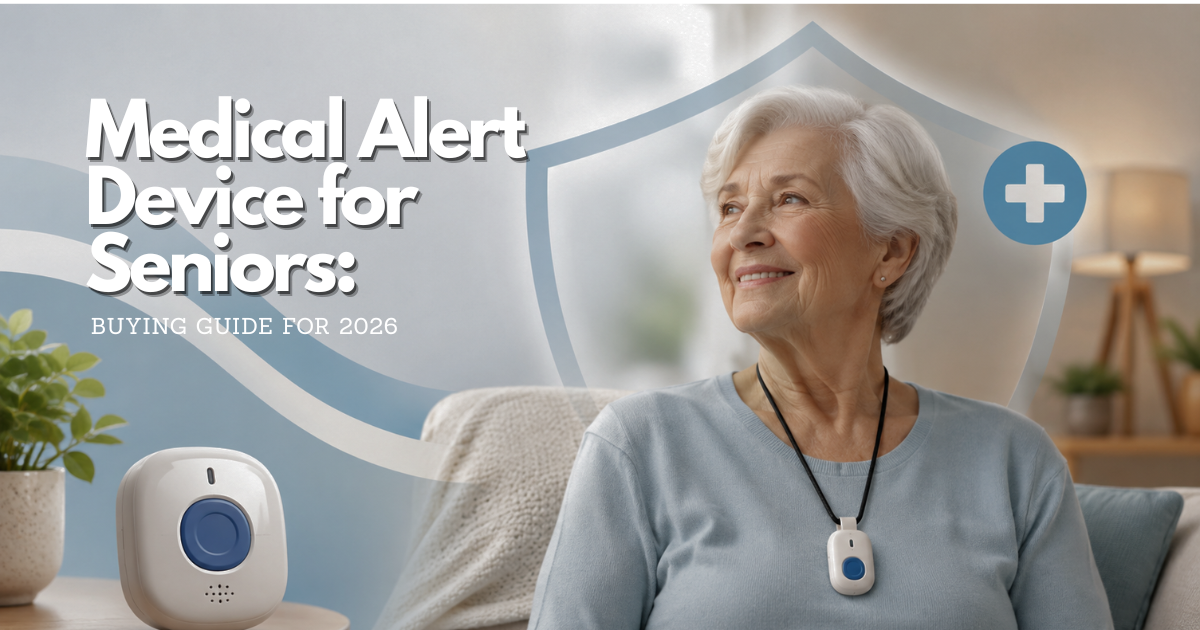
A medical alert device for seniors can make it easier to ask for help after a fall, sudden illness, or another urgent problem. The right choice is the one a person can comfortably wear, understand, test, and include in a broader emergency plan—not simply the device with the longest feature list.
Quick answer: what should a medical alert device for seniors do?
At its core, a medical alert device gives its wearer a simple way to start an urgent-help request. Depending on the service and device, pressing a wearable button may connect the person to a monitoring center, a base unit, a phone, or chosen contacts. Some setups also share a location when the person is away from home. A good device reduces the number of steps required at a stressful moment; it does not diagnose a condition, guarantee that help will arrive, or replace 911 when someone can call it directly.
The useful question is not “Which device has the most features?” Start with “What could happen, where would it happen, and what would this person actually do?” A person who spends most of the day at home may need a different setup from someone who drives, gardens, visits friends, or lives in a building with poor cellular coverage. The wearer should take part in the decision whenever possible. Comfort, dignity, hearing, vision, hand strength, language, and confidence using the button affect whether an alert system is used when it matters.
| Need to solve | Capability to verify | Practical test before relying on it |
|---|---|---|
| Call for help after a fall | Easy-to-reach wearable help button and clear response path | Press the test button while seated and explain what happens next |
| Get help outside the home | Mobile coverage and the provider’s stated location process | Test at ordinary destinations, not only at the kitchen table |
| Reach a person who cannot hear well | Audible prompts plus an agreed backup contact method | Check whether the wearer can hear and answer from the bathroom and bedroom |
| Include family without surrendering autonomy | Consent-based contact and location settings | Review exactly who receives alerts and how to change that list |
| Prepare for equipment failure | Charging, battery, power-outage, and replacement instructions | Put testing and charging on a shared calendar |
How a senior medical alert device sends a help request
Most systems combine a wearable transmitter with a communication path. A home-based system may use a base station that communicates through a landline, cellular connection, or another supported connection. A mobile unit may contain its own cellular connection and speaker. A smartwatch-style option can put the button and communication in one wearable. The exact design matters less than the full chain: the wearer must activate the device, the device must reach its service, the service must follow its response plan, and responders or contacts must be able to find and help the person.
Button presses are the primary medical alert device for seniors signal
A button is usually the most dependable way to ask for help because it involves the wearer’s judgment. During setup, confirm whether a press connects to a live operator, sends a message to contacts, triggers a local alarm, or uses more than one route. Ask what happens if the wearer cannot speak, how long the device waits for a response, whether an operator has the address on file, and whether the contact list is used before emergency services. These are service-policy questions, not details that should be assumed from a product photo.
Two-way voice and range affect a medical alert devide for seniors response
Some home systems put a speaker and microphone in the base station rather than in the pendant. In that design, the wearable may be within button range but the wearer may not be close enough to speak and hear clearly. Test from the bathroom, bedroom, porch, basement, and any place where the person may spend time. Closed doors, appliance noise, building materials, and distance can change the experience. If two-way voice is important, ask where it actually comes from and test the stated range in the real home.
Location features need an address and a backup plan
Mobile alerts may use cellular and location technologies to help identify a wearer away from home. Location is useful only when the device is charged, connected, carried, and permitted to share the information. It may be less precise indoors, in rural areas, in parking structures, or where signal is weak. Keep the current home address and routine destinations in the service account if the provider supports that information, but never assume a map pin is exact enough to replace a spoken location or a 911 call.
Which medical alert device format fits a senior’s routine?
There is no universally best medical alert for seniors. A home-based pendant, mobile device, wrist-worn button, or watch-style option each asks something different of the wearer. Match the format to the person’s ordinary routine before considering extra features. The system that stays in a drawer is less helpful than a simpler one used every day.
Home medical alert systems fit predictable indoor routines
A home system can be practical for someone who is usually inside or near the home and wants a large, simple button. It may suit a person who dislikes charging a mobile device or who prefers a pendant around the neck. The important limits are the communication connection, the tested distance from the base unit, and what happens if the person leaves the home. Do not assume that a home pendant works at the mailbox, in a shared courtyard, or at a neighbor’s apartment without testing and confirming the provider’s stated coverage.
Mobile medical alert devices fit time away from home
A mobile unit can be a better fit when someone regularly walks, shops, travels locally, or spends time between homes. It introduces more maintenance: charging, carrying it, and confirming the service area. A mobile device should be clipped, worn, or placed where the person can reach it after a fall. A device kept in a purse or left charging in the car is not an accessible emergency button. Before enrolling, test ordinary routes and ask what occurs where cellular service is unavailable.
Wrist-worn and watch-style medical alert options require a wearability check
Some people will wear a watch every day but refuse a neck pendant; others find a wristband hard to fasten, uncomfortable with arthritis, or easy to remove for bathing. Look at the clasp, screen size, vibration, charging dock, button location, and whether the wearer can put the device on without help. A device that requires daily charging is not automatically unsuitable, but the charging habit must be realistic and a backup must exist during that time.
Decide whether a medical alert device for elderly adults is appropriate
Age alone does not decide the need. A device may be worth considering after a fall, a new health limitation, fear of being alone, a move after hospitalization, or a change in a caregiver’s availability. It may also be useful for an independent person who wants a clearer way to get help. A clinician, occupational therapist, social worker, or local aging-services professional can help assess broader needs when falls, medication problems, confusion, or difficulty with daily tasks are involved.
Consider daily mobility, not only a past fall
Walk through a normal day with the wearer: getting out of bed, bathing, using stairs, taking out trash, walking a pet, and entering or leaving the home. Identify where a phone is usually out of reach and where a wearable button would be most valuable. Also identify hazards the device cannot remove, such as loose rugs, poor lighting, unsafe footwear, or a missed medication. A medical alert device can be one layer of safety; it does not prevent a fall or make a home accessible.
Consider hearing, vision, speech, and hand strength
A small button, touch screen, charging connector, or spoken prompt may work well for one person and poorly for another. Let the wearer try the actual controls with their usual glasses, hearing aids, and mobility aids. Ask whether they can distinguish a test from a real alert, cancel an accidental alert if appropriate, and communicate with an operator. If they cannot, adapt the response plan rather than assuming technology will bridge every gap.
Consider cognitive changes with consent and professional guidance
Memory changes can make charging, wearing, or responding to an alert harder. The person’s consent and preferences still matter. A caregiver should avoid turning an alert device into covert monitoring. When someone is getting lost, missing medication, falling repeatedly, or showing confusion, the device decision belongs within a broader conversation with the person and, when appropriate, their health care or social-service team. The National Institute on Aging recommends discussing safety devices with a doctor or social worker for people living alone with early-stage dementia.
Evaluate medical alert device for seniors features without relying on reviews
Search results often emphasize “best medical alert device for seniors” or medical alert device reviews. Those claims do not tell you whether a particular service fits one person’s home, body, budget, or emergency plan. Use a written set of questions instead. Ask the same questions of each provider and keep the answers, date, representative name, policy link, and any promises in writing.
Ask how the response service handles an alert
Clarify the full response order. Does the service try to speak with the wearer first? Does it call listed contacts before, after, or instead of emergency services? Can the wearer name a neighbor with a key? What happens when a contact does not answer? Are response procedures different for a button press, fall-detection alert, and low-battery signal? The answer should be understandable enough that the wearer and each key contact can explain it back.
Ask what fall detection can and cannot do
Automatic fall detection is an optional feature on some devices, not a substitute for pressing the help button whenever possible. Sensors and algorithms can miss a fall, interpret a quick movement as a fall, or trigger an alert when the wearer is not hurt. NIA-supported research on wearable technology notes both false alarms and undetected falls as real design challenges. Treat fall detection as an added layer, then decide whether the wearer will tolerate false alerts and whether the service’s cancellation procedure is manageable.
Ask about power, charging, connectivity, and replacement
Get the provider’s current instructions for battery life, charging frequency, low-battery warnings, power-outage behavior, service-area limits, and lost-device replacement. A home base may need household power; a mobile unit may need regular charging; an app-based option may depend on a compatible phone and its battery. Ask what happens during a network outage and whether the device is designed to work in the person’s address and common travel area. Do not rely on a sales description that omits these limits.
Ask about cost and coverage as verification questions
Costs may include equipment, activation, shipping, monthly service, optional features, replacement, cancellation, or return charges. The NIA says emergency medical alert systems commonly have a startup fee and monthly service fee that vary by company, features, and coverage area. It also says Medicare does not pay for these systems, while Medicaid, private health plans, and long-term-care insurance may offer coverage in some cases. Verify current eligibility and terms directly with the plan or program; never buy based on an assumed benefit.
Set up a medical alert device for seniors before an emergency
Installation is part of the safety decision. Do it on a calm day when the wearer can participate. Read the setup guide, register the device, and put the provider’s support number and the device model in a household information sheet. If the system uses a base unit, place it where its speaker can be heard and where the stated connection is reliable—not hidden behind furniture simply because it looks tidier.
Build an emergency contact list that reflects real availability
Choose contacts who agreed to the role and understand what the service may ask them to do. Confirm their phone numbers, addresses, key or entry instructions if they are comfortable sharing them, and time zones. A contact who travels, sleeps with a phone silenced, or cannot safely lift someone should not be the only plan. Review the list after a move, relationship change, hospitalization, or phone-number change.
Teach the button, speaker, and cancellation process
Use plain language: “Press this if you fall, feel suddenly unwell, feel unsafe, or cannot reach the phone.” Practice where the button is worn and what happens after it is pressed. Explain accidental alerts without shaming the person; a wearer who fears “bothering someone” may delay a real call. If a service permits cancellation, make sure the person knows the correct step. If it does not, teach them to stay put, answer the speaker if possible, and tell the responder what happened.
Test the medical alert device for seniors on a schedule
Follow the provider’s testing instructions and make a recurring reminder. Record the date, location, who answered, sound quality, and any problem. Test after changing the home internet, phone service, address, contact list, device settings, or usual travel location. A test is also an opportunity to check the lanyard, clasp, charger, device cleanliness, and the wearer’s comfort. Never create a practice emergency that bypasses the provider’s stated test procedure.
Make a caregiver response plan around a medical alert device for seniors
A device works best when the people named in its response plan know their role before the phone rings. A family member may be able to meet responders, unlock a door, bring a medication list, or simply reassure the wearer—but should not be expected to make clinical decisions or physically move someone after a fall unless it is safe and appropriate. The person who wears the device should help define the plan. That protects autonomy and prevents an emergency service from contacting people who did not agree to participate.
Agree on roles for contacts, neighbors, and professionals
Write down who is first, second, and third to contact, along with what each person can realistically do. One contact might be nearby but unavailable during work hours. Another might live far away yet keep medical paperwork organized. A neighbor may have a spare key but may not want health details. Make those boundaries explicit. If building staff, a home-care agency, or assisted-living staff are involved, ask about their own emergency procedures rather than assuming a personal alert account changes them.
Prepare the home for responders without oversharing
Responders need accurate information, but an account does not need every detail of a person’s life. Keep only information the service instructs you to provide and review it regularly: the correct address, apartment or unit number, entry instructions that the person consents to share, and emergency contacts. Separately, the household can keep an up-to-date medication list, allergies, preferred clinicians, and advance-care documents in a known location for the wearer and trusted helpers. Do not put sensitive records on the front door or assume a device account replaces those documents.
Use alert history as a conversation, not surveillance
Repeated accidental alerts, missed check-ins, or an alert that did not go as expected are signals to revisit the routine. Ask the wearer what felt difficult: a button that catches on clothing, a speaker that is hard to hear, fear of a fee, embarrassment, or uncertainty about when to call. A solution may be as simple as changing how the device is worn or practicing the test procedure. It may also reveal a health, mobility, or home-safety issue that deserves professional attention. The goal is safer independence, not collecting evidence about a capable adult’s movements.
Pair the medical alert device dor seniors with fall-prevention and emergency basics
Pressing a help button is a response tool, not prevention. The NIA’s home-safety guidance recommends practical measures such as securing rugs, improving lighting, and installing grab bars where needed. A clinician can help identify whether recent falls, dizziness, medication changes, footwear, vision, or mobility changes need assessment. Keep a phone within reach where practical, ensure smoke and carbon-monoxide alarms work, and make sure the person knows when to call 911 directly. These measures are complementary: no single device covers every emergency.
Review changes after a hospital stay, fall, or move
Revisit the device decision after a meaningful change in health or living situation. A new walker can change how easy it is to reach a pendant; a move can change cellular coverage; a new caregiver can change who should be contacted. Do a full test in the new environment and update the service account before the old address becomes dangerous misinformation. If the person has fallen or feels unsteady, ask a health professional about appropriate follow-up instead of relying on a device to compensate for an untreated problem.
Privacy and autonomy with a medical alert device for seniors
Safety and privacy note: A medical alert device is not a medical diagnosis, a fall-prevention program, or a guarantee of emergency response. Use it alongside a phone, a plan for calling 911 when appropriate, routine check-ins, and professional guidance for changing health or safety needs. Before enabling location sharing or adding contacts, explain what information is shared, with whom, for what purpose, and how the wearer can change that choice.
Privacy begins with knowing what data a service collects: contact information, address, device identifiers, alert history, location data, and sometimes recorded communications or health-related notes. Read the provider’s privacy notice and service agreement before entering data. Ask how long the information is retained, how a user can update or delete account information, whether location sharing is continuous or event-based, and whether contacts can view it. Do not give a caregiver access “just in case” without a clear agreement from the wearer whenever they can make that choice.
HIPAA rules do not automatically make every consumer device provider a covered health care entity. That is one reason to read the service’s own privacy terms rather than assuming HIPAA governs all data handling. The U.S. Department of Health and Human Services explains that HIPAA-covered entities need safeguards when using mobile technologies; it does not turn a consumer service’s marketing statement into a privacy guarantee. Use a unique account password, limit contact access, and remove former caregivers or family members promptly.
Maintain a senior medical alert device and its backup plan
Maintenance is not an afterthought. A device is only part of a plan that also includes reachable phones, charged hearing aids, clear home access, medication information, and people who know how to help. Make a small readiness routine that the wearer can manage independently or share with a trusted person. The goal is to discover a dead battery or outdated contact before an emergency.
Use a monthly medical alert readiness check
Once a month, inspect the device, confirm it is worn in the usual way, verify its charge or battery indicator, and run the provider-approved test. Check that the contact list, address, apartment number, gate instructions, and emergency preferences are current. Review whether the device is still comfortable and whether the wearer has stopped using it for a reason such as skin irritation, embarrassment, false alerts, difficulty charging, or a confusing response. A change in use is useful information, not a failure.
Plan for showers, sleep, travel, and charging time
Do not assume a wearable is safe in water. Confirm its rating and instructions directly with the provider; keep charging cradles and electrical equipment dry. Decide where the device rests while charging and what other way the person can call for help during that period. For travel, confirm service coverage, bring the charger, keep the service account current, and test the device at the destination if the provider permits. For sleep, consider whether the button can be reached from bed and whether a bedside phone or alarm is still needed.
Know what to do when the device is lost or fails
Write down the provider’s support number somewhere other than the device itself. If service is interrupted, the device is lost, or the wearer cannot charge it, use ordinary emergency alternatives: a charged phone, nearby contacts, a check-in schedule, and 911 for an immediate emergency. Report the problem to the provider and ask what protection remains while a replacement is arranged. Do not continue to treat an untested or nonworking device as active protection.
Frequently asked questions about medical alert devices for seniors
What is a medical alert device for seniors?
It is a wearable or portable system designed to help an older adult request assistance during an urgent situation. The response path varies: it can involve a monitoring center, emergency contacts, emergency services, or a combination. Check the provider’s specific process before relying on it.
Does a medical alert device for elderly adults work without Wi-Fi?
Some home and mobile systems use cellular service or landlines rather than home Wi-Fi, but the required connection depends on the model and provider. Confirm the connection type, address eligibility, and behavior during outages directly with the provider. Test only using its approved procedure.
Can a medical alert device detect every fall?
No. Automatic fall detection may miss events and may create false alerts. A wearer should press the button whenever they can and should have a backup emergency plan. Discuss repeated falls or a new fall with a health care professional.
Will Medicare pay for a medical alert device?
The National Institute on Aging states that Medicare does not pay for emergency medical alert systems. Other coverage may be available through Medicaid, private insurance, long-term-care insurance, or local programs depending on the individual situation. Verify benefits with the specific plan before enrolling.
Can a family member track a senior medical alert device?
Some services offer location-related features, but availability and access vary. The wearer should understand and agree to what is shared, who can see it, and how to change those settings. A device should support safety without eroding a capable adult’s autonomy.
What should happen after a false medical alert?
Follow the provider’s instructions, answer the call if possible, and explain that the alert was accidental. Then identify why it happened—button placement, an overly sensitive sensor, or confusion—and adjust the routine. Do not disable a feature without understanding the safety tradeoff.
Final medical alert device for seniors readiness check
Before depending on a device, the wearer and a trusted person should be able to answer five questions: Can the wearer reach and operate it? Does it connect where the person actually lives and goes? Does everyone understand the response order? Is it charged, tested, and worn? What is the backup if it fails? If any answer is unclear, pause enrollment or reliance until the provider, a clinician, or a local aging-services professional helps resolve it. The device can be valuable, but a practiced, consent-based plan is what turns it into usable support.
Official sources and verification
- National Institute on Aging: Services for Older Adults Living at Home — emergency alert-system function, practical limits, and payment verification.
- National Institute on Aging: Aging in Place — planning supports for remaining at home.
- National Institute on Aging: Tips for Living Alone With Early-Stage Dementia — clinician or social-worker discussion of alert systems and safety devices.
- National Institute on Aging: Wearable Technology Supports Aging in Place — limitations of automated fall detection, including false alarms and undetected falls.
- HHS: HIPAA and mobile technologies — safeguards context for covered entities; not a promise that every consumer device is HIPAA-covered.
2 comentarios en «Medical Alert Device for Seniors: A Practical Guide»