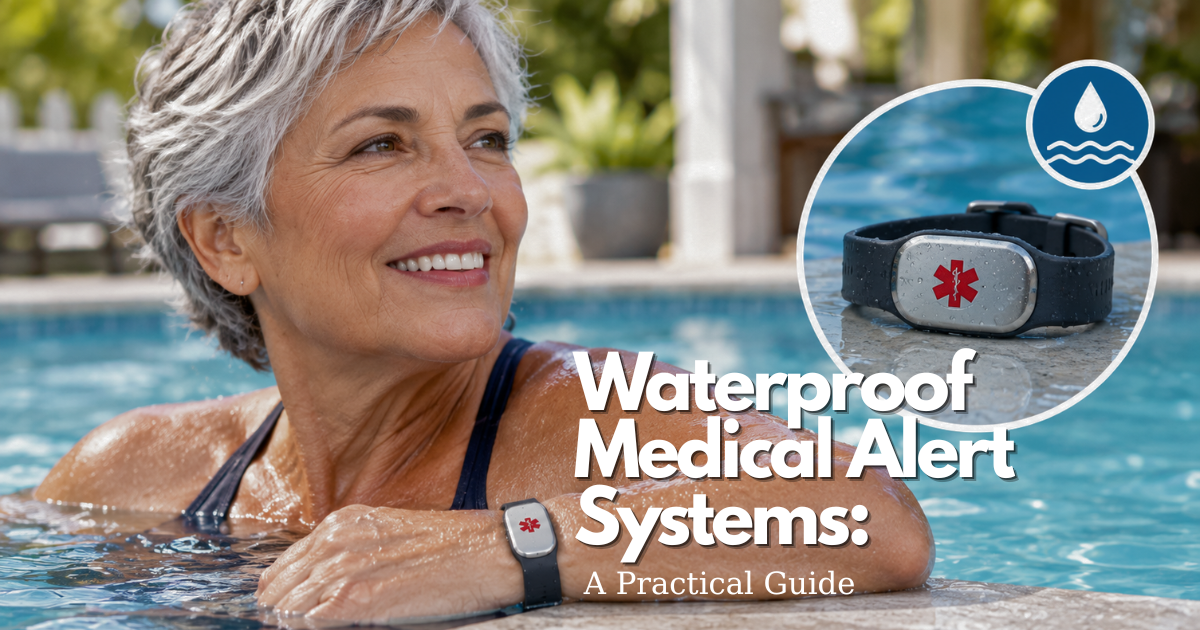
Choose a Waterproof Medical Alert Systems it must handle—especially the bathroom—not by a broad waterproof claim.
Waterproof medical alert systems are designed to keep a help button available during wet parts of daily life, especially showering. The useful question is not whether a category sounds waterproof; it is whether the exact wearable, base station, charger, and service will work for one person’s routine. Confirm the model’s written water limits, test it in the bathroom, and keep a separate backup for charging, outages, or a device that has been exposed to more water than allowed.
Quick answer: are waterproof medical alert systems safe for bathroom use?
Some can. A wearable may be approved for shower use while its charging dock and home base station must stay dry. A shower-safe statement does not automatically permit a bath, pool, salt water, pressure spray, or long immersion. For example, current manufacturer guidance varies by model: Lively says its Mobile2 can be used in the shower under its stated limits, while Medical Guardian advises users of one mobile model not to submerge it and to towel-dry it after exposure. Read the current instructions for the exact model before relying on it.
The right setup is the one the person will actually wear. Before ordering, write down the places where help might be needed: shower, bedroom, kitchen, front step, garden, car, or a relative’s home. Then ask how the system connects, who responds, how it is tested, and what protects the person while it charges.
What a waterproof medical alert system can do during an emergency
A Waterproof Medical Alert Systems setup has four parts: a wearable with a documented use limit, a dry location for electronics that are not protected, a tested communication path, and a fallback when any part is unavailable. Water protection matters because the bathroom is a place where a phone may be out of reach, hands may be wet, and a person may not be able to stand safely after a fall or sudden illness.
What “waterproof” does not guarantee for medical alert systems
Use the manufacturer’s wording rather than treating “waterproof” as a universal promise. Water-resistant may mean the button tolerates a shower or rain. It may not mean it can be left underwater, used in a hot bath, worn in a chlorinated pool, or placed in a steam room. Ask which component is covered, what exposure was tested, and what the warranty says about liquid damage. If the answer is not written down, treat the use as unconfirmed.
What are waterproof medical alert systems and who needs one?
An IP rating can describe protection against dust and water entering an enclosure, but it is not a complete use instruction. The rating does not by itself tell you whether the microphone will sound clear when wet, whether a charger is protected, whether chlorine is allowed, or how aging seals affect the device. Record the model number, the rating if provided, and the manufacturer’s explanation of permitted use.
How medical alert systems connect the user with help
Never transfer a wearable’s rating to the rest of the system. A neck pendant or wrist button may be intended for shower use, while a base station, wall button, charging cradle, USB cable, power adapter, and spare battery are not. Keep dry equipment outside splash range and teach everyone in the household where it belongs. If the wearable is wet, dry it as instructed before charging.
Waterproof medical alert system versus water-resistant wearable
Most medical alert systems begin with a help button. When pressed, the device sends a signal through a home base station, a cellular connection, or another configured route. A monitoring center, family contact, or emergency service may then follow the account’s response plan. The exact sequence is service-specific, so it should be practiced rather than assumed.
Waterproof Medical Alert Systems for the elderly and older adults living alone
A home system often pairs a wearable with a base station. The wearable is the item a person carries into the bathroom; the base is the communication hub that usually stays in a dry central location. A monitored plan may connect the call to trained operators, while another plan may send alerts to chosen contacts. Ask who is called first, whether the person can change that order, and what happens when no one answers.
Choose the best medical alert system for the person’s daily risks
Two-way voice can help an operator understand what is happening, but it has limits. Noise from running water, a closed door, hearing loss, a low battery, distance from a base station, and weak cellular coverage can all affect communication. Test from the actual shower area, not only next to the base. During the test, confirm that the person can hear instructions and that the operator or contact can understand them.
Best Waterproof Medical Alert Systems for seniors: start with routine, reach, and comfort
Ask the provider to explain its silent-alert process before an emergency occurs. A response center may try to speak with the user, call emergency contacts, or dispatch help according to the plan, but protocols differ. Keep the service address, apartment access details, medication notes that the person wants shared, and emergency contacts current. A device cannot communicate information that was never added to the account.
What are the best Waterproof Medical Alert Systems?
This guide does not rank products. Instead, use the person’s habits to define the needed features. A small mobile device may suit an active older adult who leaves home often. A simple pendant with a home base may suit someone who mostly needs bathroom and bedroom coverage. The better choice is the one the person can wear, press, hear, charge, and understand consistently.
How to match a Waterproof Medical Alert Systems to mobility and communication needs
Living alone makes reliable access to help more important, but it does not make every feature necessary. Start with the person’s usual day and the times when nobody checks in. Decide whether a monitored response, named contacts, fall detection, location capability, or an in-home system is needed. Include a caregiver or trusted person in setup, but keep the wearer involved in the choice and privacy decisions.
When a wearable button is more practical than a base station
Fit is a safety feature. A pendant may stay visible and easier to reach, while a wrist button can resemble a watch or bracelet. Either can fail as a practical solution if it is uncomfortable, removed for bathing, hidden under clothing, difficult to press, or confused with another device. Let the wearer try the format while using mobility aids, glasses, hearing aids, and normal clothing.
How waterproof medical alert systems work at home and away
Check button size, pressure required, voice volume, indicator lights, charging method, strap clasp, and whether the user can put the device on independently. A device with many features is not helpful if the person cannot manage it on a bad day. If dexterity or cognition has changed, simplify the routine and assign an authorized person to check charging, contacts, and test dates.
Base stations, wearable buttons, and monitoring centers
Water exposure is not one condition. A brief shower, a bath, a swimming pool, ocean water, cleaning chemicals, and a wet charging contact create different risks. The manual—not a category label—sets the boundary. Medical Guardian’s current Classic Guardian manual, for example, tells users that its wearable buttons are shower-safe but warns against salt water, chlorine, and submersion beyond the stated time. Model-specific instructions always control.
Indoor range and room-to-room coverage for medical alert systems
Before using a wearable in the shower, verify that exact use is allowed. Wear it where the manufacturer recommends, make sure the button is reachable with either hand if possible, and test signal and voice performance from the bathroom. Keep the base and charger dry. Do not test by creating a false emergency; use the provider’s documented test method and state clearly that it is a test.
Cellular, Wi-Fi, and landline requirements
A shower-safe device may not be bath-safe. Immersion adds depth, time, heat, soap, and a greater chance that water reaches openings. If a person uses a bath and the wearable cannot be worn, create a reachable alternative before getting in: a charged phone placed safely outside splash range, a call system, a check-in plan, or another approved device. Never improvise with a charger or extension cord near water.
Using a waterproof medical alert system outside the home
Do not infer swimming permission from shower permission. Chlorine, salt, sunscreen, movement, and longer exposure can be outside a product’s tested conditions. Ask the manufacturer specifically about pools and ocean water. If the device must be removed, use supervision and an alternate emergency plan appropriate to the setting. After any approved wet use, rinse or dry only as the manual directs.
Travel, address changes, and coverage verification
The charging base is often the least water-tolerant part of the setup. Lively’s current Mobile2 instructions explicitly say its charging dock is not water-resistant and that the device should be dried before docking. This is a useful general rule: separate wet-wearable care from dry charging. Place the dock on a stable surface away from the bathroom sink, shower spray, and humid areas.
Shower, bath, pool, and water-exposure limits
Water resistance does not solve a connection problem. A system can only summon help if its assigned communication path is working and the user is within coverage. During setup, identify whether the system uses a landline, built-in cellular service, Wi-Fi, or a base station. Then test it where the person lives, not where the product was demonstrated.
Can waterproof medical alert systems be worn in the shower?
Some systems use their own cellular service and do not depend on household Wi-Fi; others use a home base or a landline. Ask which connection is required, whether the plan includes cellular service, what happens during an outage, and how address changes are handled. Do not assume a mobile system works everywhere a phone happens to work, or that a home system works beyond its tested range.
Baths, tubs, and prolonged immersion with a medical alert system
Walls, plumbing, concrete, floors, metal doors, and base-station placement can reduce range. Test the bedroom, shower, toilet area, kitchen, entryway, basement, garage, and any outdoor space used daily. If the signal is weak, contact the provider before moving equipment or relying on the system. Repeat the test after a move, renovation, or major furniture change.
Pools, salt water, chlorine, and other exposure risks
Travel can create two different issues: coverage and response location. A mobile unit may have service area limits, while a home system may require its service address to be updated. Before a trip or move, ask the provider what it needs, update emergency contacts, test at the new location, and pack the charger. Never assume that GPS or an old account address will automatically solve a location problem.
Why the charging base must stay dry
Buying a device is only the first step. Maintenance includes charging, wearing it consistently, testing it, cleaning it correctly, checking fit, and updating contacts. A simple written routine makes failures visible before they become emergencies.
Test and maintain a waterproof medical alert system before relying on it
Use the official test procedure. Many providers ask users to press and hold the help button, tell the responder it is a test, and confirm that the signal and voice path are working. Check how to cancel a false alert before the first test. Record the date, location, result, and any issue. Test after replacement, travel, a move, a service change, or a concern about water exposure.
How to test medical alert systems without creating a false emergency
Ask how the wearable reports a low battery, how long charging normally takes, and what protects the person while the device is off the body. Home systems may have backup power, but the duration and behavior vary. A widespread cellular outage can also disrupt a mobile device. Keep a charged phone, flashlight, emergency contacts, and a human check-in plan as separate layers rather than assuming any one system is infallible.
How often should medical alert systems be tested?
Follow the maker’s cleaning instruction exactly. Household disinfectants, abrasive pads, heat, and soaking can damage seals, coatings, labels, microphones, or charging contacts. If the manual only permits wiping, do not immerse the device. Dry it before charging if directed. Inspect the button, strap, speaker openings, and contacts for cracks, corrosion, sticky residue, or a response that feels different.
Battery charging, power outages, and system readiness
Stop relying on the device until the manufacturer or provider tells you what to do. Use the backup plan, follow the manual’s drying or service directions, and do not open the device, heat it, or place it on a charger if the instructions say not to. Even if it powers on, a damaged button, microphone, battery, or seal can leave the person with a false sense of protection.
Cleaning and drying a waterproof medical alert system
Automatic features can add support, but they do not remove the need for an intentional plan. The wearer should understand what information is shared, how false alarms are handled, and when to press the button directly.
What to do if a medical alert device gets too wet
Fall detection is separate from water resistance and is often an optional feature. It may alert a response center after certain movements, but it cannot detect every fall or medical emergency. Medical Guardian’s current guidance explicitly says fall detection does not detect 100% of falls and that a user who can press the button should do so. Confirm whether the feature must be worn as a pendant and how it is tested.
| Decision area | What to verify | Why it matters in a bathroom emergency |
|---|---|---|
| Water exposure | Exact wearable, base, dock, immersion, chlorine, and drying limits | A shower-safe button does not make every component or water activity safe. |
| Response path | Who receives an alert, silent-alert process, cancellation, and current contacts | The user may not be able to speak or reach a phone. |
| Connection and range | Cellular, landline, Wi-Fi, base-station range, and outage behavior | The bathroom may be the hardest room to reach reliably. |
| Wearability | Pendant or wrist fit, button access, comfort, and charging routine | A feature cannot help if the person removes or cannot operate it. |
| Service terms | Current fees, trial, cancellation, replacement, and coverage verification | Clear terms prevent the setup from ending without a backup plan. |
Use this as a question list, not as a product scorecard. The best fit depends on the individual’s routine, abilities, home, and confirmed service details.
Compare Waterproof Medical Alert Systems by response, safety, and trust
A false alarm can happen when a device is dropped, bumped, or moved abruptly. A missed event can happen when a person does not wear the device, cannot reach the button, has no signal, or experiences an event the algorithm does not recognize. Learn the cancellation procedure, but never discourage a person from pressing the button when help is needed. Review repeated false alarms with the provider.
Fall detection and waterproof medical alert systems
Mobile systems may use location information, and any response plan relies on accurate contacts. Ask what location data is collected, who can see it, how long it is retained, and how it is corrected. Confirm each emergency contact consents to the role and knows what to do. Keep access codes, medication lists, and other sensitive details limited to what is useful for the person’s plan.
Two-way voice, silent alerts, and communication limits
Costs are not a ranking criterion here, but they are a practical fit issue. Request current terms in writing. Hardware, activation, monitoring, cellular service, fall detection, shipping, replacement, and cancellation may be separate charges. Do not rely on a price in an article, ad, or older review.
Waterproof Medical Alert Systems reviews: what to verify beyond star ratings
Ask what is required to use the system and what is optional. A low hardware price may not include monitoring or cellular service; a monthly price may not include replacement. A self-managed alert can avoid a monitoring fee but move responsibility to family or friends. Compare the complete response path, not only the first number shown on a product page.
Reviews for medical alert systems versus official product specifications
Do not promise Medicare coverage for a medical alert system. Medicare directs people to check coverage for the exact item or service with their provider or plan, and Medicare Advantage benefits can vary by plan. Ask whether any benefit covers the device, monitoring, installation, or a limited allowance, and request the answer in writing. A clinician can help explain medical needs but cannot override plan rules.
Privacy, location data, and emergency-contact settings
Before ordering, ask about trial periods, return shipping, cancellation timing, equipment ownership, lost-device replacement, water-damage exclusions, and what happens to the service address after cancellation. Keep the answer with the manual. If the device fails, know who to call and what protects the wearer while a replacement is in transit.
Costs, coverage, and contracts for medical alert systems
Caregiver support works best when it preserves the wearer’s autonomy. Agree on who checks the device, who updates contacts, who handles billing notices, and who is the backup person. The wearer should know the system well enough to ask questions and use it without feeling watched or managed.
Do the best medical alert systems require monthly fees?
Teach the help button, its water limits, low-battery signal, charging routine, false-alarm cancellation, and fallback plan in a calm setting. Ask the wearer to explain the steps back in their own words. Test at the actual bathroom and bedroom locations. Repeat after changes in health, mobility, hearing, address, device model, or caregiver availability.
Does Medicare cover medical alert systems?
Safety equipment can feel stigmatizing or intrusive. Let the wearer choose among suitable formats, decide which contacts receive alerts, and understand any location sharing. If a person declines a device, do not end the conversation; create another realistic plan that matches what they are willing and able to do. A plan that respects preference is more likely to be used.
Medical alert systems and Medicare Advantage benefits
First, use the agreed backup rather than assuming the person is covered. Locate the device, check whether it needs charging or replacement, and contact the provider if account security or service status could be affected. Update the maintenance record. Repeated removal often signals a fit, comfort, routine, or understanding problem that needs a simpler solution.
Equipment fees, activation charges, and replacement costs
A medical alert system is one layer of an emergency plan. It does not prevent falls, diagnose symptoms, guarantee cellular coverage, replace urgent medical care, or guarantee that a person will wear it. A reliable setup anticipates the moments when the device is charging, lost, wet beyond its limit, out of range, or not understood.
Best Waterproof Medical Alert Systems claims: contracts, warranties, and cancellation
No. A phone, emergency contact list, safe bathroom setup, regular check-ins, and appropriate medical care may all be important. The device is not a substitute for calling 911 in an immediate emergency when that is possible. Keep the person’s address visible to them, ensure the home can be accessed if help is summoned, and discuss a plan for outages or evacuation.
Caregiver and family support for waterproof medical alert systems
Consider other layers when they solve a separate problem: grab bars and non-slip surfaces for bathroom safety, a phone within reach outside splash range, a caregiver check-in, better lighting, or a wearable with a different connection type. Do not add technology merely to add technology. Each layer should have a clear purpose and should be tested with the person who will use it.
How caregivers should set up and test Waterproof Medical Alert Systems
Use the fallback immediately. Check the provider’s support instructions, report the failure, and ask whether service, device replacement, or account updates are needed. Do not continue using a device that has unexplained behavior after a wet incident or outage. Record the failure and revise the plan so the same gap is less likely to recur.
Waterproof Medical Alert Systems for the elderly: teaching without removing autonomy
What family members should know about alerts and false alarms
- Confirm the exact wearable’s documented shower, immersion, pool, and cleaning limits.
- Identify which components must stay dry.
- Check how the system connects and who responds.
- Try the format for comfort, dexterity, hearing, and vision.
- Get current costs, cancellation terms, and replacement policy in writing.
- Choose a backup for charging, outages, and a device that is unavailable.
When a user removes, loses, or refuses a Waterproof Medical Alert Systems
- Confirm that the exact wearable is approved for shower use.
- Wear it as instructed and make sure the button is reachable.
- Keep the base station and charger dry.
- Know the test and false-alarm procedure.
- Use a separate plan for baths, pools, and other unapproved exposure.
Limits, alternatives, and backup planning
- Use the official test process from key rooms.
- Check charging, strap condition, button response, and water-related wear.
- Review emergency contacts, address, access details, and privacy choices.
- Confirm the wearer still understands the plan and wants the chosen setup.
- Update the backup after any move, illness, outage, or service change.
Can Waterproof Medical Alert Systems replace a phone or emergency plan?
When a simpler medical alert system may be enough
Not necessarily. The phrase must be tied to the exact model, component, depth, duration, and exposure described in its current manual. Many wearables are water-resistant for shower use while bases and chargers are not. A claim about a pendant does not apply to its cable, wall adapter, spare button, or charging cradle. When in doubt, use the stricter instruction until the provider confirms the intended use.
Waterproof Medical Alert Systems alternatives for users who cannot wear a pendant
Some use cellular service, a landline, or a base station rather than household Wi-Fi. Check the exact connection, service area, and what happens when that connection fails. Ask whether the account includes the connection, whether a weak cellular signal changes performance, and whether a power outage affects any part of the route. Test where the person actually showers and sleeps.
What to do after a failed alert or service interruption
Some offer fall detection as a separate feature. It can miss falls or create false alarms, so the user should press the help button whenever able. Confirm whether the feature must be worn in a particular position, whether it costs extra, how long it waits before alerting, and how the wearer cancels an alert if they are safe. It is support, not a diagnosis or a guarantee.
When to ask a clinician, caregiver, or monitoring provider
It depends on the model, battery condition, backup power, and network availability. Ask about the exact outage behavior and keep a separate emergency plan. A home base can have a backup battery while the wearable needs charging; a cellular device can have battery power while the carrier network is disrupted. Review these differences before a storm, not after one has begun.
Practical checklist for choosing waterproof medical alert systems
Only if its service and coverage support that use. Home-based and mobile systems have different range, location, and address requirements. Verify whether the device is designed for trips, the places where cellular coverage is expected, how location is shared, and whether the provider needs notice before travel. A small wearable is not automatically a mobile emergency service.
Before buying waterproof medical alert systems
Follow the provider’s test schedule and retest after a move, replacement, service change, water incident, or change in the wearer’s routine. A monthly calendar reminder is useful only if it leads to a real test from meaningful locations. Record the result and investigate any missed voice, low-battery message, weak signal, or confusing operator interaction before relying on the system again.
Before wearing a waterproof medical alert system in the shower
No. Treat the charging base as dry equipment unless the manufacturer states otherwise. Dry the wearable before docking when instructions require it. Give the charging station a fixed, dry home where the person can reach it safely and remembers to use it. Decide in advance what they will wear or use while the device charges, since that routine can otherwise create an unnoticed gap.
Before relying on medical alert systems outside the home
Before relying on a waterproof medical alert system, confirm the exact water limits for every component, then test the button and communication path in the bathroom and other critical locations. Make sure the wearer can use it, the contacts and address are current, the charger is dry, and a backup exists for every predictable gap. That practical verification is more valuable than a broad waterproof claim.
This guide is educational and does not replace medical advice, emergency services, a product manual, or the provider’s service terms. In an immediate emergency, call 911 when you can.
Monthly review for medical alert system readiness
Put a monthly reminder on a calendar, then use the provider’s official test procedure from the bathroom, bedroom, and any other important location. Check the strap, button response, battery signal, charger, service address, contacts, and recent water exposure. Repeat the review after a move, outage, fall, replacement, or change in the person’s abilities.
Frequently asked questions about waterproof medical alert systems
These questions address the decisions that remain after the main guide: fit, water exposure, connection, monitoring, cost, coverage, and caregiver support. Each answer remains general because the final decision belongs to the exact model, current manual, service agreement, and the person’s circumstances.
What are the best medical alert systems for older adults?
The best medical alert system is not a universal product. For an older adult, it is the system that can be worn consistently, reaches help from the locations that matter, has a response plan the person accepts, and can be maintained. Start with the daily risk before looking at a provider’s features or ratings.
What medical alert system is the best for a person who lives alone?
For a person who lives alone, begin with the time and places in which no one can reasonably help. A monitored service may suit one person; a simple contact alert may suit another. Verify bathroom coverage, charging habits, emergency contacts, and the person’s willingness to wear the device before deciding.
Are waterproof medical alert systems completely waterproof?
No electronic medical alert system should be assumed completely waterproof. Read the exact manual for its allowed exposure, then separate the wearable’s rating from the base, dock, cable, and power adapter. Treat baths, pools, salt water, steam, and cleaning chemicals as separate questions.
Do waterproof medical alert systems work without Wi-Fi?
Some devices use cellular service or a home base rather than household Wi-Fi. That does not remove the need to test the actual response path. Confirm the connection type, carrier or service dependency, weak-signal behavior, outage procedure, and whether the provider must be told about a new address.
Can a waterproof medical alert system detect falls?
A water-resistant wearable may offer fall detection, but the feature is separate and imperfect. It can miss events and can produce false alarms. Confirm how it is worn, whether it is included in the plan, how cancellation works, and why the wearer should still press the help button whenever able.
Can a phone replace a medical alert system?
A phone can be an important backup, but it may be out of reach, wet, locked, uncharged, or hard to use after a fall. Compare it with the person’s real bathroom routine. If a phone is the backup, place it safely outside splash range and make sure the person can use it under stress.
How often should a waterproof medical alert system be tested?
Follow the provider’s stated schedule, and test after any event that could change reliability: a move, new device, service change, charging problem, water incident, or new caregiver. A record of date, location, signal, voice quality, and result makes recurring problems easier to catch.
Does water resistance protect the medical alert system’s charging base?
Usually no. A dry charging base must be treated separately unless its current manual explicitly says otherwise. Dry the wearable before docking when instructed, keep the charger outside bathroom splash zones, and decide what the person will use for help while the device is charging.
Do medical alert systems work during a power outage?
Outage behavior depends on the base station, wearable battery, backup battery, and communications network. Ask the provider for the model-specific sequence. Keep a charged phone, flashlight, contact list, and check-in plan as separate safeguards; one battery backup cannot protect against every possible failure.
What should someone do after a waterproof medical alert system gets wet?
Stop relying on a device that has exceeded its stated water limit until the manual or provider gives the next step. Use the backup, do not open it or improvise a repair, and avoid charging it if the instructions warn against that. A device that powers on may still have damaged components.
Are medical alert systems for the elderly covered by Medicare?
Do not assume coverage. Medicare directs members to verify the exact item or service with the relevant provider or plan, and benefit details vary. Ask whether the device, monitoring service, installation, or a limited allowance is covered, and keep a written answer with the plan documents.
How should a caregiver maintain a medical alert system?
A caregiver can support charging, testing, contact updates, replacement requests, and monthly checks, but the wearer should remain part of every decision. Teach the button, water limits, cancellation steps, and backup plan in plain language, then ask the wearer to demonstrate or explain the routine back.
Can a waterproof medical alert system be used outside the home?
A mobile system may work outside the home only if its service, signal, location features, and account settings support that use. Before travel, confirm coverage, update the address if required, pack the charger, and test at the new location. Do not equate a compact wearable with universal coverage.
What is the safest backup if a medical alert system fails?
Use a backup that does not fail for the same reason. Depending on the person, this could be a charged phone, an approved secondary button, a visible call device, a neighbor check-in, or a caregiver schedule. The best backup is specific, reachable, understood, and tested before it is needed.
Sources and verification notes for medical alert systems
Water exposure, fall detection, coverage, and service terms vary by model and plan. Recheck the current manual and provider policy before purchase or use.
- Lively Mobile2 help center — model-specific shower, submersion, drying, and charging-dock guidance.
- Medical Guardian MGMini support — model-specific water exposure, drying, testing, and mobile-system guidance.
- Medical Guardian Classic Guardian manual — stated wearable water limits, fall-detection limitation, travel, and backup-power guidance.
- Medicare durable medical equipment coverage — explains why coverage must be verified for the exact item and plan.
Bottom line: choose waterproof medical alert systems around the real emergency
Choose waterproof medical alert systems around the situations where help is genuinely hard to reach: a wet bathroom, a bedroom at night, a yard, or an outing. The correct decision follows verified limits, fit, response, connection, and maintenance—not a broad claim or a star rating.
The final medical alert system readiness check
Before relying on the setup, confirm the wearable’s allowed exposure, dry location of the charger, successful test from the bathroom, current address and contacts, adequate battery, understandable response path, and a backup. Recheck after a change, not only on a fixed calendar date.
When to replace or reassess a waterproof medical alert system
Replace or reassess the system when it becomes uncomfortable, is no longer worn, has repeated low-battery or connection issues, suffers damage, changes service terms, or no longer matches mobility, hearing, cognition, or living arrangements. A change in routine is a reason to retest, not a reason to assume the old plan still fits.