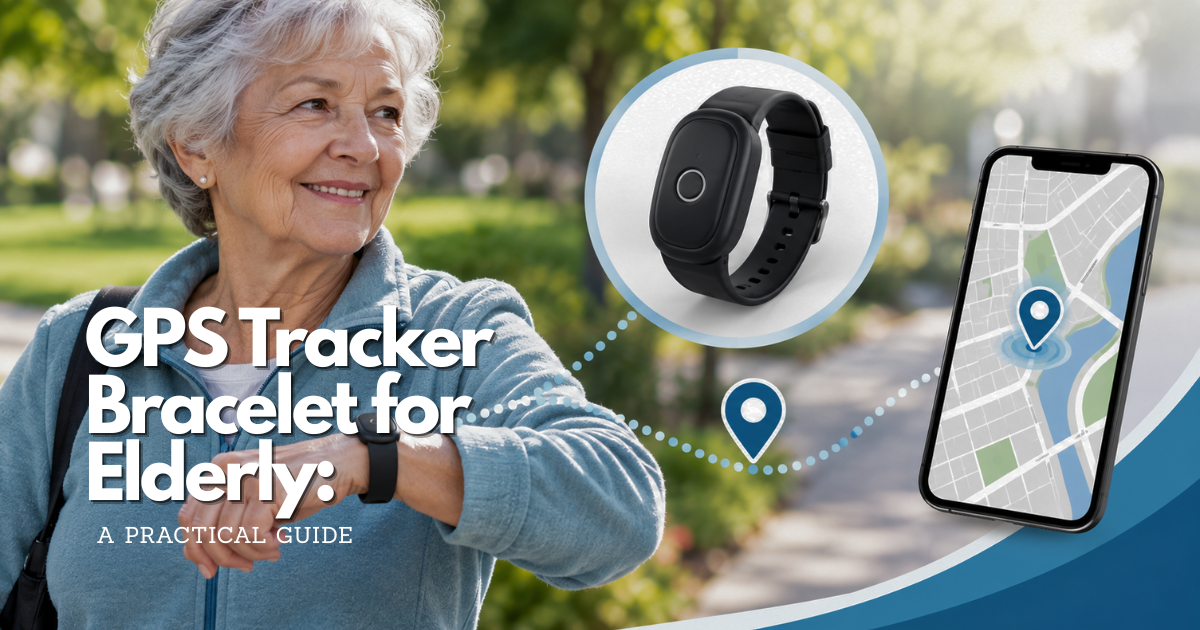
A GPS tracker bracelet for elderly users can be a comfortable middle ground between a watch and a clip-on device, but the bracelet must fit the person’s wrist, routine, skin, charging ability, and privacy expectations. This guide explains how to evaluate a bracelet’s connection, alerts, battery, clasp, accessibility, caregiver response, and limits before relying on it.
Quick answer: is a GPS tracker bracelet for elderly care a good fit?
A gps tracker bracelet for elderly care can be a good fit when the wearer accepts a wrist device, the bracelet can be worn consistently, and the caregiver has a clear reason to receive location or safety alerts. It may be easier to remember than a pocket tracker and less visually complex than a full smartwatch. It may also be harder to fasten, uncomfortable on fragile skin, or easy to remove during bathing and charging.
Start with the safety job. If the family needs location support during independent walks or wandering concerns, look for a connected tracker with suitable caregiver alerts, safe-place settings, a visible last-update time, and a practical charging routine. If the family needs urgent medical response, compare a medical alert service. If the need is to find a bag or keys, an item tag may be enough but is not the same as a personal GPS bracelet.
The bracelet should be tested in the wearer’s real life: dressing, eating, sleeping, using a walker, transferring into a vehicle, washing, charging, and moving through indoor spaces. The right choice is the bracelet that remains comfortable and present while still supporting a realistic caregiver response.
Use a GPS tracker bracelet for elderly decision table
| Safety job | Bracelet capability to look for | Real-life test | Important limit |
|---|---|---|---|
| Support independent walks | Reliable cellular location, a readable last-update time, and a caregiver alert route | Leave the phone at home and test the normal route, destination, and return | A map point may be delayed, approximate, or unavailable |
| Respond to wandering concerns | Safe-area settings, removal awareness, recent location, and a written response ladder | Test a boundary outside the home without creating a risky situation | An alert does not prevent exit or guarantee recovery |
| Let the wearer call for help | A physical button, clear feedback, suitable audio, and an answered response service or caregiver | Practice pressing and releasing the button with the wearer’s usual clothing | Emergency features differ by model, plan, region, and connection |
| Maintain all-day wear | Comfortable materials, secure clasp, charging dock, and low-battery notification | Wear it through dressing, transfers, meals, sleep preparation, and charging | Skin irritation, removal, and charging gaps can defeat the plan |
| Protect privacy | Clear permissions, account security, data controls, and an agreed sharing schedule | Show the wearer who can see the location and how access is removed | Family concern does not make unlimited tracking appropriate |
Use the table as a conversation starter, not as a scoring shortcut. A bracelet can perform well on location and poorly on skin comfort, or work beautifully at home and fail when the wearer travels. The weakest essential link determines whether the arrangement is dependable. If the person cannot keep it attached or the caregiver cannot respond, adding more features will not repair the basic problem.
When a bracelet GPS tracker for elderly users may work well
Consider a bracelet when the person already wears jewelry or a watch, dislikes clips, carries inconsistent clothing, or wants a device that stays in a familiar place on the body. A bracelet can make the device easy to locate and may allow a button or display to remain reachable. It can also support vibration or voice features when the model includes them.
Do not choose a bracelet only because it appears discreet. The person should understand what it does, who receives the data, and how it will be used. A visible, accepted device is usually easier to maintain than a hidden one that creates mistrust.
When a GPS bracelet is not the best wearable tracker for elderly care
A bracelet may be unsuitable for a person with swelling, fragile skin, severe wrist sensitivity, difficulty with clasps, or a habit of removing wrist devices. A pendant, clip, pocket tracker, shoe attachment, or professional medical alert system may fit better. The separate wearable guide covers broader form selection; this asset focuses on bracelet-specific decisions.
How consent changes the bracelet decision
Explain continuous location, emergency-only sharing, history, alert recipients, and account access in plain language. Ask whether the wearer prefers a watch-like appearance, a simple band, or no wrist device. Revisit the agreement after a move, caregiver change, new service feature, or change in the person’s ability to understand the arrangement.
Choose a GPS tracker bracelet for elderly routines and wrist needs
A bracelet is an on-body solution, so fit is a safety feature. Before comparing models, observe the wearer’s wrist size, movement, skin, clothing, daily schedule, and ability to charge a device. The caregiver should record what the bracelet needs to do and what would make it fail.
Match the bracelet to the wearer’s wrist and movement
Measure the wrist without tightening the band. Check whether the bracelet stays in place during walking, transfers, reaching, cooking, and using a mobility aid. A loose bracelet may rotate away from the wrist or fall off. A tight bracelet may cause pressure, heat, swelling, or skin irritation.
Ask whether the wearer prefers a flexible band, a rigid case, a clasp, or a stretch fit. Do not assume a standard wrist range will fit every older adult. Follow the manufacturer’s size and wearing guidance.
Decide whether the bracelet needs a screen, button, or voice
A simple bracelet may be easier to accept but offer fewer direct interactions. A watch-like bracelet may show time, battery, calls, or alerts but can add menus and confusion. A large physical button can be easier to press than a touch screen, especially with gloves or reduced dexterity.
Choose the smallest set of controls that supports the safety job. If the wearer only needs to call for help, a clear button may be more useful than a complex display. If the caregiver needs location sharing but the wearer does not interact with the device, prioritize comfort, attachment, battery, and connection.
Test the bracelet with sleeves, gloves, and outerwear
Winter clothing can cover a bracelet and make sound or vibration harder to notice. Gloves can reduce touch accuracy. Long sleeves can catch a clasp or hide a low-battery warning. Test the bracelet in the clothing used on independent outings, not only in short sleeves at home.
Also check common transfers. A bracelet can press against a walker handle, wheelchair armrest, kitchen counter, or car door. Ask the wearer to complete the movements that cause trouble rather than simply standing still for a fitting. Look for snagging, rotation, pressure points, and accidental button presses. If the bracelet is covered by a sleeve for most of the outing, decide whether the wearer can still feel an alert and whether a caregiver can tell the difference between an active update and a stale one.
Consider the bracelet during sleep and bathing
Many people remove wrist devices for sleep, bathing, or charging. Decide whether the safety plan expects continuous wear. If removal is normal, create a visible return station beside the charger. If the product has a water-resistance rating, read the current care instructions; water resistance does not make every bath, shower, soap, pool, or hot tub safe.
Record the predictable gaps. For example, “the bracelet is off during the shower from 8:00 to 8:20” is more useful than assuming continuous protection. If the person takes a nap, attends a pool activity, or removes jewelry for a medical appointment, assign one person to confirm return. Do not let a charging routine quietly become an unmonitored period with no alternative check-in.
Bracelet GPS tracker battery, charging, and clasp reliability
The bracelet must remain powered and attached. Battery use depends on location frequency, cellular signal, voice calls, screen brightness, vibration, temperature, and device age. A long battery claim may reflect low-power updates that do not match the family’s safety job.
Build a charging habit for an elderly GPS tracker bracelet
Place the charger where the wearer naturally sits. Use a large-print label or simple picture card if needed. Check that the bracelet sits correctly on the charging dock and that the cable is not easily knocked loose. If the wearer removes the bracelet for sleep, link charging to the bedtime routine and return it at a defined time.
Test low-battery alerts on a GPS tracker bracelet for elderly users
Confirm who receives low-battery notifications and whether the app shows the last successful update. The wearer may not notice a small indicator. The caregiver should not wait for the device to stop updating before checking the charger and plan.
Evaluate clasps, straps, and accidental release
Try the clasp after walking, sitting, putting on a coat, using a walker, and transferring into a car. Check whether the bracelet catches on furniture or clothing. If the wearer has limited hand strength, test whether they can open it safely without accidentally releasing it during normal movement.
Plan replacement for skin, battery, and clasp changes
Skin sensitivity, swelling, weight change, and wear can alter fit. Ask about replacement straps, battery service, water exposure, return windows, and warranty. Keep a backup communication method while the bracelet is repaired or charging.
Inspect the skin where the case and strap touch, especially after heat, perspiration, or long wear. Redness that does not settle, broken skin, swelling, numbness, or pain is a reason to stop and review the fit and care instructions. Do not solve an uncomfortable fit by tightening the band until it cannot move. A softer strap may help, but the replacement must be compatible with the device and must not cover sensors, microphones, charging contacts, or an emergency button.
Cellular GPS tracker bracelet for elderly routes
A GPS bracelet may calculate a location but still need cellular, Wi-Fi, Bluetooth, or a nearby phone to send it. Confirm the complete connection chain before relying on the device away from home.
Cellular service and phone-free bracelet tracking
Ask whether the bracelet has a built-in SIM, requires a monthly data plan, or depends on a nearby phone. A GPS + Cellular bracelet may communicate without the wearer carrying a phone, but only when the model, carrier, region, account, and network support the feature.
Test the bracelet with the phone left at home. Confirm that the caregiver receives a location, call, or alert. Do not infer phone-free operation from a product page that only says “GPS.”
Wi-Fi and Bluetooth in a GPS bracelet for elderly care
Wi-Fi may support indoor positioning or communication in some devices. Bluetooth may connect to a phone or help find a bracelet nearby. Neither is automatically wide-area personal tracking. A Bluetooth item tag can be useful for objects but may not provide a person’s current location at a distance.
GPS accuracy near buildings, trees, and indoors
GPS.gov explains that accuracy can worsen near buildings, bridges, and trees, and that indoor or underground use has additional limits. A map point should be read with a timestamp and uncertainty. It may identify a building without identifying a floor or room.
Update intervals and location history in an elderly GPS bracelet
“Real time” may mean scheduled updates, movement-triggered alerts, manual refreshes, or a recent location history. More frequent updates can reduce battery life. Look for the last successful update and test the behavior on the wearer’s normal route.
Ask four separate questions: when was the location calculated, when was it uploaded, when did the caregiver app receive it, and when did the caregiver see it? Those moments may not be identical. A location history can help reconstruct a route, but it is not a continuous video and should not be interpreted as a precise record of every movement. Treat uncertainty as part of the design: the response plan should say what to do when the timestamp is old, the point jumps, or the device reports that it cannot connect.
Bracelet alerts, wandering, and caregiver response for elderly GPS tracking
A bracelet is only one part of a response system. Decide what a safe-area alert, low battery, removal alert, missed check-in, SOS, and stale location each mean. Write the sequence before the first independent outing.
Safe-area alerts on a GPS tracker bracelet for elderly users
Create boundaries around meaningful places and allow for normal GPS variation. Include the driveway, lobby, courtyard, or parking area when appropriate. A boundary that is too small can create alert fatigue; one that is too broad can delay a response. A safe area is an alert setting, not a physical barrier.
Missed check-ins and changed routes with an elderly bracelet tracker
Define what “late” means. The caregiver can check the timestamp and battery, call the wearer, contact the destination, review the likely route, and escalate when danger is plausible. The bracelet’s map should support the decision, not replace human judgment.
Identification and recent photos with a GPS tracker bracelet
NIA recommends identification and a recent photograph as part of wandering safeguards. Prepare a private information sheet with the person’s preferred name, appearance, clothing, mobility aids, communication needs, relevant medical concerns, likely destinations, and caregiver contacts. Update it after a major change.
Care-team access and backup responders for GPS tracker bracelet elderly care
Name one primary responder and at least one backup. Remove former caregivers from the account. Confirm that each person can open the app, interpret the last update, contact the wearer, and escalate. A family group chat is not a substitute for a response ladder.
Keep the plan short enough to use under stress. A practical sequence might be: check the update time and battery; call the wearer; call the destination or companion; contact the backup responder; and call emergency services when the facts suggest immediate danger. Write down which person owns each step and how long the primary responder may be unavailable before the backup acts. If a professional monitoring service is involved, confirm its exact role instead of assuming that every notification is answered by a trained operator.
Accessibility for a GPS tracker bracelet for elderly users
Accessibility includes the band, clasp, screen, button, vibration, charger, app, and caregiver workflow. Test the bracelet with the wearer’s actual vision, hearing, dexterity, memory, and mobility.
Large text and simple controls on a bracelet GPS tracker
Use large text, strong contrast, clear labels, and the fewest possible screens. If there is an emergency button, mark the action in a simple card without blocking the manufacturer’s controls. Practice until the wearer can explain what the button does and when to press it.
Sound, vibration, and tactile feedback on an elderly GPS bracelet
Test vibration under sleeves and gloves. Test sound in a store, outdoors, and at home. If the bracelet supports two-way voice, confirm that the wearer can hear and respond. An app showing “delivered” does not prove that the wearer noticed the alert.
Memory and routine support for bracelet GPS tracker use
Keep the charging station in one place. Use a simple label such as “bracelet goes here at night.” Explain the purpose with the same short phrase. If the wearer repeatedly removes the bracelet, investigate comfort, privacy, and confusion before changing settings or adding surveillance.
Caregiver accessibility and account recovery
The caregiver app must be usable by the people who respond. Keep the support number, account email, device ID, subscription, and recovery instructions in a private record outside the app. A tracker that only one person can manage creates a single point of failure.
Check the caregiver’s own situation. A person who is driving, working a night shift, has limited vision, or cannot reliably receive push notifications may not be the right sole responder. Set a backup channel, such as a phone call, only if the group can maintain it. Review whether notifications are silenced by focus modes, battery-saving settings, weak data service, or a changed phone number. The safest account is one that can be recovered and understood by more than one authorized adult without exposing the wearer’s location to everyone.
Privacy and consent for an elderly GPS tracker bracelet
A wrist-worn tracker can reveal the wearer’s home, appointments, routines, and time away. Explain what is collected, who can see it, how long location history is retained, whether data is shared, and how the account is closed. FTC guidance for mobile health apps emphasizes data minimization, limited permissions, security by design, clear notice, and consent for sensitive collection or sharing.
Choose location sharing levels for a GPS bracelet
Discuss continuous sharing, scheduled check-ins, emergency-only sharing, and history. Show the wearer the app and clarify whether caregivers can request a location without a button press. A narrower plan may be more acceptable and easier to maintain.
Protect the bracelet tracker account
Use a unique password and multi-factor authentication where available. Lock the caregiver’s phone. Give access only to people who can respond. Do not post live maps or save credentials in a broad family group. Remove old caregivers promptly.
Revisit consent after a health or service change
Revisit the agreement after a move, new caregiver, software update, privacy-policy change, or change in decision-making ability. Involve appropriate professional or legal support when needed. Family concern does not automatically authorize unlimited location collection.
Consent is also practical maintenance. A wearer who understands the purpose is more likely to report a rash, ask for a charging break, explain why the device was removed, or participate in a test. Use language that matches the person’s communication needs: “This helps us know where to start looking if you do not arrive,” may be clearer than a technical explanation of geofencing. If the wearer objects, pause and investigate the objection. A device that is technically active but deliberately hidden, covered, or removed is not a reliable safety intervention.
Costs and no-monthly-fee claims for GPS tracker bracelet for elderly care
Compare hardware, cellular service, activation, taxes, charging accessories, straps, replacement, support, cancellation, and any professional response option. Prices and terms change, so verify current information from the provider before buying.
What a no-monthly-fee GPS bracelet claim may mean
A no-fee claim may describe Bluetooth, nearby-device networks, Wi-Fi-only operation, or a product with fewer wide-area features. Ask how the bracelet sends location when the wearer is far from home and what still works after cancellation.
Cellular plans and roaming for an elderly bracelet tracker
Confirm coverage along the wearer’s normal route and during travel. Ask whether roaming is included, whether the carrier supports the exact model, and what happens during an outage or unpaid bill. A broad coverage claim is not a room-level guarantee.
Warranty, strap replacement, and downtime for an elderly GPS bracelet
Check skin-contact materials, damaged-band replacement, battery service, water exposure, return windows, lost-device terms, and support hours. Keep a backup communication and identification plan while the bracelet is charging or unavailable.
Calculate the cost of failure, not only the purchase price. A low-cost bracelet that cannot be repaired, has no supported plan in the wearer’s region, or creates repeated false alerts may cost more in time and stress than a simpler supported option. Before ordering, save the current service terms and ask what happens if the device is lost, the account is canceled, the carrier changes, or the wearer moves countries. For a UK or India searcher, “best” also depends on local network compatibility, support, emergency calling rules, and currency or tax terms; a US review cannot prove local suitability.
Set up and test a GPS tracker bracelet for elderly routines
Use a staged setup. The first day should prove that the wearer accepts the bracelet, the fit is safe, the service connects, the caregiver receives the intended alert, and the response plan is understood.
Configure the elderly GPS bracelet account
Activate the exact model and plan, update the app, add authorized caregivers, set location and alert permissions, and record the device ID. Configure only meaningful boundaries. Keep instructions in large print when needed.
Test bracelet fit, location, battery, and alerts
Test outside, inside the home, at the usual destination, in a vehicle, and near a large building. Check fit after walking and transferring. Check the last-update time, battery, notification, and caregiver response. Use a safe planned test rather than creating a dangerous scenario.
Practice stale-location and low-battery response for an elderly tracker
Write the sequence: check timestamp and battery, call the wearer, contact the destination, review the photo and route, and escalate when danger is possible. A stale map is not proof that the person is safe or unsafe; it is a reason to use the response plan.
Practice the language caregivers will use. They should be able to say where the last update was, how old it is, whether the bracelet is still connected, and what has already been checked. Avoid telling a searcher that the map is exact when it only shows a nearby road or building. If the person has dementia or another condition that affects communication, include preferred words, known destinations, mobility aids, and sensory needs in the private response record. Share only what responders need.
Maintain a GPS tracker bracelet for elderly care
Test after setup, after a phone or carrier change, after major software updates, and at an interval the household can sustain. Keep the check brief but consistent.
Weekly bracelet GPS tracker readiness check
- Confirm the bracelet is on the wrist in the agreed position.
- Check battery and charger condition.
- Check clasp, strap, casing, skin, buttons, and screen.
- Confirm the app shows a recent update and alerts arrive.
- Ask whether the wearer is comfortable and still consents.
Monthly caregiver and privacy review for an elderly GPS bracelet
Review caregivers, safe places, alert rules, subscription, current photo, support contact, and privacy settings. Remove old permissions and test one low-risk alert. Update the response plan when the wearer’s routine changes.
Use the review to remove features that create noise. If every small boundary variation sends an alert, responders may start ignoring the system. If a caregiver receives no alerts because the rules are too narrow, the bracelet may create false reassurance. Compare the settings with the actual routine, then document what changed and who agreed. Keep a dated note of the last successful test so a new caregiver can tell whether the device has been checked recently.
When to pause or replace a GPS tracker bracelet for elderly users
Pause reliance if the bracelet is repeatedly uncharged, detached, irritating the skin, inaccessible to the caregiver, or rejected by the wearer. Use the backup plan while contacting support. Replace the bracelet when fit, skin, mobility, or routine changes make the current form unreliable.
Frequently asked questions about GPS tracker bracelet for elderly users
Is a GPS tracker bracelet for elderly people better than a watch?
It may be simpler and less distracting than a smartwatch, but it can still require charging, cellular service, and caregiver setup. A watch may offer a larger screen or more direct communication. Choose the form the wearer accepts and will keep powered.
What is the best GPS tracker bracelet for elderly care?
The best fit depends on wrist comfort, clasp security, battery, cellular coverage, accessibility, privacy, caregiver response, and the safety job. This guide provides evaluation criteria rather than a universal brand ranking.
Can a GPS bracelet for elderly users work without a phone?
Some cellular bracelets can communicate without a nearby phone when the plan and network support it. Others depend on a phone, Wi-Fi, or Bluetooth. Test the exact model with the phone left at home before relying on phone-free use.
Can a bracelet GPS tracker prevent wandering?
No. It may alert a caregiver after a boundary is crossed or provide a last known location, but it can be removed, left uncharged, or disconnected. Combine it with identification, recent photos, home safeguards, local awareness where appropriate, and a response plan.
Does a GPS tracker bracelet for elderly users need a monthly fee?
Many cellular trackers require a data or service plan. Bluetooth or nearby-device products may not, but they may not provide wide-area personal tracking. Ask how location reaches the caregiver and what works after cancellation.
How should a bracelet fit on an older adult’s wrist?
It should remain secure without creating pressure, heat, numbness, or irritation. Follow the manufacturer’s sizing instructions and check the skin regularly. Fit can change with swelling, weight, temperature, or movement, so do not treat one measurement as permanent.
Can a GPS tracker bracelet detect falls?
Some smartwatch-like wearables offer Fall Detection, but it may miss events, trigger false alerts, and depend on a phone, network, region, battery, and settings. It does not replace professional monitoring or medical advice.
What should a caregiver do when a bracelet tracker is removed?
Check whether the cause is comfort, skin, privacy, charging, or confusion. Call the wearer, check the last update, and follow the response ladder. Adjust the form or routine openly rather than relying on hidden tracking.
Official sources for GPS tracker bracelet for elderly safety
These sources support the safety, privacy, location-limit, and device-maintenance statements in this guide. They do not endorse a specific bracelet or seller.
NIA wandering guidance for an elderly GPS bracelet
NIA: Coping With Alzheimer’s Behaviors: Wandering and Getting Lost supports combining GPS with identification, recent photographs, local awareness, and home safeguards.
GPS.gov accuracy guidance for bracelet trackers
GPS.gov: GPS Accuracy supports the explanation that buildings, bridges, trees, indoor spaces, and underground conditions can affect GPS results.
FDA maintenance guidance for elderly wearable trackers
FDA: Home Healthcare Medical Devices: A Checklist supports understanding the device, monitoring alarms, following care instructions, training caregivers, and keeping a backup plan.
FTC privacy guidance for bracelet location data
FTC: Mobile Health App Developers Best Practices supports data minimization, limited permissions, security, notice, and consent questions.
Wearable SOS and fall-detection examples
Apple’s Emergency SOS guidance and Samsung’s fall-detection guidance illustrate why model, settings, connection, and region matter. They are examples, not recommendations for a particular bracelet.
Final GPS tracker bracelet for elderly readiness checklist
Before relying on a GPS tracker bracelet for elderly care, confirm the safety job, consent, wrist fit, skin comfort, clasp, accessibility, battery, charger, cellular plan, update behavior, alert recipients, privacy, service terms, and response ladder. Test it on real routes and during the activities that may remove or loosen it.
A bracelet can support independence when it is comfortable, accepted, powered, connected, and backed by a human plan. Treat every location update as useful information with limits, not as proof that the wearer is safe.