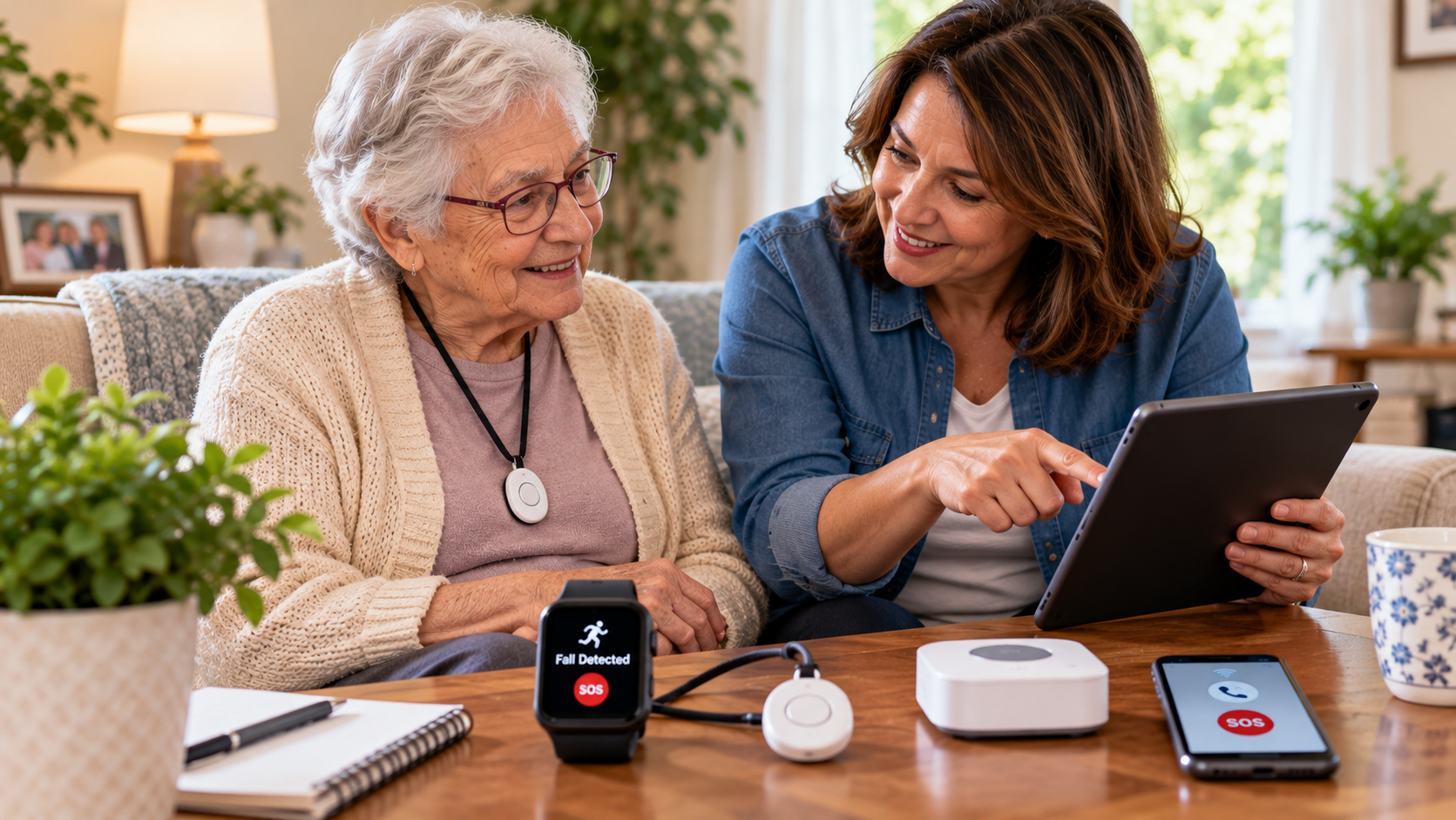
fall detection for seniors | SeniorTechLife safety & alert guide
For many older adults, maintaining independence means continuing familiar activities at home, outdoors, and in the community while having an appropriate way to request assistance when needed.
A fall detection watch for seniors may recognize movement patterns associated with certain falls and initiate an alert. Other devices may include a physical help button, two-way communication, location sharing, or access to a monitoring service.
However, choosing Fall Detection for Seniors requires more than purchasing a smartwatch advertised as senior-friendly. Families should evaluate detection limitations, device comfort, battery life, emergency communication, network coverage, privacy, accessibility, and the availability of people who can respond.
Not every fall activates automatic detection, and some ordinary movements can trigger false alerts. A detected event also does not guarantee that emergency contacts receive the notification or that assistance arrives.
This comprehensive guide explains how Fall Detection for Seniors works, compares watches and pendants, explores automatic detection and home sensors, reviews costs and subscriptions, examines caregiver alerts, and provides practical recommendations for testing and maintaining a dependable response plan.
Safety note: Fall detection is not the same as fall prevention, medical diagnosis, professional monitoring, or guaranteed rescue. A device may fail to recognize a fall, lose connectivity, become uncharged, or send an alert that is not received. If someone is injured or may be in immediate danger, contact local emergency services rather than waiting for an automatic notification.
Quick answer: what is the best fall detection for seniors?
The best Fall Detection for Seniors solution depends on the older adult’s daily activities, personal preferences, physical abilities, location, and available support.
A smartwatch with fall detection may suit someone who already enjoys wearing a watch and can manage its charging and controls.
A medical alert pendant may be appropriate for someone who prefers a dedicated help device.
An in-home monitoring system may offer selected benefits for an older adult who spends considerable time at home, although its coverage is typically limited to configured areas.
Important features to compare include:
- Automatic fall detection.
- Accessible emergency help buttons.
- Comfortable device fit.
- Battery life and charging.
- Reliable communication.
- Cellular or Wi-Fi requirements.
- GPS or location-sharing capabilities.
- Water-resistance specifications.
- Two-way communication.
- Authorized caregiver alerts.
- Professional monitoring availability.
- False alarm management.
- Privacy and consent.
- Subscription fees.
- Device maintenance.
- Emergency backup procedures.
The most expensive device is not necessarily the most appropriate.
A useful Fall Detection for Seniors arrangement must work with the person’s routine and connect possible alerts to a realistic response.
Why fall detection technology for elderly adults matters
Some older adults have mobility limitations, medical conditions, or other circumstances that increase concern about falls.
Others simply want an additional way to contact assistance while maintaining their independence.
Fall Detection for Seniors may provide an extra communication pathway when a compatible device recognizes a possible event.
However, fall detection should complement, not replace, fall-risk assessment, accessible home environments, appropriate mobility aids, and professional healthcare guidance.
What automatic fall detection can and cannot do
Automatic fall detection systems analyze information from sensors or other supported monitoring technologies.
Depending on the device, they may attempt to identify patterns associated with a hard fall, ask the wearer to respond, or notify a contact.
They cannot recognize every fall or determine every medical consequence.
Even sophisticated systems can produce missed detections or false alarms.
How does fall detection for seniors work?
Most wearable fall detection devices use motion-sensing technology to analyze changes in movement.
Accelerometers and motion sensors
An accelerometer measures changes in acceleration.
Certain watches and wearable devices combine this information with other sensor readings to identify movement patterns that may indicate a fall.
However, the exact detection method depends on the manufacturer.
Gyroscopes and body movement
Some systems use gyroscopes to measure rotational movement.
Combining motion information may help a device distinguish selected events from ordinary activities.
No sensor combination guarantees complete accuracy.
Automatic fall detection algorithms
A fall detection algorithm evaluates sensor information according to the device’s programmed criteria.
If a suspected fall is identified, the device may display an alert or begin a configured response sequence.
The user may have an opportunity to confirm or cancel the alert.
Emergency notifications
Depending on the product and settings, a suspected fall may trigger:
- An audible warning.
- An on-screen notification.
- A vibration alert.
- A call to an emergency contact.
- A message containing available location information.
- Contact with a monitoring service.
- An emergency services call where supported.
The exact sequence must be verified for the specific product.
Why fall detection is not always accurate
A slow slide, an unusual fall, limited sensor contact, or an unexpected movement pattern may not match the device’s detection criteria.
Conversely, certain activities may resemble a fall and trigger an unnecessary alert.
This is why Fall Detection for Seniors requires human response planning and appropriate backup communication.
Compare the main types of fall detection devices for seniors
There are several major categories of Fall Detection for Seniors, and each offers different advantages.
Fall detection watches for seniors
A fall detection watch for seniors may combine motion sensors, emergency calling, and selected health or communication features.
Depending on the model, a smartwatch may include:
- Automatic fall detection.
- Physical help controls.
- Notifications.
- GPS location information.
- Cellular communication.
- Activity tracking.
- Smartphone connectivity.
- Health-related features.
Some watches require a compatible smartphone or specific setup.
Others may support independent cellular operation under certain conditions.
Before buying, verify the exact hardware, software, region, service plan, and activation requirements.
Medical alert watches with fall detection
Medical alert watches are designed primarily around personal assistance and communication features.
Certain models include automatic fall detection and a connection to professional monitoring.
However, not all medical alert watches include fall detection as a standard feature.
Some require an additional monthly fee.
Review what happens after an alert and whether the service contacts caregivers, a monitoring center, emergency services, or a combination of these.
Fall detection pendants for elderly adults
A fall detection pendant is usually worn around the neck.
Some pendants provide automatic detection, manual emergency buttons, or both.
Potential benefits include simple controls and a dedicated assistance function.
However, necklace length, clothing interference, comfort, water exposure, charging, and proper wearing position can affect suitability.
A pendant should be worn according to manufacturer instructions.
Fall detection bracelets and wristbands
A fall detection bracelet may provide a simpler alternative to a full-featured smartwatch.
Depending on the product, it may include sensors, alerts, a help button, or caregiver notifications.
Not every bracelet has independent communication.
Check whether it requires a phone, base station, or subscription.
In-home fall detection sensors
Certain home monitoring systems attempt to detect possible falls without requiring the resident to wear a device.
Depending on the technology, they may use radar, specialized sensors, or other monitoring methods.
These systems may be useful in selected rooms.
However, performance depends on installation, room coverage, movement patterns, and system configuration.
Coverage should not be assumed outside monitored areas.
Fall detection cameras
Camera-based monitoring systems may analyze visual information to identify possible falls.
Privacy and consent deserve particular attention.
Families should review whether images are stored, transmitted, viewed by people, or processed automatically.
Cameras should not be installed secretly or used in unnecessarily intrusive locations.
Smartphone fall detection apps
Some applications offer motion-based alerts or related safety functions.
However, a phone carried in a pocket, bag, or placed on a table may not reliably represent the user’s body movements.
An app should not be assumed equivalent to a dedicated wearable medical alert device.
Fall Detection for Seniors: explore related guides
This article serves as the broad educational foundation for Fall Detection for Seniors.
Specific device models, brands, prices, and service questions should be addressed through dedicated guides.
Smartwatch fall detection guides
Related topics include:
- Apple Watch Fall Detection.
- Google Pixel Watch Fall Detection.
- Samsung Galaxy Watch Fall Detection.
- Samsung Galaxy Watch 4 Fall Detection Review.
- Garmin Fall Detection.
- Do Fitbits Have Fall Detection?
- Does Oura Ring Have Fall Detection?
- Amazfit Fall Detection.
- Android Watch with Fall Detection.
- Best Medical Alert Watches with Fall Detection.
- Watch with Fall Detection and GPS.
These articles should verify exact model capabilities, operating system requirements, regional availability, and emergency features.
Medical alert fall detection guides
Related topics include:
- Medical Guardian Fall Detection.
- Life Alert Bracelet with Fall Detection.
- Does Life Alert Have Fall Detection?
- Life Alert Watch with Fall Detection.
- Lifeline Fall Detection.
- Bay Alarm Medical Fall Detection.
- MobileHelp Fall Detection.
- Lively Fall Detection.
- ADT Fall Detection.
- Medical Alert for Seniors with Fall Detection.
Availability and service requirements should be verified with the exact provider.
Wearable fall detection guides
Related topics include:
- Fall Detection Device.
- Fall Detector for Seniors.
- Fall Detection Wearables.
- Wearable Fall Detection.
- Fall Detection Pendant.
- Fall Detection Wristband.
- Fall Detection Bracelet for Seniors.
- Medical Alert Necklace with Fall Detection.
- Fall Detection Jewelry.
- Wearable Fall Detector.
These guides may compare comfort, charging, controls, connectivity, and appropriate use.
Home sensors and automatic detection guides
Additional topics include:
- AI Fall Detection.
- Fall Detection Cameras.
- Fall Detection Sensor.
- Automatic Fall Detection.
- Auto Fall Detection.
- Vayyar Fall Detection.
- Walabot Fall Detection.
- SafelyYou Fall Detection.
- Fall Sensor Alarm.
- Fall Alarm Systems.
- Fall Detection Without Monthly Fee.
Specialized products should be evaluated individually rather than assuming equivalent performance.
Publishing note: These titles represent planned related editorial resources, not verified active links. Links should only be activated after the corresponding articles have been published and reviewed.
Eight important decisions when choosing fall detection for seniors
Selecting Fall Detection for Seniors should begin with the person rather than the product advertisement.
1. Identify the person’s daily activities
Consider whether the older adult spends most of their time at home, enjoys outdoor walks, travels frequently, or participates in community activities.
A home-only system may not provide sufficient coverage for someone regularly away from home.
2. Evaluate device comfort and wearability
A wearable device must fit comfortably enough for regular use.
Consider:
- Wrist or necklace preference.
- Skin comfort.
- Weight.
- Strap or clasp accessibility.
- Charging frequency.
- Clothing compatibility.
- Manufacturer wearing instructions.
A device cannot provide wearable fall detection when it is not being worn.
3. Check automatic detection capabilities
Ask which types of events the device is designed to recognize.
Review limitations involving slow falls, unusual movements, or periods of inactivity.
Avoid products that promise flawless detection.
4. Verify connection and coverage
Some devices require Bluetooth, Wi-Fi, a smartphone, cellular service, or a compatible base station.
Check coverage at home and along normal routes.
Reliable communication cannot be assumed from a general coverage map.
5. Respect privacy and consent
Location data, emergency contacts, health-related information, and monitoring notifications may reveal sensitive personal details.
Explain what information is collected and who may access it.
6. Coordinate caregiver response
Determine who receives alerts and who is responsible for responding.
An alert may be delayed, missed, or delivered when the designated contact is unavailable.
Choose backup contacts when supported.
7. Compare costs and subscriptions
Expenses may include:
- Device purchase.
- Activation fees.
- Cellular service.
- Professional monitoring.
- Automatic fall detection add-ons.
- Replacement accessories.
- Battery servicing.
- Repairs.
- Cancellation charges.
Compare total costs rather than only the initial device price.
8. Establish an emergency backup plan
The older adult should have an appropriate alternative for contacting assistance when the fall detection device is not available.
Possible arrangements include an accessible telephone, agreed check-ins, or another suitable emergency communication method.
Fall detection watches for seniors: important features
A smartwatch can be a convenient option when its controls match the user’s abilities.
Automatic fall detection settings
Some devices require users to activate or configure fall detection.
Others have different settings based on supported user profiles or activities.
Confirm that the feature is available and appropriately configured.
Physical emergency buttons
An accessible button can provide a manual way to request assistance.
The older adult should understand how to activate it according to the manufacturer’s instructions.
Two-way communication
Some devices support voice communication with a contact or monitoring service.
However, call capability depends on the exact device, available service, and connection.
GPS and location information
GPS may help identify a device’s approximate location outdoors under suitable conditions.
Indoor location accuracy and timestamp freshness can vary.
A displayed position should not be assumed to represent an exact or continuously updated location.
Battery life and charging
Fall detection cannot operate as intended when the device is powered off.
Compare battery requirements with the older adult’s routine.
A comfortable charging schedule is part of a dependable safety plan.
Water resistance
Bathroom use deserves consideration because the wearer may not always have access to a phone.
However, water-resistance ratings differ.
Check whether the device is suitable for showering or other intended activities according to manufacturer guidance.
Fall Detection for Seniors: practical comparison table
| Technology | Potential benefit | What to verify | Important limitation |
|---|---|---|---|
| Smartwatch | Combines communication and selected detection features | Model, software, network, battery | May require compatible phone or service |
| Medical alert watch | Dedicated help functions | Monitoring and fall detection plan | Recurring charges may apply |
| Fall detection pendant | Simple wearable assistance | Fit, positioning, connection | May be uncomfortable for some users |
| Fall detection bracelet | Compact wearable option | Alert routing and charging | Capabilities vary |
| In-home fall sensor | Monitoring without wearing a device | Room coverage and installation | Does not cover every location |
| Fall detection camera | Selected visual analysis | Privacy, consent, recording | Limited monitored area |
| Smartphone app | Uses a compatible phone | Sensor access and carrying position | Not always equivalent to a wearable |
| Professionally monitored system | Access to a response process | Hours, service scope, coverage | No guaranteed response time |
Automatic fall detection versus manual medical alert buttons
Automatic detection and manual assistance requests serve related but different purposes.
Automatic fall detection
Automatic fall detection attempts to recognize selected movement patterns without requiring the user to press a button.
It may be useful when someone cannot immediately operate the help control.
However, not every fall is detected.
Manual emergency buttons
Manual buttons allow a person to request assistance directly through a configured device or service.
However, the person must be able to locate and activate the button.
Why combining both features may help
A system offering automatic detection and manual assistance may provide more than one way to initiate communication.
Nevertheless, both functions depend on appropriate setup and available communication services.
Why caregivers should understand the distinction
A device advertised as a medical alert product may include only a manual help button.
Families should verify that automatic fall detection is actually included before purchasing.
False alarms, missed falls, and detection accuracy
Understanding the limitations of Fall Detection for Seniors is essential.
Why false alarms happen
Certain ordinary movements may resemble a fall to motion sensors.
The device may issue a warning despite no emergency.
Why some falls are missed
A fall may occur without the motion pattern required by the detection system.
Positioning, movement characteristics, sensor limitations, and wearing conditions can affect performance.
How to handle false alarms
Follow the provider’s instructions for acknowledging and canceling an accidental alert.
Do not disable important safety features without understanding the consequences.
Why advertised accuracy requires context
Detection performance may depend on how and where a device was tested.
Ask whether published results reflect laboratory tests, simulated movements, or real-world observations.
Avoid unrealistic guarantees
No fall detection device should be marketed as guaranteeing that every fall will be recognized.
An appropriate safety plan must account for undetected events.
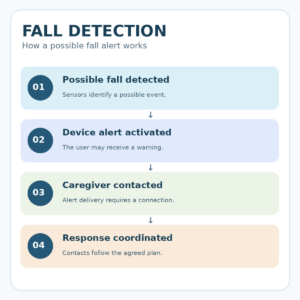
Fall Detection for Seniors: understanding the emergency response process
A useful fall detection system connects a suspected event to an actual response procedure.
Step 1: A possible fall is identified
The device interprets sensor information and may classify an event as a possible fall.
Step 2: The device starts its configured alert
The system may notify the wearer or provide an opportunity to respond.
Step 3: The selected contact or service is notified
Depending on the product, the device may attempt to contact family members, a monitoring center, or emergency services.
Step 4: Assistance is coordinated when needed
An appropriate person or service evaluates the available information and follows the agreed response procedure.
Each step may be affected by device and communication limitations.
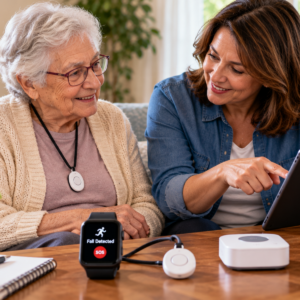
Testing fall detection devices safely
Families should verify that the equipment works as configured without creating dangerous situations.
Test 1: Device activation and settings
Review the manufacturer’s setup instructions.
Confirm that fall detection and appropriate communication features are enabled.
Test 2: A normal help-button test
When the provider offers an approved test mode, verify the manual communication function according to its instructions.
Avoid unnecessary emergency service calls.
Test 3: Caregiver notifications
Use an approved test notification to confirm that authorized contacts receive alerts.
Review what each person is expected to do.
Test 4: Charging and connectivity
Check whether the user understands charging and can identify low-battery or lost-connection warnings.
Test 5: A backup communication scenario
Review how the person would request help if the primary device were unavailable.
Do not intentionally perform falls or create hazardous situations to test automatic detection.
Privacy and consent in fall detection technology
Explain location sharing
Some devices provide location information to authorized contacts.
The wearer should understand who can see this information and why.
Review connected accounts
Use appropriate passwords, authentication settings, and restricted account permissions.
Avoid unnecessary monitoring
Choose technology that supports the agreed safety goal without collecting more personal information than necessary.
Protect camera-based monitoring privacy
Camera systems deserve additional consideration because they may capture activities and private spaces.
Review installation locations, recording policies, and applicable consent requirements.
Update caregiver permissions
Remove outdated contacts and account permissions after changes in care arrangements.
Fall Detection for Seniors without monthly fees
Some families prefer fall detection devices that do not require a separate recurring monitoring subscription.
Understand what no monthly fee means
A device may advertise no monitoring fee while still depending on a compatible smartphone, cellular plan, internet service, or other paid component.
Compare professional monitoring and caregiver alerts
Self-managed alerts may depend on family members receiving and responding to notifications.
Professionally monitored systems may provide a dedicated response process under their service terms.
Neither arrangement guarantees immediate assistance.
Review the true total cost
Check hardware prices, replacement equipment, mobile data, subscriptions, and optional features.
Consider caregiver availability
A no-monthly-fee system may be unsuitable when no reliable person is available to respond to its alerts.
Select the arrangement according to actual support rather than price alone.
Home fall prevention and fall detection technology
Fall Detection for Seniors should complement a broader fall prevention strategy.
Clear household walking paths
Remove avoidable clutter, loose cords, and other trip hazards.
Improve lighting
Review bedrooms, hallways, bathrooms, stairs, and entrances.
Adequate lighting can help make changes in floor level and household objects easier to identify.
Evaluate mobility equipment
Walkers, canes, and other assistive devices should be properly selected and fitted.
Review fall-related health concerns
Repeated falls, new dizziness, mobility changes, or balance difficulties warrant healthcare assessment.
Understand the difference between prevention and response
Fall prevention attempts to reduce the likelihood of falls.
Fall detection attempts to recognize certain events after they occur.
Both may be useful, but they serve different purposes.
Caregiver support and fall detection alerts
Assign a primary response contact
Identify who should receive important notifications.
Confirm that the person has agreed to this role.
Establish backup contacts
A primary contact may be unavailable.
When supported, configure additional authorized contacts.
Keep information current
Review contact numbers, alert preferences, and available location information.
Discuss false alarms respectfully
A false alert should not automatically be treated as misuse.
Use the event to review whether settings or wearing arrangements need attention.
Reassess caregiver availability
Family work schedules, travel, and changing care needs may affect the response plan.
Update responsibilities accordingly.
Daily charging, maintenance, and device inspection
Fall Detection for Seniors depends on equipment being ready for regular use.
First setup
Record the exact device model, applicable service plan, alert settings, and authorized contacts.
Everyday use
Verify that the device is worn or positioned according to its instructions.
Keep appropriate charging equipment accessible.
Weekly checks
Review battery performance, important controls, straps, clasps, and connection status.
Monthly maintenance
Check firmware updates, account permissions, service payments, and emergency contact information.
After device damage
Stop relying on visibly damaged or malfunctioning equipment until its operation has been verified.
After a missed alert
Document what happened and contact the manufacturer or service provider for appropriate troubleshooting.
Safe everyday use of fall detection for seniors
Fall detection should support independence without creating a false sense of security.
Choose comfortable equipment
A device should fit the person’s ordinary clothing and activity preferences.
Maintain familiar routines
Use a predictable charging and device-checking routine.
Keep manual assistance accessible
The wearer should understand the supported help-button function when one is available.
Respect personal independence
Discuss device settings, caregiver notifications, and location sharing openly.
Review whether the system meets expectations
Ask whether the device remains comfortable, understandable, and appropriate for the person’s current needs.
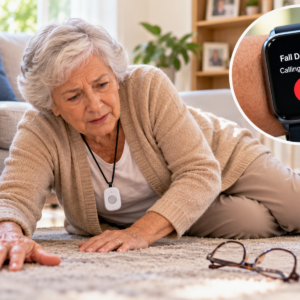
Emergency and backup planning for fall detection
Maintain independent communication
An accessible phone or another suitable emergency communication method should remain available.
Prepare for network outages
Cellular and internet interruptions may prevent selected alerts from reaching their destinations.
Review the service’s documented limitations.
Plan for device charging
When the primary device must be removed for charging, understand which protective functions are temporarily unavailable.
Review outdoor coverage
Check whether the selected service operates in the areas the person regularly visits.
Know when immediate assistance is necessary
If someone is injured or may be in immediate danger, contact emergency services directly.
Do not wait for a device to generate or update an alert.
Fall Detection for Seniors: final selection checklist
Before relying on a fall detection system, confirm:
- The device matches the person’s needs.
- Automatic fall detection is actually supported.
- The wearer understands the device.
- Fit and comfort are appropriate.
- Help controls are accessible.
- Battery requirements are manageable.
- Coverage and connectivity are verified.
- Emergency contacts are correct.
- Monitoring arrangements are understood.
- Privacy permissions are authorized.
- False alarm procedures are explained.
- Limitations on missed falls are understood.
- Subscription costs are clear.
- Charging and maintenance are planned.
- Approved communication testing is complete.
- Independent emergency backups are available.
Frequently asked questions about Fall Detection for Seniors
What is Fall Detection for Seniors?
Fall Detection for Seniors refers to technology that attempts to recognize certain possible falls and initiate a configured alert or communication process.
How does automatic fall detection work?
Many wearable devices use accelerometers, gyroscopes, and software to analyze movement patterns.
Different manufacturers use different detection methods.
What is the best fall detection watch for seniors?
The best watch depends on comfort, supported detection features, communication, battery life, accessibility, and available caregivers.
No model is universally best.
Does an Apple Watch have fall detection?
Certain Apple Watch models support fall detection, subject to compatible software, setup requirements, and regional service conditions.
Exact capabilities should be verified for the selected model.
Do Samsung watches have fall detection?
Selected Samsung Galaxy Watch models offer fall detection or related safety features.
Availability and behavior depend on the exact model, software, and settings.
Can a fall detection pendant work without a smartphone?
Certain dedicated systems can operate through their own base stations or cellular service.
Other devices require a compatible phone.
Check the actual product.
Can fall detection work without a monthly fee?
Some devices offer fall-related alerts without a separate professional monitoring subscription.
However, compatible phone service or other costs may still apply.
Can fall detection devices recognize every fall?
No.
Some falls may be missed, and certain ordinary activities may generate false alerts.
What is the difference between fall detection and medical alert monitoring?
Fall detection attempts to identify possible events.
Medical alert monitoring provides a defined communication or response service under the provider’s terms.
Some products combine both functions.
Are fall detection cameras appropriate for seniors?
Camera-based systems may be suitable in selected circumstances with appropriate consent and privacy safeguards.
Room coverage, data handling, and detection limitations should be verified.
Do fall detection watches have GPS?
Some watches include location features.
GPS capability, location accuracy, and emergency sharing depend on the exact model and connection.
Can a fall detection device prevent falls?
No.
Fall detection is primarily intended to identify selected events and support communication afterward.
Fall prevention requires separate safety measures.
What should families do after a missed fall alert?
Prioritize the person’s safety and appropriate medical care.
Then review device settings, wearing conditions, connectivity, and the manufacturer’s guidance.
How often should fall detection equipment be reviewed?
Check essential device readiness regularly and reassess after a missed alert, power failure, fall, device damage, service change, or change in the person’s needs.
Final thoughts on Fall Detection for Seniors
Fall Detection for Seniors can provide an additional layer of safety communication when an appropriate device, dependable connectivity, accessible controls, and a realistic response plan work together.
The strongest solution is not necessarily the most expensive smartwatch or the system with the longest list of advertised features.
A comfortable wearable, appropriate home sensor, or monitored medical alert system may provide useful support when its actual capabilities match the older adult’s lifestyle.
Families should evaluate detection limitations, caregiver availability, privacy, charging, service costs, and emergency backups before relying on the technology.
The most effective Fall Detection for Seniors approach combines realistic expectations, suitable equipment, appropriate fall prevention measures, professional guidance when needed, and an organized plan for responding to emergencies.
Sources used for this guide
Official sources support the safety framework; they do not endorse a company or guarantee performance.
- Falls and Fractures in Older Adults — National Institute on Aging.
- Services for Older Adults Living at Home — National Institute on Aging.
- Recognizing medical emergencies — MedlinePlus, U.S. National Library of Medicine.
- Unique Considerations in the Home — U.S. Food and Drug Administration.
Build a safer plan
Return to the Safety & Alert Resource Center for broad planning; focused child assets remain inactive until reviewed.