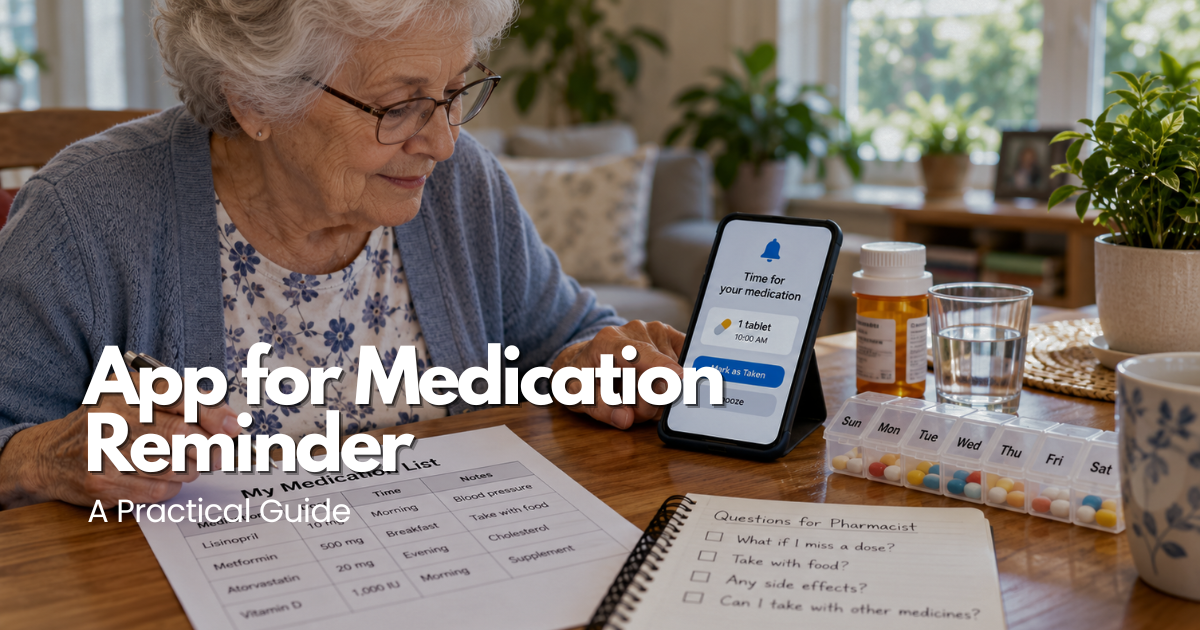
However, an app for medication reminder cannot confirm that the correct medicine was swallowed, determine whether a missed dose should be taken later, or replace professional medical instructions. A reliable system combines accurate prescription information, accessible notifications, appropriate caregiver support, and a backup method when the phone or application becomes unavailable.
This comprehensive guide explains how medication reminder apps work, which features matter most, how to set up reminders safely, and what caregivers should understand about medication tracking. It also covers accessibility, privacy, missed alerts, prescription changes, refill notifications, and alternatives for people who need additional support.
Safety note: Medication reminder applications are organizational tools, not medical treatments or substitutes for professional advice. Never double a dose, change medication timing, discontinue a prescription, or take an additional medicine solely because of an app notification. When instructions are unclear or a dose may have been missed, consult the pharmacist or prescriber for medication-specific guidance.
Quick Answer: What Should an App for Medication Reminder Do?
An app for medication reminder should provide clear, understandable notifications that help users recognize when a prescribed medication is scheduled. The application may display the medicine name, reminder time, and recorded response, depending on its features.
The most useful medication reminder app should be easy to operate, compatible with the person’s device, and accessible according to their vision, hearing, dexterity, and memory needs. It should also allow the schedule to be updated when medication instructions change.
Before choosing an app for medication reminder, consider these essential requirements:
- Clear alerts for scheduled medication times.
- Easy-to-read medication names and reminder details.
- Adjustable sound, vibration, or visual notifications.
- Compatibility with the person’s smartphone or tablet.
- Simple methods for updating verified prescription information.
- Suitable privacy and account security controls.
- Optional caregiver notifications when appropriate.
- Medication history or reminder tracking features.
- Reliable account recovery and device replacement procedures.
- A practical backup when the application is unavailable.
The best medication reminder system is the one the person understands and can use consistently. Advanced features are less valuable when they create confusion or make ordinary medication routines unnecessarily complicated.
What an App for Medication Reminder Can and Cannot Verify
Most medication reminder applications allow users to enter medicines, schedule notifications, and record responses such as taken, skipped, or postponed. These functions can provide useful information about the reminder routine.
However, an app for medication reminder generally records an interaction with the software rather than confirming actual medication administration. Tapping a button does not establish which medicine was taken, whether the prescribed amount was correct, or whether the medication was swallowed.
Medication Reminders Versus Medication Confirmation
A notification indicates that a scheduled reminder has occurred. A completed reminder usually means the user marked that event within the application.
These actions are not equivalent to confirming the actual medication. Someone may accidentally dismiss a notification, forget to record a dose already taken, or select the wrong response.
Caregivers and clinicians should interpret application records according to these limitations.
Why Medication Instructions Must Come From Professionals
Some prescriptions have specific instructions involving meals, timing, symptoms, procedures, or monitoring requirements. A generic application may not fully represent these conditions.
Medication schedules should reflect directions verified through the pharmacy label, prescriber, or appropriate healthcare team.
When a dose is missed or the instructions conflict, the correct next step depends on the particular medicine.
Medication Reminder Apps Versus Complete Medication Management
An app for medication reminder is only one component of medication management.
A complete routine may also include current prescription labels, a written medication list, suitable storage, refill planning, professional counseling, and caregiver communication.
Technology can organize reminders, but it cannot independently maintain the accuracy of all those elements.
How to Set Up an App for Medication Reminder Safely
An accurate initial setup is essential because a reminder application can continue displaying incorrect information until someone updates it.
Before entering medications, prepare a verified list and choose a quiet environment where the user can review instructions without distractions.
Step 1: Create a Current Medication List
Gather current prescription labels and relevant medication instructions.
Include prescription medicines, over-the-counter products, vitamins, and supplements when appropriate.
Confirm the medicine name, prescribed amount, route, schedule, and important conditions with the pharmacist or healthcare team when necessary.
Do not create reminders from outdated prescription bottles or memory alone.
Step 2: Choose a Compatible Medication Reminder App
Review the app’s compatibility with the intended device and operating system.
Check whether the application supports accessible notifications, account recovery, privacy settings, and any caregiver functions the person needs.
A free app may be sufficient for a straightforward routine, while other users may benefit from features offered through a subscription.
Step 3: Enter Medication Information Carefully
Add medication entries using the verified instructions.
Avoid abbreviations that could cause confusion or entering additional dosing times simply because the app allows them.
If the instructions involve variable timing or an as-needed medication, ask the pharmacist how the information should be represented.
Step 4: Configure Notifications
Choose reminder sounds, visual alerts, and vibration settings the user can recognize.
Review notification permissions, screen-lock behavior, and any device settings that could silence alerts.
Make sure that the person understands how to view the reminder and distinguish it from ordinary phone notifications.
Step 5: Test the Reminder Routine
Use the application’s supported test settings or a clearly identified non-medication test alert.
Confirm that the notification appears when the phone is locked, charging, or operating under the user’s ordinary settings.
If the person uses hearing aids, large text, or accessibility features, test those settings directly.
Step 6: Establish a Backup Method
Keep a verified written medication list available in a suitable location.
Depending on the person’s needs, a paper calendar, ordinary clock alarm, pharmacist-approved pill organizer, or caregiver check-in may provide additional support.
The backup should not introduce duplicate dosing or conflicting instructions.
Information to Enter in a Medication Reminder App
An app for medication reminder works best when its records are accurate, understandable, and limited to information needed for the routine.
More information does not automatically improve safety. Excessive notes, outdated medications, and complicated reminders can make the next action harder to identify.
Essential Medication Details
Useful information may include:
- The medication name as verified by the pharmacy.
- The prescribed amount and approved timing.
- Relevant instructions confirmed by a healthcare professional.
- Whether the medicine is scheduled or taken as needed.
- Appropriate pharmacy or prescriber contact information.
- Authorized caregiver notification preferences.
Do not enter unnecessary personal identifiers, financial information, or unrelated medical details.
Keep Instructions Consistent With Pharmacy Labels
An app entry should never contradict the current prescription.
After a confirmed medication change, compare the updated information with the written list and application schedule.
If two sources disagree, seek clarification before relying on the reminder.
Prevent Duplicate Medication Entries
Duplicate reminders may appear after importing an account backup, changing devices, or adding a medication under both generic and brand names.
Review the complete schedule after each update.
If two entries appear to refer to the same medicine, verify the situation with a pharmacist rather than making an assumption.
Choosing Medication Reminder App Features for Seniors
The ideal app for medication reminder should address the user’s real difficulties.
Someone who forgets one daily reminder may need a simple notification, while another person managing multiple prescriptions may benefit from an organized medication schedule and additional verification routines.
Large Text and Clear Visual Design
Readable text, strong contrast, and recognizable symbols can make notifications easier to understand.
The application should display the next scheduled reminder without requiring complicated navigation.
Users with vision changes should test the actual display rather than relying on promotional screenshots.
Sound, Vibration, and Visual Alerts
Some users prefer an audible alert, while others rely on vibration or a visible notification.
The application should work with the person’s ordinary hearing devices and smartphone settings.
Too many repeated alerts can become distracting, so configure notifications carefully.
Medication Schedule and History
A daily or weekly schedule can help users review upcoming reminders.
Medication history may help identify missed notifications, outdated entries, or recurring problems with timing.
However, recorded completion should not be treated as definitive confirmation that medication was taken.
Refill Reminder Features
Some applications provide notifications when medication supplies may need attention.
These alerts should prompt the user to check the prescription and pharmacy information.
A refill notification does not determine whether treatment should continue or whether another prescription is authorized.
Caregiver Sharing and Notifications
Certain applications allow trusted caregivers to review information or receive missed-reminder alerts.
These features may support communication when the user agrees to the arrangement.
Caregiver notifications should be interpreted cautiously because a missed app response does not necessarily mean the medication was missed.
Medication Reminder App Features Comparison
| User need | Helpful feature | Important limitation |
|---|---|---|
| One scheduled daily medicine | Simple audible or visual alert | Does not confirm medication was taken |
| Several prescription schedules | Clear medication calendar | Entries require regular verification |
| Vision or hearing difficulty | Large text, vibration, adjustable sound | Default settings may be unsuitable |
| Family caregiver support | Authorized shared notifications | Alerts do not establish actual ingestion |
| Refill organization | Supply or refill reminder | Does not authorize prescription renewal |
| Traveling or replacing phones | Backup and account recovery | Synchronization may create errors |
| Device failure | Written list and non-digital routine | Backup must avoid duplicate dosing |
Choose features that make medication routines easier to understand rather than selecting the greatest number of available functions.
Testing Medication Reminder App Accessibility
Accessibility is especially important when an app for medication reminder is intended for an older adult with hearing, vision, dexterity, or memory limitations.
A reminder that works during installation may be difficult to notice during ordinary activities.
Test Alerts in Everyday Conditions
Check reminders when the phone is on a table, charging, or placed where the user normally keeps it.
Review how notifications behave when the device is locked or when Focus or Do Not Disturb settings are active.
Do not assume that notifications always bypass silent settings.
Evaluate Buttons and Navigation
The person should be able to read the medication reminder, understand its meaning, and respond without accidentally changing other settings.
Small buttons and confusing menus may create difficulties for people with limited hand movement or vision.
Choose a simpler interface when necessary.
Test With a Family Caregiver
When the older adult agrees, a trusted caregiver can observe whether the person can identify a reminder and navigate the relevant screen.
The purpose is to evaluate usability, not to assume that the caregiver must control the application.
Document any problems and correct them before relying on the routine.
Following a Safe First-Week Medication Reminder Plan
The first week should be used to evaluate whether the app for medication reminder works with the person’s ordinary routine.
Rather than enabling every feature immediately, begin with a manageable setup and observe how notifications perform.
Day One: Verify the Basic Setup
Confirm that the application schedule matches the current medication list.
Test notifications and verify that the user understands where to find prescription instructions.
Keep the written backup available.
Days Two and Three: Observe Notification Reliability
Check whether alerts are noticeable under normal conditions.
Identify problems involving sound, vibration, screen visibility, or device placement.
Make technical adjustments without independently changing prescribed medication times.
Days Four and Five: Review Usability
Ask whether the notifications are understandable and whether the user can respond without confusion.
If the application requires too many steps, simplify the configuration.
Caregivers should avoid introducing unnecessary monitoring when the person can manage the routine independently.
Days Six and Seven: Review the Complete System
Compare the app schedule, current labels, and written medication list.
Confirm that the backup method is practical and that relevant caregiver responsibilities are understood.
A successful first week means the system is understandable and functioning as intended, not that future medication errors are impossible.
Reducing Medication Reminder App Errors
Medication reminder problems often begin with inaccurate information, duplicate entries, outdated prescriptions, or device settings that interrupt notifications.
The most effective prevention strategy combines regular verification with a straightforward routine.
Verify Medication Changes Before Editing
When a prescriber changes a medication, request clear instructions.
Update the application after the change has been confirmed.
Avoid adjusting the schedule during a rushed appointment or based solely on memory.
Remove Outdated Active Reminders
Once a medication discontinuation has been verified, update the active reminder schedule appropriately.
Keep historical information only where necessary and consistent with the person’s care plan.
Leaving an old active reminder can create confusion.
Avoid Conflicting Alerts
Multiple alarms for the same medication may cause someone to believe an additional dose is required.
Review overlapping reminders from phones, smartwatches, caregiver apps, and medication organizers.
Coordinate the systems so they provide clear prompts rather than contradictory instructions.
Check Time-Zone Changes
Traveling, replacing devices, or changing phone settings can affect medication reminders.
Review the app’s time-zone behavior and consult the pharmacist about medications requiring specific timing.
Do not independently change prescribed schedules to match a device clock.
Scheduled Medications Versus As-Needed Medications
Scheduled medications and as-needed prescriptions require different reminder approaches.
A scheduled medicine follows an established prescription routine, while an as-needed medicine may depend on symptoms or other specific conditions.
Scheduled Medication Reminders
An app for medication reminder may be appropriate for a predictable schedule when the entered information matches current clinical instructions.
The reminder should make the next scheduled action clear without implying that the application determines the treatment.
As-Needed Medication Tracking
As-needed medications should not automatically be converted into regular dosing reminders.
The person must follow the specific prescription instructions and applicable limits.
If the app includes optional tracking, use it only in a manner consistent with healthcare guidance.
Variable or Complex Medication Schedules
Some medications require adjustments based on clinical information or conditions not captured by a standard reminder app.
These regimens may require individualized planning and professional oversight.
A generic reminder should never be used to calculate or authorize a new dose.
Protecting Privacy in a Medication Reminder App
Medication schedules can reveal sensitive personal information.
Before using an app for medication reminder, review what information it collects, how it stores that information, and which people or services may access it.
Review Privacy Settings
Check whether medication information is stored locally, synchronized to an online account, or shared with connected services.
Understand the application’s data-sharing and account deletion procedures.
Do not assume that every consumer health application is subject to identical privacy regulations.
Protect Lock-Screen Notifications
A lock-screen notification may display medication details where other people can see them.
Review whether the application allows less detailed notification previews.
The right configuration balances privacy with the user’s ability to recognize the reminder accurately.
Use Secure Account Access
Enable an appropriate device lock and keep the operating system updated.
Avoid sharing passwords through informal messages.
When a caregiver needs access, use an authorized sharing feature when available.
Review Caregiver Consent
An older adult who can manage their own accounts should participate in decisions about who receives medication information.
Discuss what caregivers can view, which notifications they receive, and how the arrangement can be changed.
Support should preserve independence and dignity rather than introduce unnecessary surveillance.
Using an App for Medication Reminder With a Caregiver
Family caregivers may help configure reminders, verify medication lists, and identify technical problems.
However, caregiver support should not replace the older adult’s preferences or appropriate clinical guidance.
Agree on Caregiver Responsibilities
Decide who is responsible for checking the written medication list, updating verified prescription changes, and maintaining the device.
Identify who should be contacted when the application behaves unexpectedly.
Avoid vague arrangements that leave important tasks unassigned.
Understand Missed-Reminder Notifications
A missed alert may indicate that the person did not respond to the app.
It does not establish whether the medicine was actually taken.
The caregiver’s response should follow an agreed communication plan rather than assuming an error occurred.
Maintain Accurate Communication
Use clear descriptions of actual observations.
For example, reporting that a notification did not appear is more useful than concluding that the person failed to follow treatment.
A calm approach helps identify whether the problem involves technology, medication instructions, or the broader care routine.
Medication Reminders for Seniors With Cognitive Changes
Some older adults experiencing mild memory changes may benefit from simple reminders, written schedules, and appropriate caregiver assistance.
However, the effectiveness of an app for medication reminder depends on the person’s ability to recognize the notification and understand the next action.
When Reminders May Help
A familiar alert may be useful when someone occasionally loses track of time but can still identify medications and follow verified instructions.
A consistent device location and simple interface may improve usability.
When Additional Supervision Is Needed
An app alone may be insufficient when someone repeatedly confuses medicines, cannot recognize a completed dose, or cannot respond safely to changing instructions.
In these situations, request an individualized medication management assessment.
Respecting Independence
Memory changes do not automatically mean that every decision must be transferred to another person.
Provide support appropriate to the individual’s abilities and applicable consent arrangements.
Building a Backup Plan for a Medication Reminder App
Every digital reminder system can experience interruptions.
A phone may lose power, notifications may be silenced, applications may malfunction, or account access may become unavailable.
A reliable backup should maintain access to verified medication information without creating conflicting instructions.
Keep a Written Medication List
Maintain a current list of prescribed medicines and relevant instructions.
Store the document securely while keeping it accessible for authorized caregivers and medical appointments.
Update it whenever prescriptions change.
Consider a Paper Calendar or Clock Alarm
Some people benefit from a visible calendar or separate reminder method.
The backup should be simple and should not introduce duplicate prompts that could be mistaken for additional doses.
Use Pill Organizers Only When Appropriate
A weekly pill organizer can help physically arrange certain medications.
However, not every medicine is suitable for transfer into an organizer.
Confirm compatibility with a pharmacist before using one.
Prepare for Device Replacement
Know how to recover access to the reminder application if the smartphone is lost or replaced.
When restoring the account, compare every medication entry with current labels before relying on synchronized information.
What to Do After a Missed Medication Reminder
A missed application notification does not always mean that the medication was missed.
The first priority is to establish what is known about the actual medication event and obtain appropriate instructions when necessary.
Check the Current Instructions
Review the verified prescription information.
Do not assume that taking a dose immediately, skipping it, or doubling the next dose is appropriate for every medication.
Contact a Pharmacist or Prescriber
If it is unclear whether medication was taken or what should happen next, contact the relevant healthcare professional.
The correct advice depends on the specific medicine and clinical circumstances.
Identify the Technical Problem
After addressing the medication question, check whether notifications were silenced, the phone lost power, or the application schedule was outdated.
Correct the relevant settings and test the reminder again.
Update the Backup Routine
Repeated problems may indicate that the current application is not the right solution.
A simpler reminder method, caregiver support, or another medication management arrangement may be necessary.
Medication Reminder App Safety Checks After Prescription Changes
Prescription changes create opportunities for outdated or duplicated reminders.
A medication reminder app should be reviewed after a hospital discharge, specialist appointment, refill substitution, new prescription, or discontinued treatment.
Compare All Medication Records
Review the pharmacy labels, written medication list, and app schedule together.
Look for outdated entries, changed instructions, and duplicate medication names.
Verify Refill Changes
A refill may involve a different manufacturer or packaging appearance.
If the medication looks unfamiliar, ask the pharmacist to confirm the product.
Do not assume that a similar-looking medicine is interchangeable.
Record Important Questions
Keep a short list of medication questions for the pharmacist or prescriber.
This may include missed-dose instructions, food requirements, storage conditions, or changes in timing.
Maintain a Regular Review Schedule
A monthly review or a check during prescription refills may help identify technical and organizational problems.
Review sooner whenever a medication or device changes.
Understanding Medication Reminder App Reports
Some applications offer medication history, completion summaries, weekly reports, or refill records.
These features can help identify recurring reminder problems, but they must be interpreted carefully.
Reports Are Organizational Records
A completed reminder reflects information recorded in the application.
It does not independently establish that the prescribed medicine was taken correctly.
Share Only Relevant Information
A caregiver may need to know that a follow-up is required without receiving an entire medication history.
Similarly, healthcare professionals may prefer a current medication list and specific observations over a large collection of app notifications.
Avoid Pressure From Completion Scores
Streaks and adherence scores should not encourage someone to record a dose they are uncertain about or take medication merely to complete a digital task.
Accuracy and medication safety matter more than maintaining an application score.
Questions to Ask Before Choosing an App for Medication Reminder
Before installing an application, review the person’s needs and the software’s actual functions.
- Can the user understand medication notifications?
- Does the app support the required scheduling features?
- Are sound, vibration, and text size adjustable?
- Can the schedule be compared with a written medication list?
- How are prescription changes entered and verified?
- What happens if a reminder is accidentally dismissed?
- Can an authorized caregiver receive notifications?
- What personal information does the application store?
- Does the app require an internet connection?
- What happens when the phone is replaced?
- Are important features free or subscription-based?
- Is a suitable non-digital backup available?
The best app for medication reminder should simplify the routine without creating uncertainty about medication instructions.
Common Medication Reminder App Mistakes
Entering Medication Schedules From Memory
Medication information can change over time.
Always compare app entries with current labels and verified professional instructions.
Assuming an Alert Confirms Medication Use
A reminder or completion button does not prove actual ingestion.
The application should remain an organizational tool.
Creating Too Many Notifications
Excessive alerts may lead to confusion or notification fatigue.
Choose a manageable reminder configuration that supports the prescribed schedule.
Ignoring Privacy Settings
Medication details may appear on lock screens or be shared with connected accounts.
Review available privacy controls and caregiver permissions.
Forgetting the Backup Plan
Phone problems can interrupt reminders without warning.
Keep an accurate written medication list and an appropriate alternative routine.
Changing Prescriptions Through App Settings
Editing an app schedule does not authorize a medical treatment change.
Prescription decisions belong to qualified healthcare professionals.
Final App for Medication Reminder Readiness Checklist
Before relying on an app for medication reminder, confirm that the complete system works with the user’s actual needs.
-
Medication information matches current pharmacy labels.
-
Instructions have been verified where necessary.
-
Notifications are visible, audible, or otherwise accessible.
-
The user understands how to view reminders.
-
Device settings have been tested.
-
Duplicate and outdated reminders have been addressed.
-
Scheduled and as-needed medicines are handled appropriately.
-
Caregiver access follows the user’s preferences and authorization.
-
Privacy and account recovery settings are understood.
-
A written medication list remains available.
-
The backup routine is practical.
-
Prescription changes trigger a schedule review.
-
The household knows whom to contact about uncertain doses.
A reliable medication reminder routine should remain understandable and manageable even when technology changes.
Frequently Asked Questions About Medication Reminder Apps
What Is an App for Medication Reminder?
An app for medication reminder is a smartphone or tablet application that helps users organize medication schedules and receive alerts when a scheduled medicine is due.
Some apps also include refill notifications, medication tracking, and caregiver-sharing features.
Can a Free Medication Reminder App Be Reliable?
A free application may provide useful reminders when it works reliably on the person’s device and supports the required accessibility features.
However, cost alone does not determine suitability or medication safety.
Can Medication Reminder Apps Confirm That Medicine Was Taken?
No. Most applications record reminder responses rather than independently verifying correct medication ingestion.
A completion record should not be treated as definitive proof that a dose was taken.
Are Medication Reminder Apps Helpful for Seniors?
They may help older adults who can understand notifications, identify medications, and follow verified instructions.
People with significant cognitive or functional limitations may require additional supervision.
Can an App for Medication Reminder Replace a Pill Organizer?
Not necessarily. An app provides electronic prompts, while a pill organizer physically stores certain medicines.
The appropriate combination depends on medication compatibility and individual needs.
Can Caregivers Receive Missed-Dose Notifications?
Some applications provide authorized caregiver notifications.
However, a missed app response does not necessarily confirm a missed dose.
What if the Medication Reminder Does Not Sound?
Review notification permissions, device volume, Focus settings, battery status, and app configuration.
Use the established backup routine while resolving technical problems.
Can an App Tell Me What to Do After a Missed Dose?
No. Missed-dose instructions depend on the particular medication.
Contact a pharmacist or prescriber when the correct action is uncertain.
Are Medication Reminder Apps Safe for People With Dementia?
Some people with early cognitive changes may benefit from accessible reminders and appropriate support.
More significant difficulties managing medicines may require direct supervision or an alternative system.
Do Medication Reminder Apps Work Without Internet?
Some applications can deliver locally scheduled notifications without continuous connectivity, but others require internet access for synchronization or caregiver features.
Verify the exact app’s offline behavior.
How Often Should Medication Reminders Be Reviewed?
Review the schedule after any prescription change, refill discrepancy, device replacement, or notification problem.
Regular checks can also help identify outdated entries.
What Is the Best Backup for a Medication Reminder App?
An accurate written medication list and a practical alternative reminder method can help when the phone is unavailable.
The specific arrangement should reflect the person’s needs and the pharmacist’s guidance.
Conclusion: Choosing a Reliable App for Medication Reminder
An app for medication reminder can provide helpful organization for older adults and caregivers who need to manage daily medication schedules. Accessible notifications, accurate medication records, appropriate caregiver involvement, and dependable backup arrangements can make reminders easier to use consistently.
However, the application should never become the only source of medication information or replace professional guidance. Incorrect entries, missed alerts, device problems, and changes in prescriptions can affect the reliability of even a well-designed system.
The strongest approach combines a simple app for medication reminder with verified instructions, respectful support, periodic reviews, and a clear plan for uncertain doses. With the right setup, digital reminders can become a practical part of safer and more organized medication routines.
App for medication reminder sources and verification
- National Institute on Aging: Taking Medicines Safely as You Age — medication lists, timers, reminder apps, label adherence, and pharmacist questions.
- FDA: Create and Keep a Medication List for Your Health — medication-list elements and safe record formats.
- MedlinePlus: Caregiving—medication management — caregiver responsibilities, reminders, matching prescriptions, and safe storage context.
- National Institute on Aging: Tips for Living Alone With Early-Stage Dementia — reminder tools and the need for appropriate support when managing medicines.